1
Troubleshooting | Network Problems | |
Press the SMART Q button to access the Smart | Check the AP(Router) or consult your Internet | |
Home menu Select Settings and press Wheei(OK) | ||
service provider. | ||
|
2
J} |
|
a |
|
Settings | |
Select the | NETWORK |
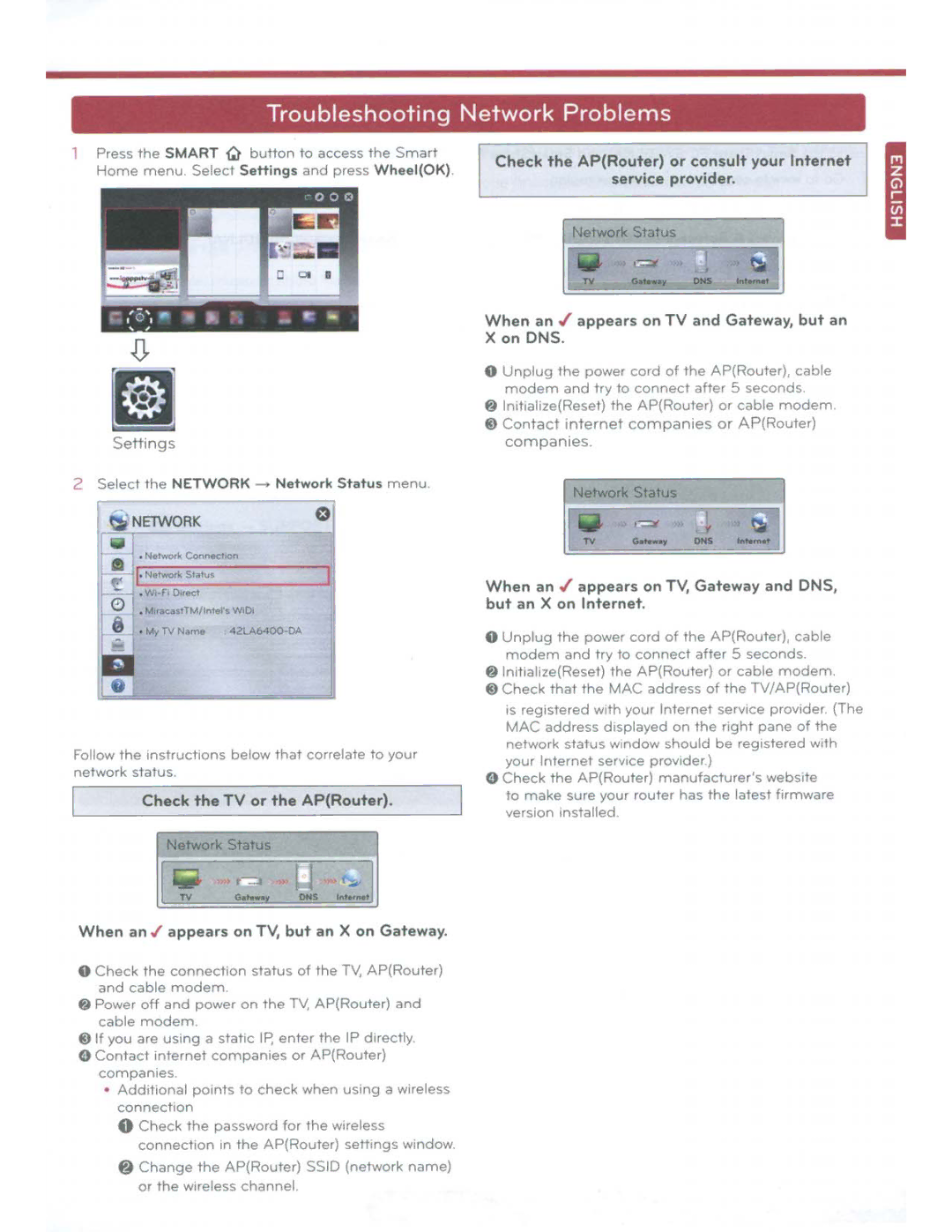
When an ./ appears on TV and Gateway, but an X on DNS.
0 Unplug the power cord of the AP(Router), cable modem and try to connect after 5 seconds.
@ ln1tialize(Reset) the AP(Router) or cable modem. @) Contact 1nternet companies or AP(Router) compan1es
[~
• IIA raeaS1TM/Inrers WiOi | |
• 1\Ay TV N;ome | 4 2LA6400·DA |
Follow the instructions below t hat correlate to your | |
network status | |
| Check the TV or the AP(Router). |
| Network Status |
| [ ~ |
When an ./ appears on TV, but an X on Gateway. | |
0 | Check the connect1on status of the TY. AP(Router) |
| and cable modem. |
@ Power off and power on the TV, AP(Router) and | |
| cable modem. |
@) If you are using a static IP, enter the IP directly | |
0 | Contact 1nternet compan1es or AP(Router) |
| compan1es |
| • Additional po1nts to check when using a wireless |
| connection |
| 0 Check the password for the wireless |
| connect1on in the AP(Router) settmgs window |
| @ Change the AP(Router) SSID (network name) |
| or the w~reless channel |
When an ./ appears on TV, Gateway and DNS, | ||
but an X on Internet. | ||
0 | Unplug the power cord of the AP(Router), cable | |
| modem and try to connect after 5 seconds. | |
@ ln1tialize(Reset) | the AP(Router) or cable modem | |
@) Check that the | MAC address of the TV/AP(Router) | |
| is reg1stered w1th your Internet serv1ce prov1der (The | |
| MAC address displayed on the right pane of the | |
| network status window should be registered with | |
| your Internet service provider) | |
0 | Check the AP(Router) manufacturer'swebs1te | |
| to make sure your router has the latest firmware | |
| version 1nstalled | |