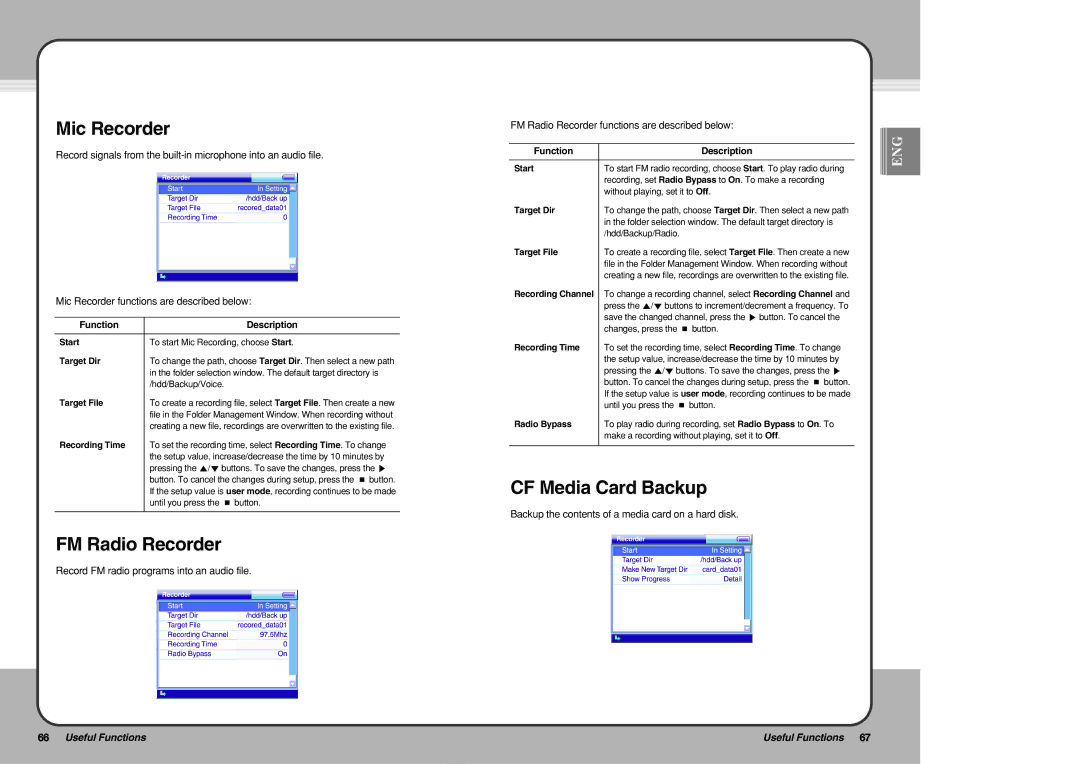
Mic Recorder
Record signals from the
Mic Recorder functions are described below:
Function | Description |
|
|
Start | To start Mic Recording, choose Start. |
Target Dir | To change the path, choose Target Dir. Then select a new path |
| in the folder selection window. The default target directory is |
| /hdd/Backup/Voice. |
Target File | To create a recording file, select Target File. Then create a new |
| file in the Folder Management Window. When recording without |
| creating a new file, recordings are overwritten to the existing file. |
Recording Time | To set the recording time, select Recording Time. To change |
| the setup value, increase/decrease the time by 10 minutes by |
| pressing the ▲/▼ buttons. To save the changes, press the ▶ |
| button. To cancel the changes during setup, press the ■ button. |
| If the setup value is user mode, recording continues to be made |
| until you press the ■ button. |
|
|
FM Radio Recorder
Record FM radio programs into an audio file.
FM Radio Recorder functions are described below:
Function | Description |
|
|
Start | To start FM radio recording, choose Start. To play radio during |
| recording, set Radio Bypass to On. To make a recording |
| without playing, set it to Off. |
Target Dir | To change the path, choose Target Dir. Then select a new path |
| in the folder selection window. The default target directory is |
| /hdd/Backup/Radio. |
Target File | To create a recording file, select Target File. Then create a new |
| file in the Folder Management Window. When recording without |
| creating a new file, recordings are overwritten to the existing file. |
Recording Channel | To change a recording channel, select Recording Channel and |
| press the ▲/▼ buttons to increment/decrement a frequency. To |
| save the changed channel, press the ▶ button. To cancel the |
| changes, press the ■ button. |
Recording Time | To set the recording time, select Recording Time. To change |
| the setup value, increase/decrease the time by 10 minutes by |
| pressing the ▲/▼ buttons. To save the changes, press the ▶ |
| button. To cancel the changes during setup, press the ■ button. |
| If the setup value is user mode, recording continues to be made |
| until you press the ■ button. |
Radio Bypass | To play radio during recording, set Radio Bypass to On. To |
| make a recording without playing, set it to Off. |
|
|
CF Media Card Backup
Backup the contents of a media card on a hard disk.


 ENG
ENG
66 Useful Functions | Useful Functions 67 |
|
|