INSTALLING THE VTL VALUE APPLIANCE IN AN EQUIPMENT RACK
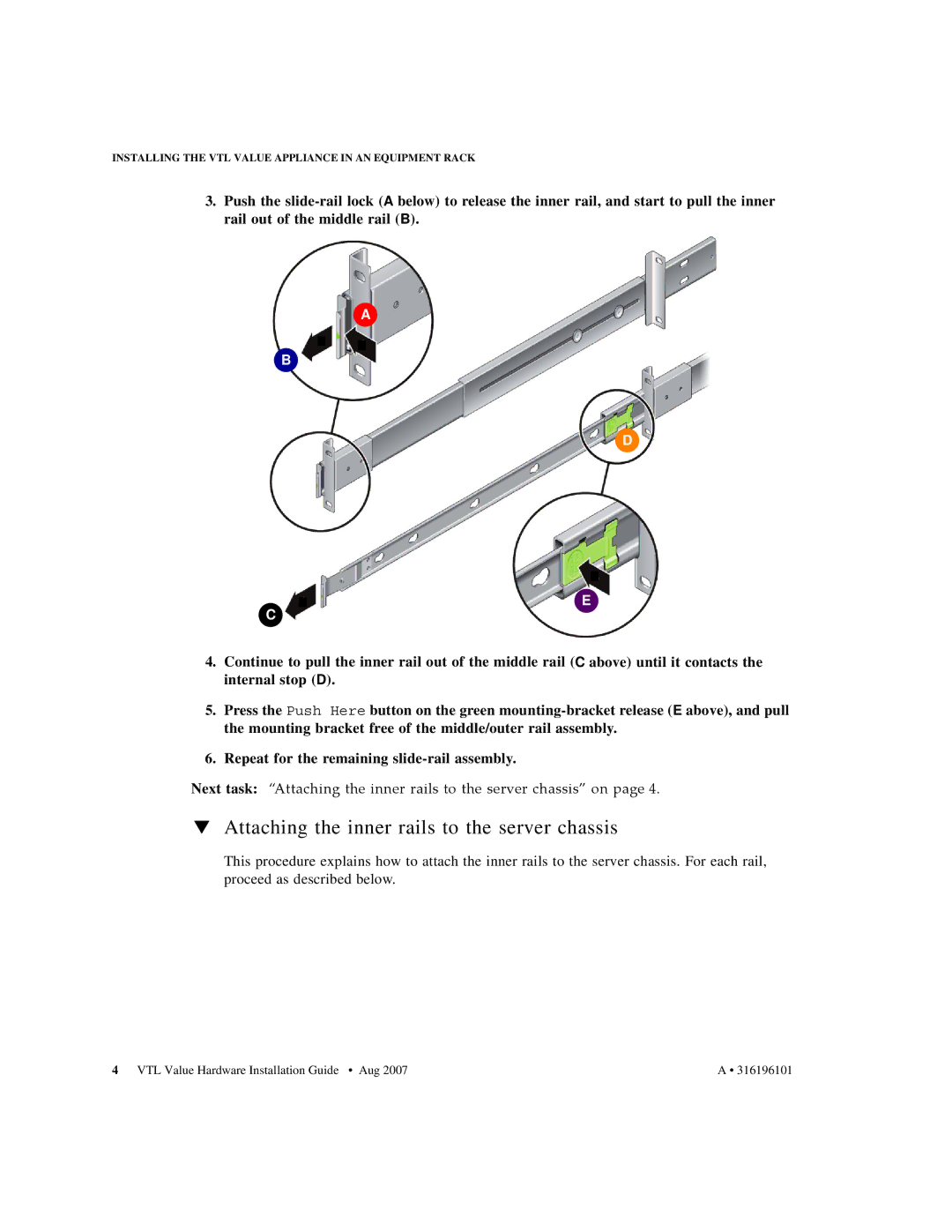
3.Push the
B
C
A
D
E
4.Continue to pull the inner rail out of the middle rail (C above) until it contacts the internal stop (D).
5.Press the Push Here button on the green
6.Repeat for the remaining
Next task: “Attaching the inner rails to the server chassis” on page 4.
▼Attaching the inner rails to the server chassis
This procedure explains how to attach the inner rails to the server chassis. For each rail, proceed as described below.
4 VTL Value Hardware Installation Guide • Aug 2007 | A • 316196101 |