CHANGING THE ILOM PASSWORD
Changing the ILOM password
The Integrated Lights Out Manager (ILOM) service processor on the VTL Value appliance ships with a
▼Resetting the default ILOM password
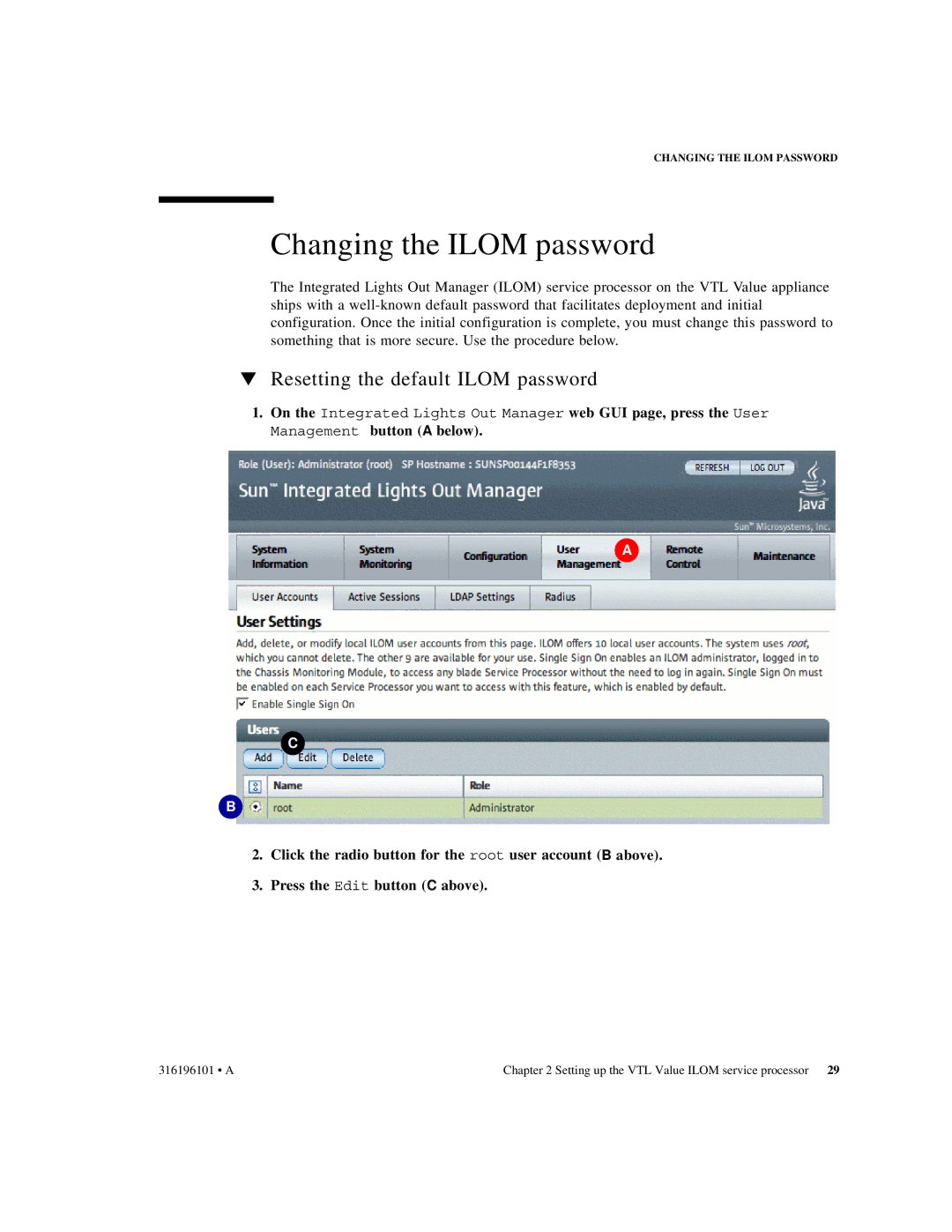
1.On the Integrated Lights Out Manager web GUI page, press the User Management button (A below).
A
C
B
2.Click the radio button for the root user account (B above).
3.Press the Edit button (C above).
316196101 • A | Chapter 2 Setting up the VTL Value ILOM service processor 29 |