Technical Reference Guide
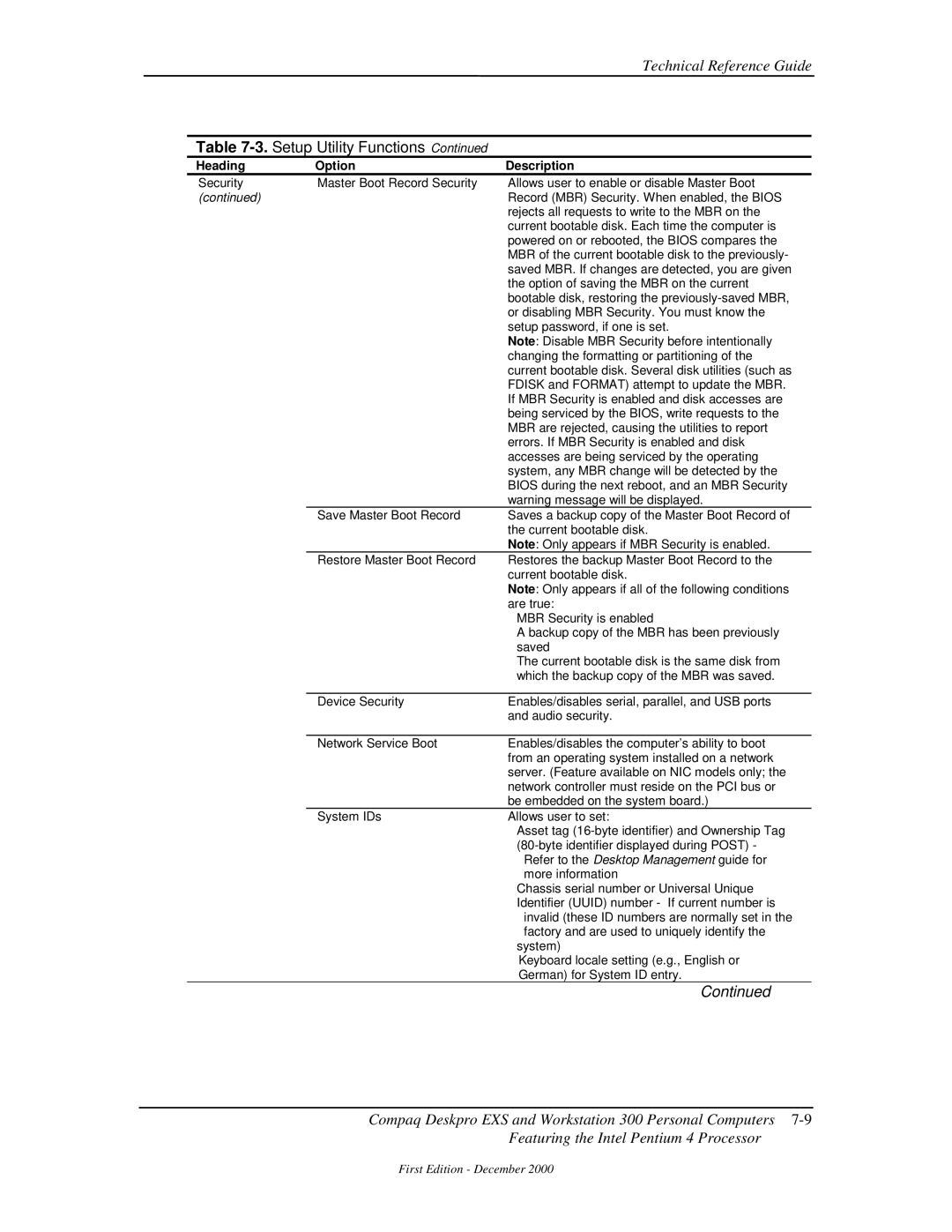
Table 7-3. Setup Utility Functions Continued
Heading | Option | Description |
Security | Master Boot Record Security | Allows user to enable or disable Master Boot |
(continued) |
| Record (MBR) Security. When enabled, the BIOS |
|
| rejects all requests to write to the MBR on the |
|
| current bootable disk. Each time the computer is |
|
| powered on or rebooted, the BIOS compares the |
|
| MBR of the current bootable disk to the previously- |
|
| saved MBR. If changes are detected, you are given |
|
| the option of saving the MBR on the current |
|
| bootable disk, restoring the |
|
| or disabling MBR Security. You must know the |
|
| setup password, if one is set. |
|
| Note: Disable MBR Security before intentionally |
|
| changing the formatting or partitioning of the |
|
| current bootable disk. Several disk utilities (such as |
|
| FDISK and FORMAT) attempt to update the MBR. |
|
| If MBR Security is enabled and disk accesses are |
|
| being serviced by the BIOS, write requests to the |
|
| MBR are rejected, causing the utilities to report |
|
| errors. If MBR Security is enabled and disk |
|
| accesses are being serviced by the operating |
|
| system, any MBR change will be detected by the |
|
| BIOS during the next reboot, and an MBR Security |
|
| warning message will be displayed. |
| Save Master Boot Record | Saves a backup copy of the Master Boot Record of |
|
| the current bootable disk. |
|
| Note: Only appears if MBR Security is enabled. |
| Restore Master Boot Record | Restores the backup Master Boot Record to the |
|
| current bootable disk. |
|
| Note: Only appears if all of the following conditions |
|
| are true: |
|
| MBR Security is enabled |
|
| A backup copy of the MBR has been previously |
|
| saved |
|
| The current bootable disk is the same disk from |
|
| which the backup copy of the MBR was saved. |
|
|
|
| Device Security | Enables/disables serial, parallel, and USB ports |
|
| and audio security. |
|
|
|
| Network Service Boot | Enables/disables the computer’s ability to boot |
|
| from an operating system installed on a network |
|
| server. (Feature available on NIC models only; the |
|
| network controller must reside on the PCI bus or |
|
| be embedded on the system board.) |
| System IDs | Allows user to set: |
|
| Asset tag |
|
| |
|
| Refer to the Desktop Management guide for |
|
| more information |
|
| Chassis serial number or Universal Unique |
|
| Identifier (UUID) number - If current number is |
|
| invalid (these ID numbers are normally set in the |
|
| factory and are used to uniquely identify the |
|
| system) |
|
| Keyboard locale setting (e.g., English or |
|
| German) for System ID entry. |
|
| Continued |
Compaq Deskpro EXS and Workstation 300 Personal Computers
Featuring the Intel Pentium 4 Processor
First Edition - December 2000