Chapter 7 BIOS ROM
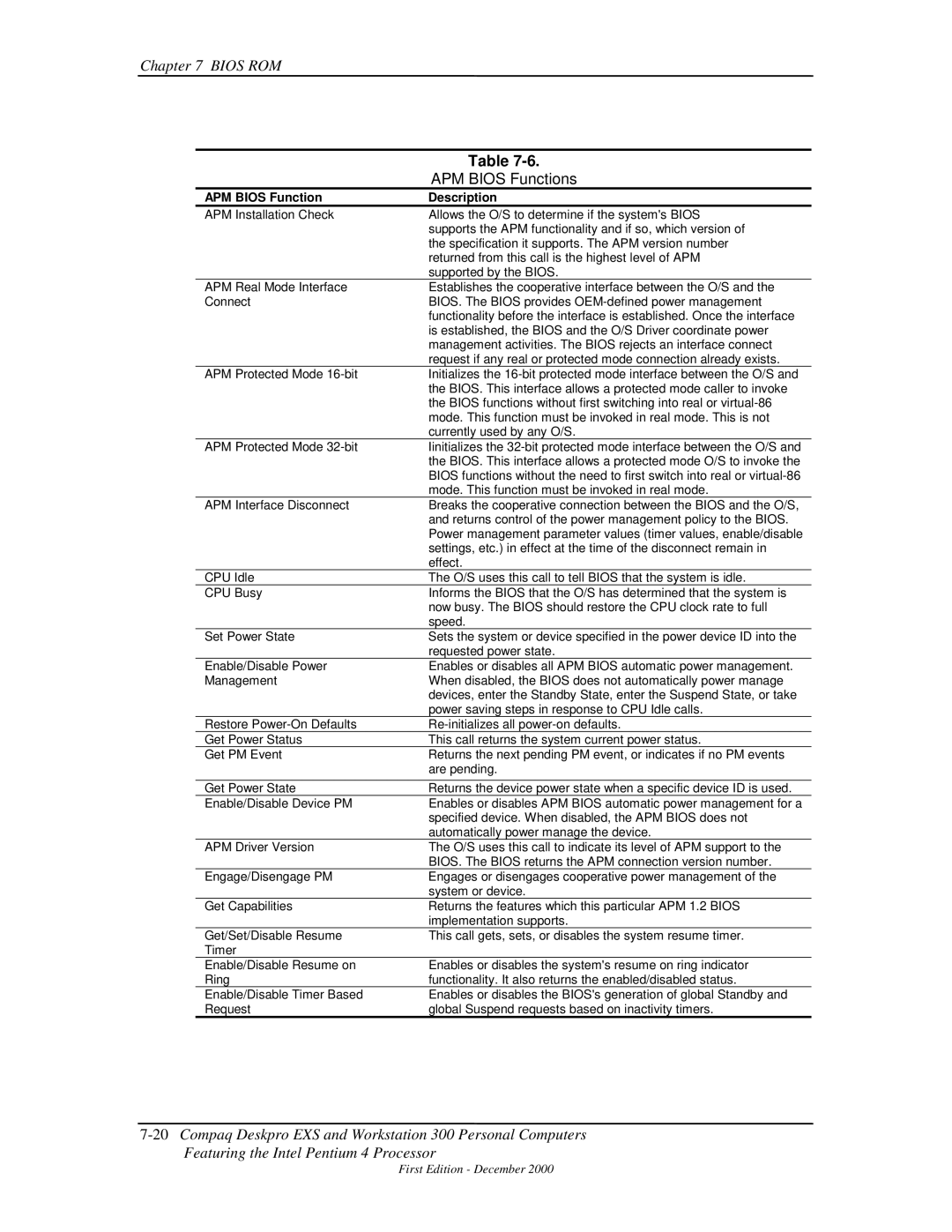
Table
| Table |
| APM BIOS Functions |
APM BIOS Function | Description |
APM Installation Check | Allows the O/S to determine if the system's BIOS |
| supports the APM functionality and if so, which version of |
| the specification it supports. The APM version number |
| returned from this call is the highest level of APM |
| supported by the BIOS. |
APM Real Mode Interface | Establishes the cooperative interface between the O/S and the |
Connect | BIOS. The BIOS provides |
| functionality before the interface is established. Once the interface |
| is established, the BIOS and the O/S Driver coordinate power |
| management activities. The BIOS rejects an interface connect |
| request if any real or protected mode connection already exists. |
APM Protected Mode | Initializes the |
| the BIOS. This interface allows a protected mode caller to invoke |
| the BIOS functions without first switching into real or |
| mode. This function must be invoked in real mode. This is not |
| currently used by any O/S. |
APM Protected Mode | Iinitializes the |
| the BIOS. This interface allows a protected mode O/S to invoke the |
| BIOS functions without the need to first switch into real or |
| mode. This function must be invoked in real mode. |
APM Interface Disconnect | Breaks the cooperative connection between the BIOS and the O/S, |
| and returns control of the power management policy to the BIOS. |
| Power management parameter values (timer values, enable/disable |
| settings, etc.) in effect at the time of the disconnect remain in |
| effect. |
CPU Idle | The O/S uses this call to tell BIOS that the system is idle. |
CPU Busy | Informs the BIOS that the O/S has determined that the system is |
| now busy. The BIOS should restore the CPU clock rate to full |
| speed. |
Set Power State | Sets the system or device specified in the power device ID into the |
| requested power state. |
Enable/Disable Power | Enables or disables all APM BIOS automatic power management. |
Management | When disabled, the BIOS does not automatically power manage |
| devices, enter the Standby State, enter the Suspend State, or take |
| power saving steps in response to CPU Idle calls. |
Restore | |
Get Power Status | This call returns the system current power status. |
Get PM Event | Returns the next pending PM event, or indicates if no PM events |
| are pending. |
Get Power State | Returns the device power state when a specific device ID is used. |
Enable/Disable Device PM | Enables or disables APM BIOS automatic power management for a |
| specified device. When disabled, the APM BIOS does not |
| automatically power manage the device. |
APM Driver Version | The O/S uses this call to indicate its level of APM support to the |
| BIOS. The BIOS returns the APM connection version number. |
Engage/Disengage PM | Engages or disengages cooperative power management of the |
| system or device. |
Get Capabilities | Returns the features which this particular APM 1.2 BIOS |
| implementation supports. |
Get/Set/Disable Resume | This call gets, sets, or disables the system resume timer. |
Timer |
|
Enable/Disable Resume on | Enables or disables the system's resume on ring indicator |
Ring | functionality. It also returns the enabled/disabled status. |
Enable/Disable Timer Based | Enables or disables the BIOS's generation of global Standby and |
Request | global Suspend requests based on inactivity timers. |
Featuring the Intel Pentium 4 Processor
First Edition - December 2000