Your Notebook contains a lithium ion or nickel metal hydride battery pack. Improper handling of the battery pack can result in fire and chemical burns. Do not disassemble, crush, puncture, short external contacts, dispose of in water or fire, or expose it to temperatures higher than
140°F (60 °C). Replace only with the Compaq battery pack specified for your Notebook.
“Caring for Your Battery” later in this guide.
The battery charges whether your Notebook is on or off. It continues charging until the battery is fully charged or the AC power is disconnected.
If you will not be using your Notebook for an extended period of time, Compaq recommends that you unplug the electrical cord from the outlet and remove the battery while your Notebook is not in use.
Using Battery Power
Inserting the Battery
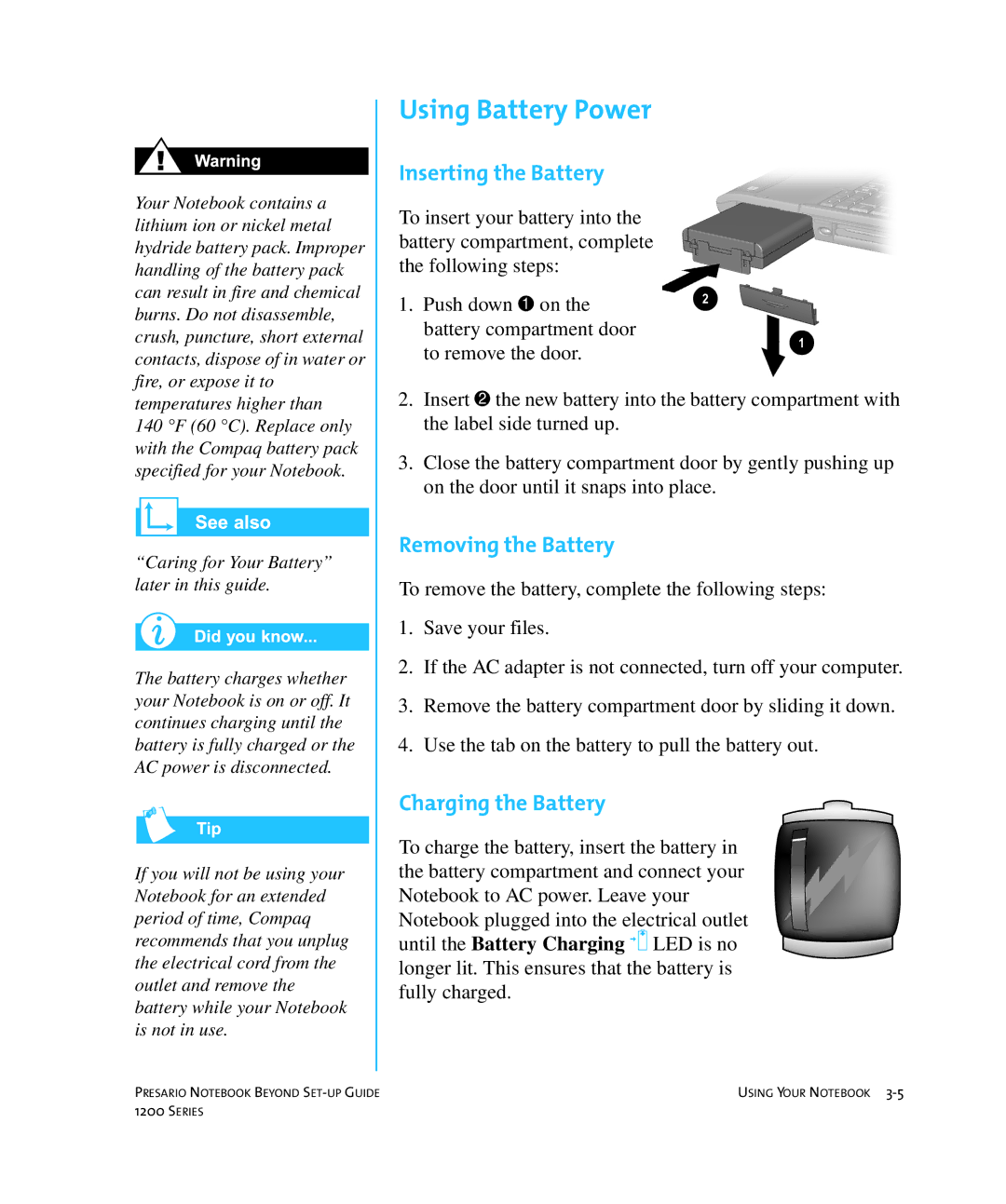
To insert your battery into the battery compartment, complete the following steps:
1.Push down 1 on the battery compartment door to remove the door.
2.Insert 2 the new battery into the battery compartment with the label side turned up.
3.Close the battery compartment door by gently pushing up on the door until it snaps into place.
Removing the Battery
To remove the battery, complete the following steps:
1.Save your files.
2.If the AC adapter is not connected, turn off your computer.
3.Remove the battery compartment door by sliding it down.
4.Use the tab on the battery to pull the battery out.
Charging the Battery
To charge the battery, insert the battery in the battery compartment and connect your Notebook to AC power. Leave your Notebook plugged into the electrical outlet until the Battery Charging 7 LED is no longer lit. This ensures that the battery is fully charged.
PRESARIO NOTEBOOK BEYOND | USING YOUR NOTEBOOK |
1200 SERIES |
|