Maintenance and Service Guide
HP Compaq Pro 4300 Small Form Factor Business PC
About This Book
Table of contents
Smart ATA Drives
101
107
163
Standard Configuration Features
Product Features
1Front Panel Components
Front Panel Components
2Rear Panel Components
Rear Panel Components
Serial Number Location
4Serial Number and Product ID Location Product Features
Activating and Customizing the Software
Activating and customizing the software in Windows
Activating the Windows operating system
Downloading Windows 7 updates
Installing or upgrading device drivers
Customizing the monitor display
Click Settings Change PC Settings
Downloading Windows 8 updates
Computer Setup F10 Utilities
Computer Setup F10 Utility
1Computer Setup F10 Utility
Using Computer Setup F10 Utilities
2Computer Setup-File
Computer Setup-File
3Computer Setup-Storage
Computer Setup-Storage
Sata Defaults
OptionDescription
Storage Options ESATA Port
Removable Media Boot
Sata Emulation
Max eSATA Speed
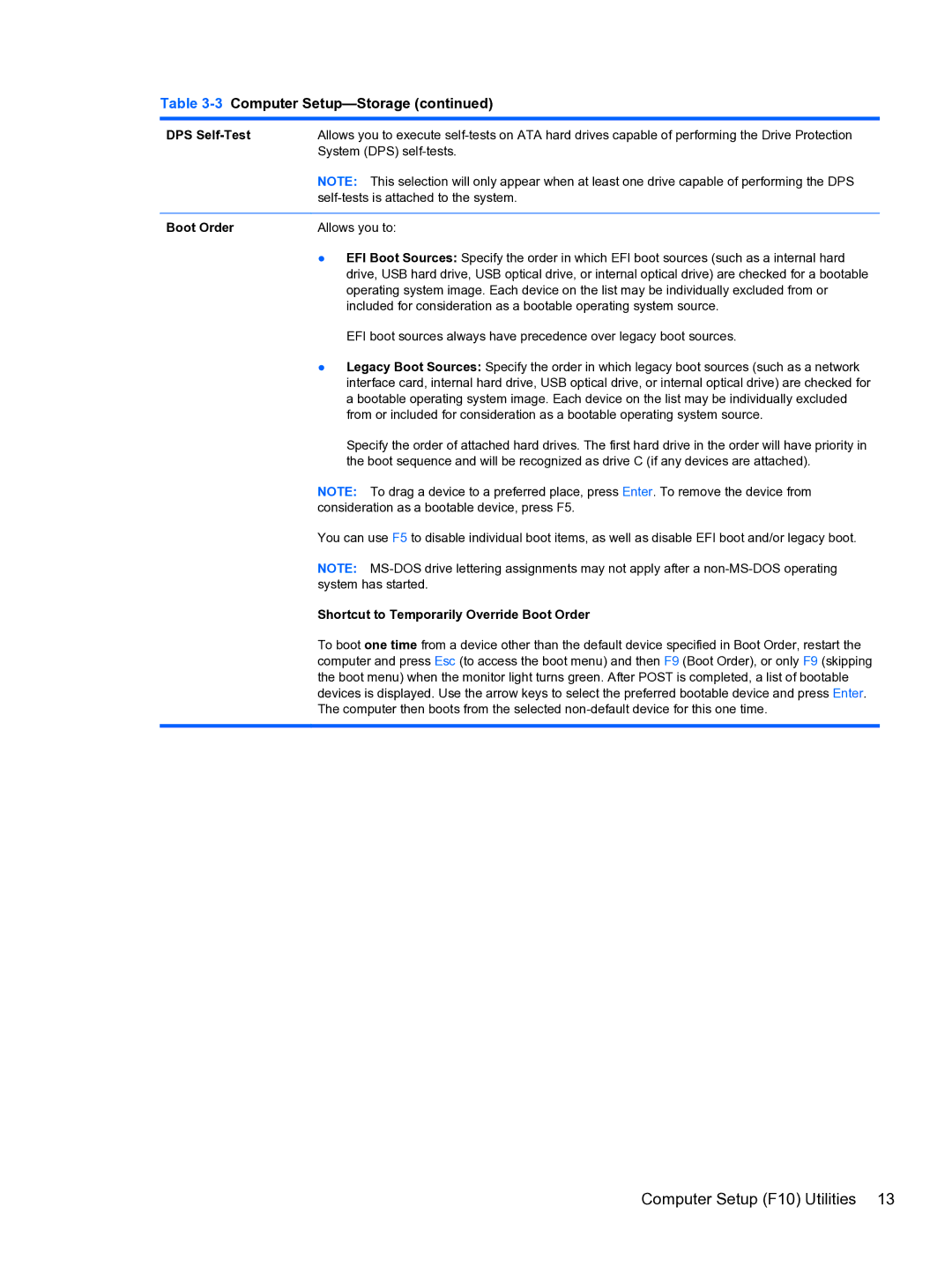
Boot Order
Shortcut to Temporarily Override Boot Order
DPS Self-Test
4Computer Setup-Security
Computer Setup-Security
Master Boot Record
Network Boot
Slot Security
System IDs
System Security
Secure Boot
Configuration
DriveLock Security
5Computer Setup-Power
Computer Setup-Power
Computer Setup-Advanced
6Computer Setup-Advanced for advanced users
Option Heading Power-On Options
Onboard Devices
Bios Power-On
Bus Options
Device Options
Recovering the Configuration Settings
VGA Configuration
AMT Configuration
Serial ATA Hard Drive Characteristics
Serial ATA Sata Drive Guidelines and Features
Sata Hard Drives
Sata Hard Drive Cables
Smart ATA Drives
Small Form Factor SFF
Chassis Designations
Generating Static
Electrostatic Discharge Information
Preventing Electrostatic Damage to Equipment
Relative Humidity Event 55% 40% 10%
Grounding the Work Area
Personal Grounding Methods and Equipment
Recommended Materials and Equipment
Static Shielding Protection Levels
Operating Guidelines
Cleaning the Computer Case
General Cleaning Safety Precautions
Cleaning the Keyboard
Routine Care
Cleaning the Monitor
Service Considerations
Cleaning the Mouse
Power Supply Fan
Tools and Software Requirements
Cables and Connectors
Screws
Hard Drives
Lithium Coin Cell Battery
Illustrated parts catalog
Spare parts
Computer major components
Power supply
Description Spare part number Access panel
Heat sink includes replacement thermal material
Front I/O and power switch assembly
Optical drives
Description Spare part number
Expansion cards
Keyboard
Mouse
Sequential part number listing
Spare parts
Illustrated parts catalog
Spare parts
Illustrated parts catalog
Spare parts
Illustrated parts catalog
Battery
Type 2 Battery Holder
Type 1 Battery Holder
Type 3 Battery Holder
Using the Small Form Factor Computer in a Tower Orientation
HP/Kensington MicroSaver Security Cable Lock
Installing a Security Lock
Padlock
Front Bezel Security
Page
Power Cord Set Requirements
Japanese Power Cord Requirements
General Requirements
Country Accrediting Agency
Country-Specific Requirements
Post Error Messages
Table B-1Numeric Codes and Text Messages
Post Numeric Codes and Text Messages
Control panel message Description Recommended action
Test under Storage DPS Self-test
Activity Blinks Possible Cause
Table B-2Diagnostic Front Panel LEDs and Audible Codes
Activity Blinks Possible Cause Recommended Action
Safety and Comfort Before You Call for Technical Support
Troubleshooting Without Diagnostics
Refer to Helpful Hints on page 108 in this guide
Helpful Hints
Page
Table C-1Solving General Problems
Solving General Problems
Computer date and time display is incorrect Cause Solution
Computer will not respond to keyboard or mouse Cause
Cannot remove computer cover or access panel Cause
There is no sound or sound volume is too low Cause Solution
Poor performance Cause Solution
Advanced Device Options
Under Windows System, click Run
All apps icon
Cause Solution
Solving Power Problems
Table C-2Solving Power Problems
Power supply shuts down intermittently Cause Solution
Some models, is set to the appropriate voltage. Proper
Table C-3Solving Hard Drive Problems
Solving Hard Drive Problems
Computer will not boot from hard drive Cause Solution
Nonsystem disk/NTLDR missing message Cause Solution
Storage Boot Order
Device Configuration
Computer seems to be locked up Cause Solution
Solving Media Card Reader Problems
Table C-4Solving Media Card Reader Problems
Can not write to the media card Cause
Computer’s software is used to safely eject the card
Table C-5Solving Display Problems
Solving Display Problems
Blank screen no video Cause Solution
Adjust screen resolution
Dim characters Cause Solution
Image is not centered Cause Solution
No Connection, Check Signal Cable displays on screen Cause
Select ImageControl/ Horizontal Position or Vertical
Out of Range displays on screen Cause
Certain typed symbols do not appear correct Cause
Table C-6Solving Audio Problems
Solving Audio Problems
Sound from headphones is not clear or muffled Cause
There is no sound or sound volume is too low Cause
Line-in jack is not functioning properly Cause
Table C-7Solving Printer Problems
Solving Printer Problems
Printer will not print Cause Solution
Printer will not turn on Cause Solution
Printer prints garbled information Cause Solution
Table C-8Solving Keyboard Problems
Solving Keyboard and Mouse Problems
Enter
Table C-9Solving Mouse Problems
Table C-10Solving Hardware Installation Problems
Solving Hardware Installation Problems
Control Panel , and then select Device Manager
Security USB Security
Computer will not start Cause Solution
Table C-11Solving Network Problems
Solving Network Problems
Manager
Network status link light never flashes Cause Solution
Diagnostics reports a failure Cause
Solving Memory Problems
Out of memory error Cause Solution
Table C-12Solving Memory Problems
Memory count during Post is wrong Cause Solution
Insufficient memory error during operation Cause Solution
Solving CD-ROM and DVD Problems
Solving Processor Problems
Table C-13Solving Processor Problems
Table C-14Solving CD-ROM and DVD Problems
Movie will not play in the DVD drive Cause Solution
Security Network Boot
Cannot eject compact disc tray-load unit Cause
Solving USB Flash Drive Problems
Table C-15Solving USB Flash Drive Problems
USB flash drive not found identified Cause Solution
System will not boot from USB flash drive Cause Solution