EasyCoder 3400e Bar Code Label Printer User’s Manual
What the Hardware Configuration Test Label Tells You
The hardware test label provides these statistics:
•Amount of installed memory
•Amount of media printed
•Printhead configuration
•Firmware information
•Printhead alignment (the vertical lines)
If a Hardware Configuration Test Label Does Not Print
If you are unable to print a hardware configuration test label, see “Printer Operation Problems” in Chapter 4.
Connecting the Printer to Your System
You can connect your printer to a PC, a local area network, an AS/400 (or other midrange computer), or a mainframe. This section tells you how to connect your printer to any of these systems.
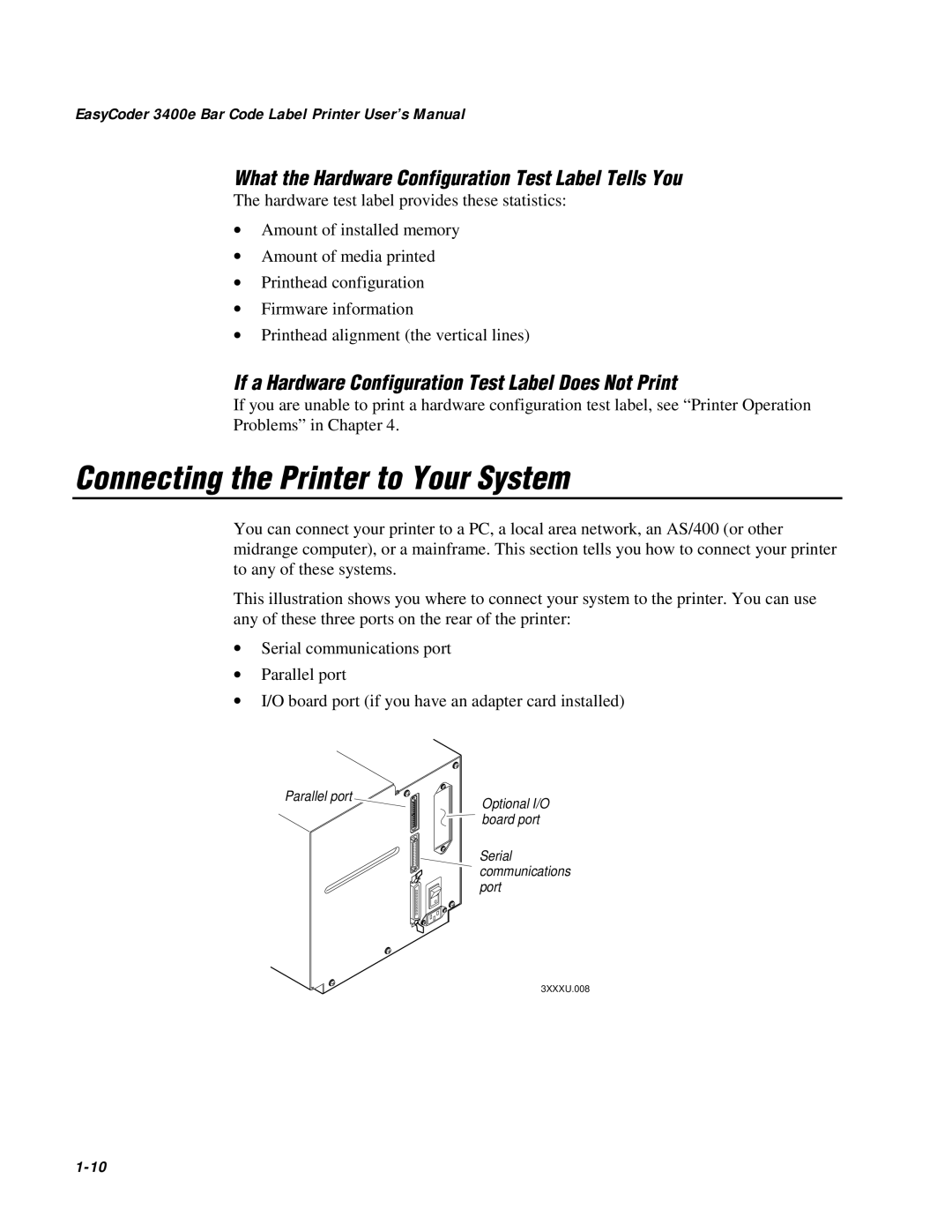
This illustration shows you where to connect your system to the printer. You can use any of these three ports on the rear of the printer:
•Serial communications port
•Parallel port
•I/O board port (if you have an adapter card installed)
Parallel port
1 2 |
3 4 |
5 6 |
7 8 |
1 2 3 4 5 6 7 8
I
O
Optional I/O board port
Serial communications port
3XXXU.008