Bypass Copying
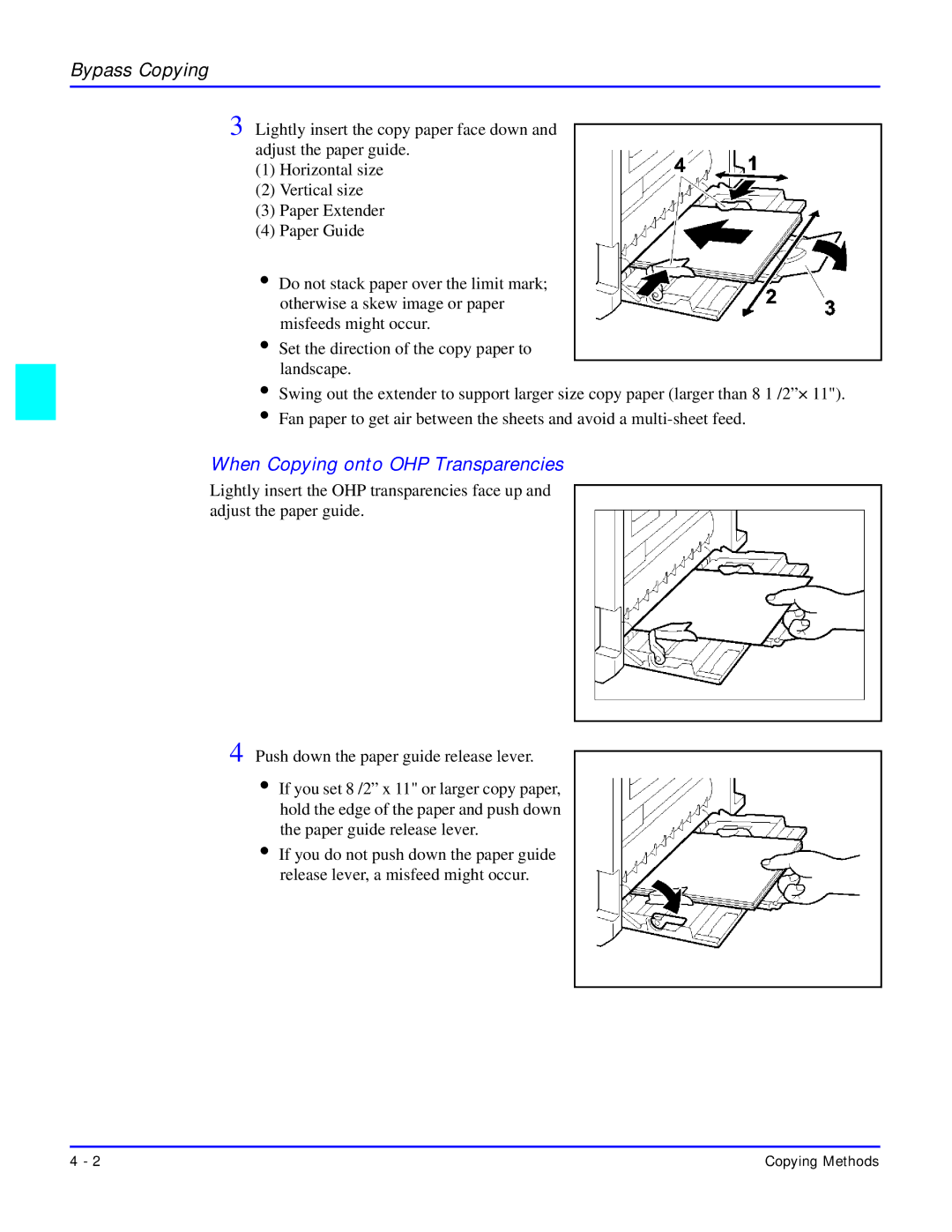
3 Lightly insert the copy paper face down and adjust the paper guide.
(1)Horizontal size
(2)Vertical size
(3)Paper Extender
(4)Paper Guide
•Do not stack paper over the limit mark; otherwise a skew image or paper misfeeds might occur.
•Set the direction of the copy paper to landscape.
•Swing out the extender to support larger size copy paper (larger than 8 1 /2”× 11").
•Fan paper to get air between the sheets and avoid a
When Copying onto OHP Transparencies
Lightly insert the OHP transparencies face up and adjust the paper guide.
4 Push down the paper guide release lever.
•If you set 8 /2” x 11" or larger copy paper, hold the edge of the paper and push down the paper guide release lever.
•If you do not push down the paper guide release lever, a misfeed might occur.
4 - 2 | Copying Methods |