Map Data
This menu lets you turn the map off (which turns the map screen into a GPS plotter), turn off or on the
To get to Map Data:
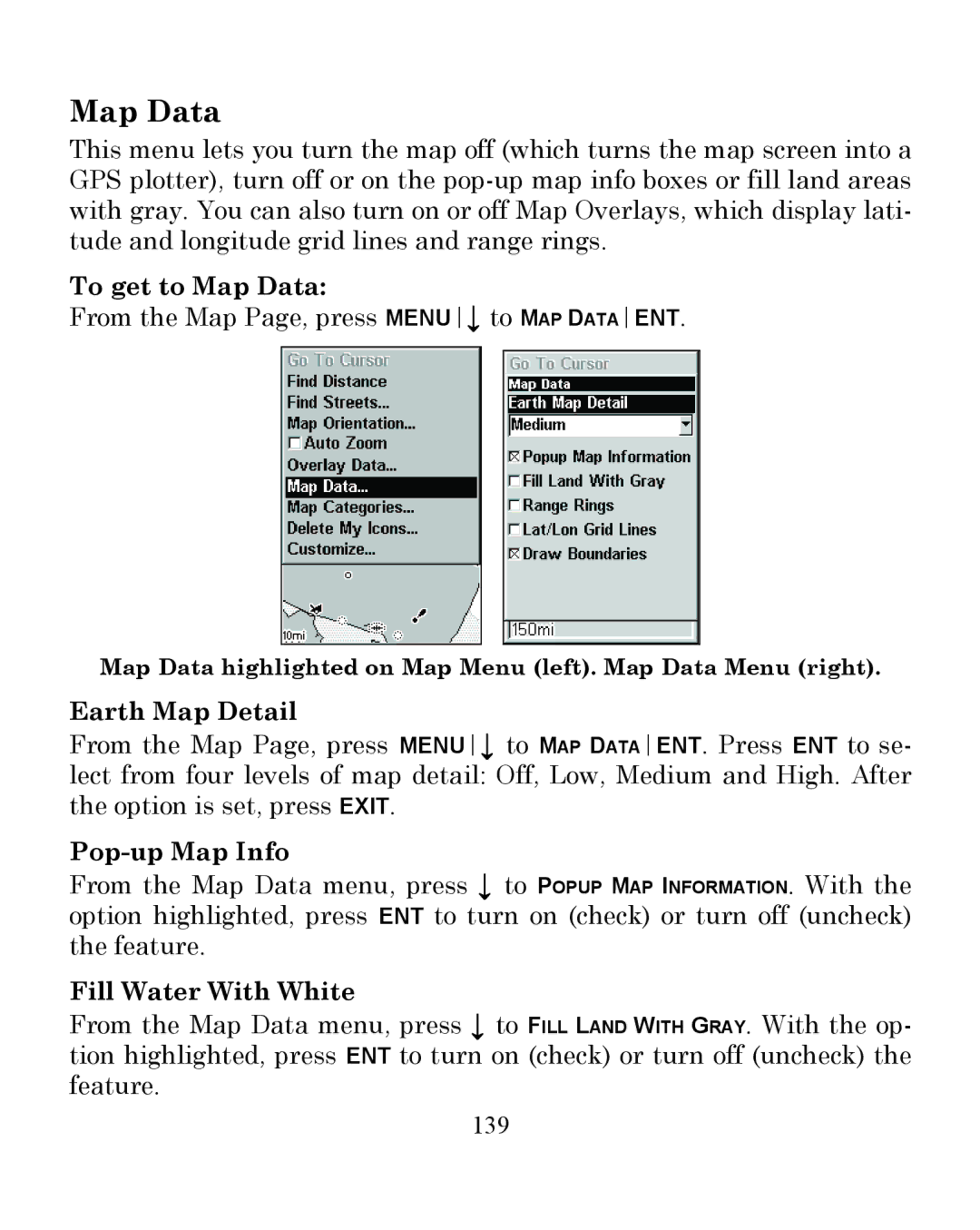
From the Map Page, press MENU↓ to MAP DATAENT.
Map Data highlighted on Map Menu (left). Map Data Menu (right).
Earth Map Detail
From the Map Page, press MENU↓ to MAP DATAENT. Press ENT to se- lect from four levels of map detail: Off, Low, Medium and High. After the option is set, press EXIT.
Pop-up Map Info
From the Map Data menu, press ↓ to POPUP MAP INFORMATION. With the option highlighted, press ENT to turn on (check) or turn off (uncheck) the feature.
Fill Water With White
From the Map Data menu, press ↓ to FILL LAND WITH GRAY. With the op- tion highlighted, press ENT to turn on (check) or turn off (uncheck) the feature.
139