4. LG NAS Web Menu Use (for LG NAS administrators)
Create New Folder
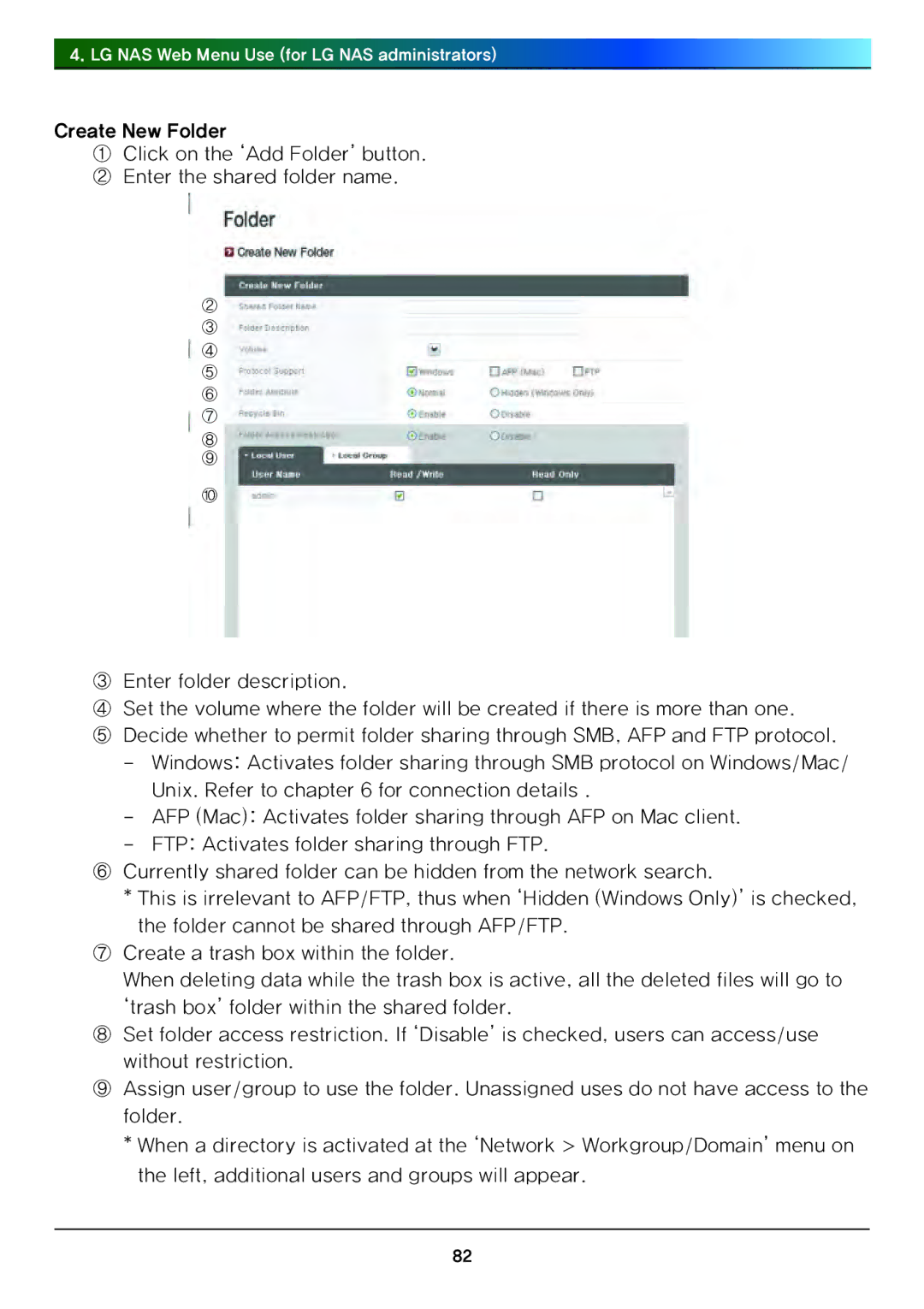
①Click on the ‘Add Folder’ button.
② Enter the shared folder name.
②
③
④
⑤
⑥
⑦
⑧
⑨
⑩
③Enter folder description.
④Set the volume where the folder will be created if there is more than one.
⑤Decide whether to permit folder sharing through SMB, AFP and FTP protocol.
-Windows: Activates folder sharing through SMB protocol on Windows/Mac/ Unix. Refer to chapter 6 for connection details .
-AFP (Mac): Activates folder sharing through AFP on Mac client.
-FTP: Activates folder sharing through FTP.
⑥Currently shared folder can be hidden from the network search.
*This is irrelevant to AFP/FTP, thus when ‘Hidden (Windows Only)’ is checked, the folder cannot be shared through AFP/FTP.
⑦Create a trash box within the folder.
When deleting data while the trash box is active, all the deleted files will go to ‘trash box’ folder within the shared folder.
⑧Set folder access restriction. If ‘Disable’ is checked, users can access/use without restriction.
⑨Assign user/group to use the folder. Unassigned uses do not have access to the folder.
* When a directory is activated at the ‘Network > Workgroup/Domain’ menu on the left, additional users and groups will appear.
82