Using Olympus Sonority
Copying voice guide data
If you format the recorder and erase data by mistake, you can copy the voice guide data from "Olympus Sonority" to the recorder.
1 Make sure that the recorder’s voice guide is set to [On].
• If the recorder’s voice guide is set to [Off] the voice guide data cannot be copied.
2 Connect the recorder to a PC.
• For how to connect to a computer, see [Connecting to your PC]
(☞ P.87).
3 Start "Olympus Sonority".
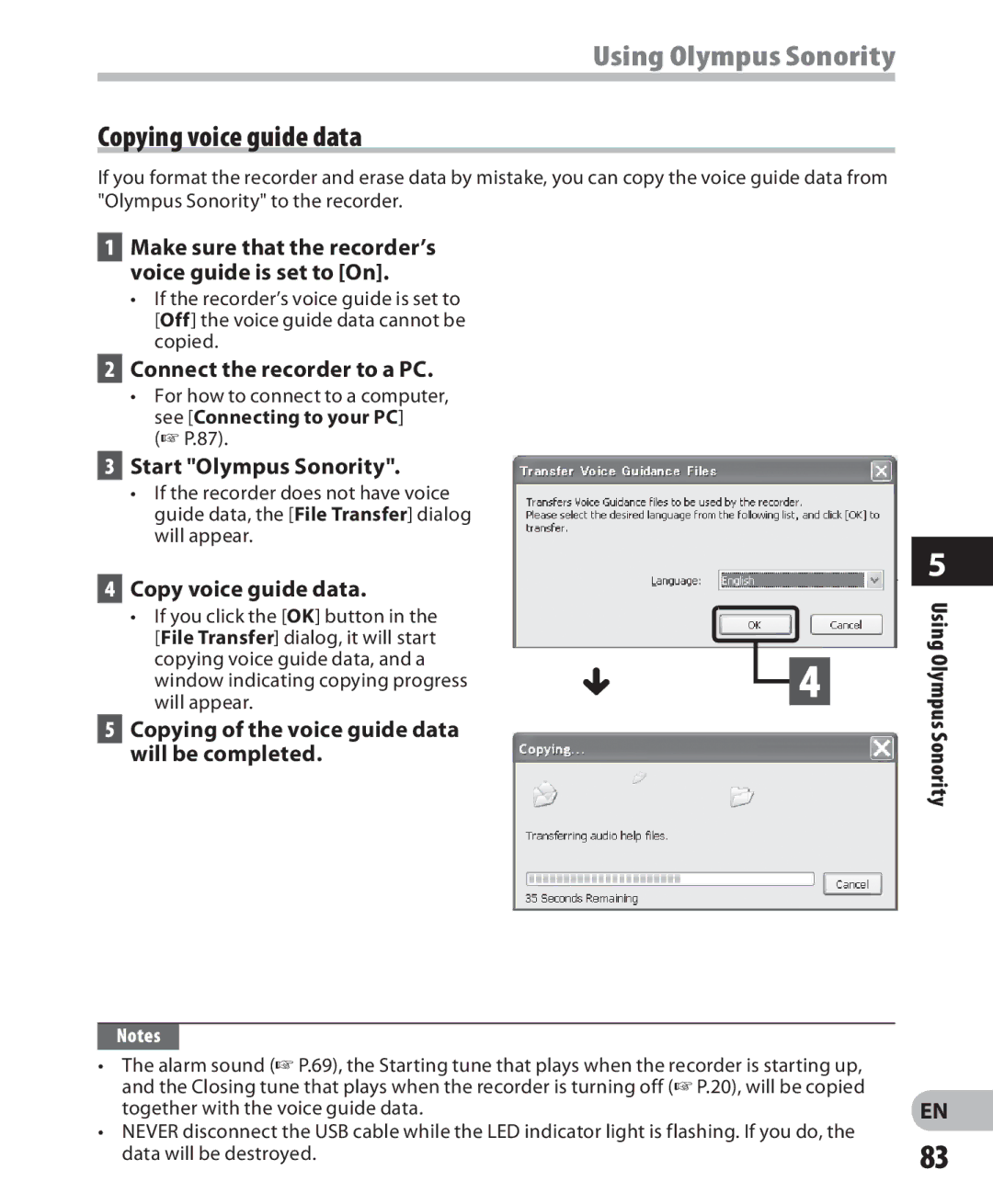
• If the recorder does not have voice guide data, the [File Transfer] dialog will appear.
4 Copy voice guide data.
• If you click the [OK] button in the |
|
|
[File Transfer] dialog, it will start |
|
|
copying voice guide data, and a | { | 4 |
window indicating copying progress | ||
will appear. |
5Copying of the voice guide data will be completed.
Notes
•The alarm sound (☞ P.69), the Starting tune that plays when the recorder is starting up, and the Closing tune that plays when the recorder is turning off (☞ P.20), will be copied together with the voice guide data.
•NEVER disconnect the USB cable while the LED indicator light is flashing. If you do, the data will be destroyed.
5
Using Olympus Sonority
EN
83