Connecting an i.LINK Device
To connect a digital camcorder
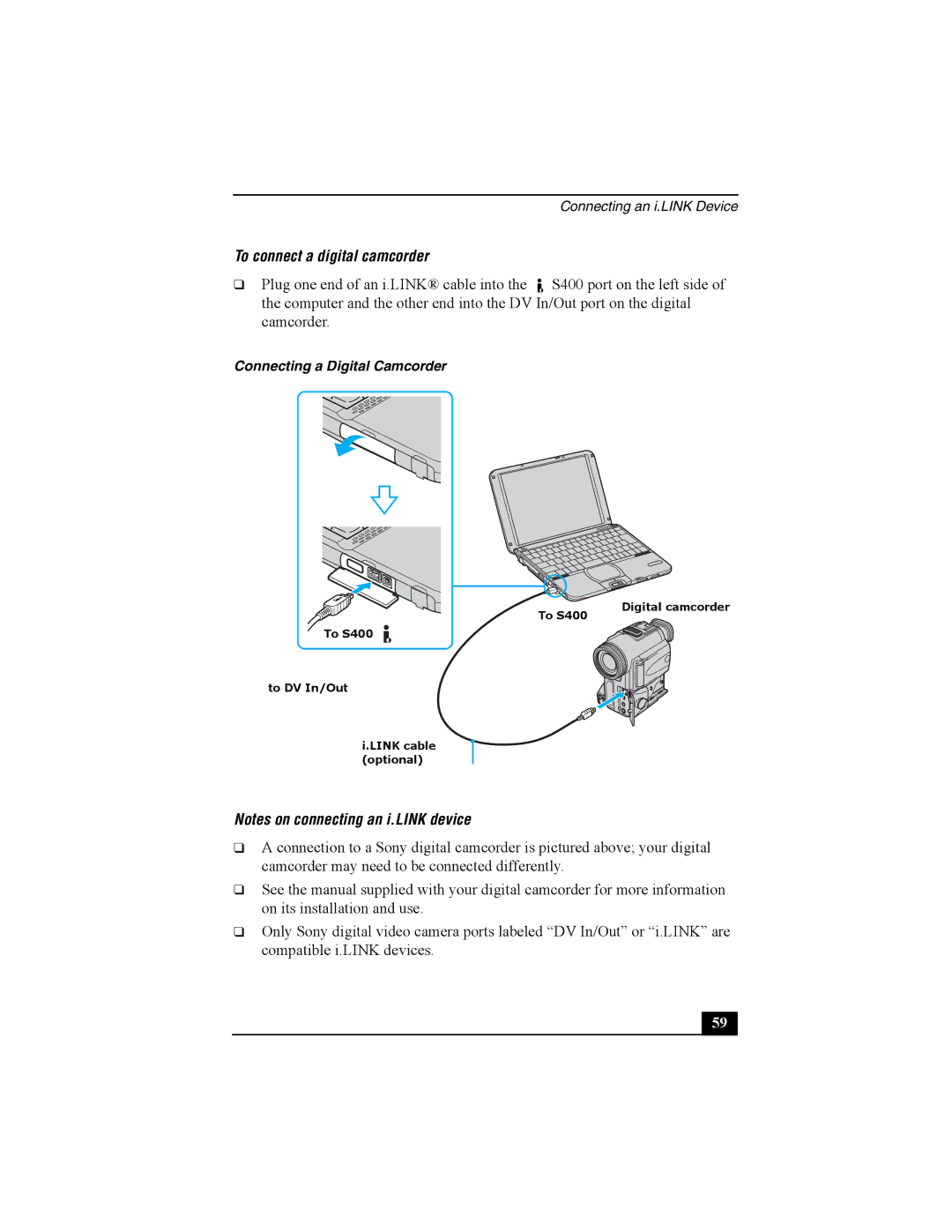
❑Plug one end of an i.LINK® cable into the  S400 port on the left side of the computer and the other end into the DV In/Out port on the digital camcorder.
Connecting a Digital Camcorder
To S400 | Digital camcorder |
| |
To S400 |
|
to DV In/Out
i.LINK cable (optional)
Notes on connecting an i.LINK device
❑A connection to a Sony digital camcorder is pictured above; your digital camcorder may need to be connected differently.
❑See the manual supplied with your digital camcorder for more information on its installation and use.
❑Only Sony digital video camera ports labeled “DV In/Out” or “i.LINK” are compatible i.LINK devices.
59