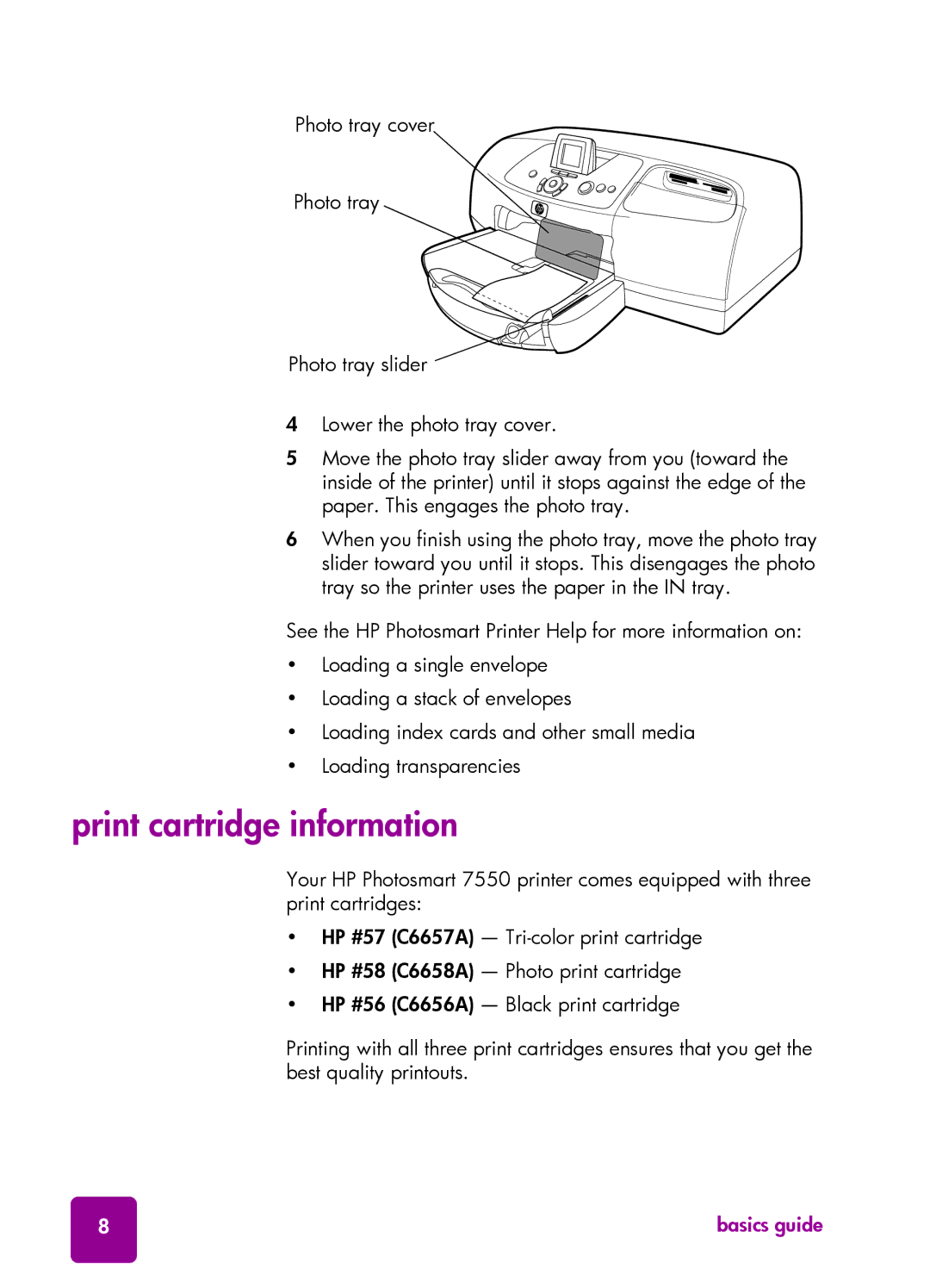
Photo tray cover
Photo tray
Photo tray slider 
4Lower the photo tray cover.
5Move the photo tray slider away from you (toward the inside of the printer) until it stops against the edge of the paper. This engages the photo tray.
6When you finish using the photo tray, move the photo tray slider toward you until it stops. This disengages the photo tray so the printer uses the paper in the IN tray.
See the HP Photosmart Printer Help for more information on:
•Loading a single envelope
•Loading a stack of envelopes
•Loading index cards and other small media
•Loading transparencies
print cartridge information
Your HP Photosmart 7550 printer comes equipped with three print cartridges:
•HP #57 (C6657A) —
•HP #58 (C6658A) — Photo print cartridge
•HP #56 (C6656A) — Black print cartridge
Printing with all three print cartridges ensures that you get the best quality printouts.
8 | basics guide |