User Guide for the SoundPoint IP 670 Desktop Phone
| Item | Description | ||
|
|
|
|
|
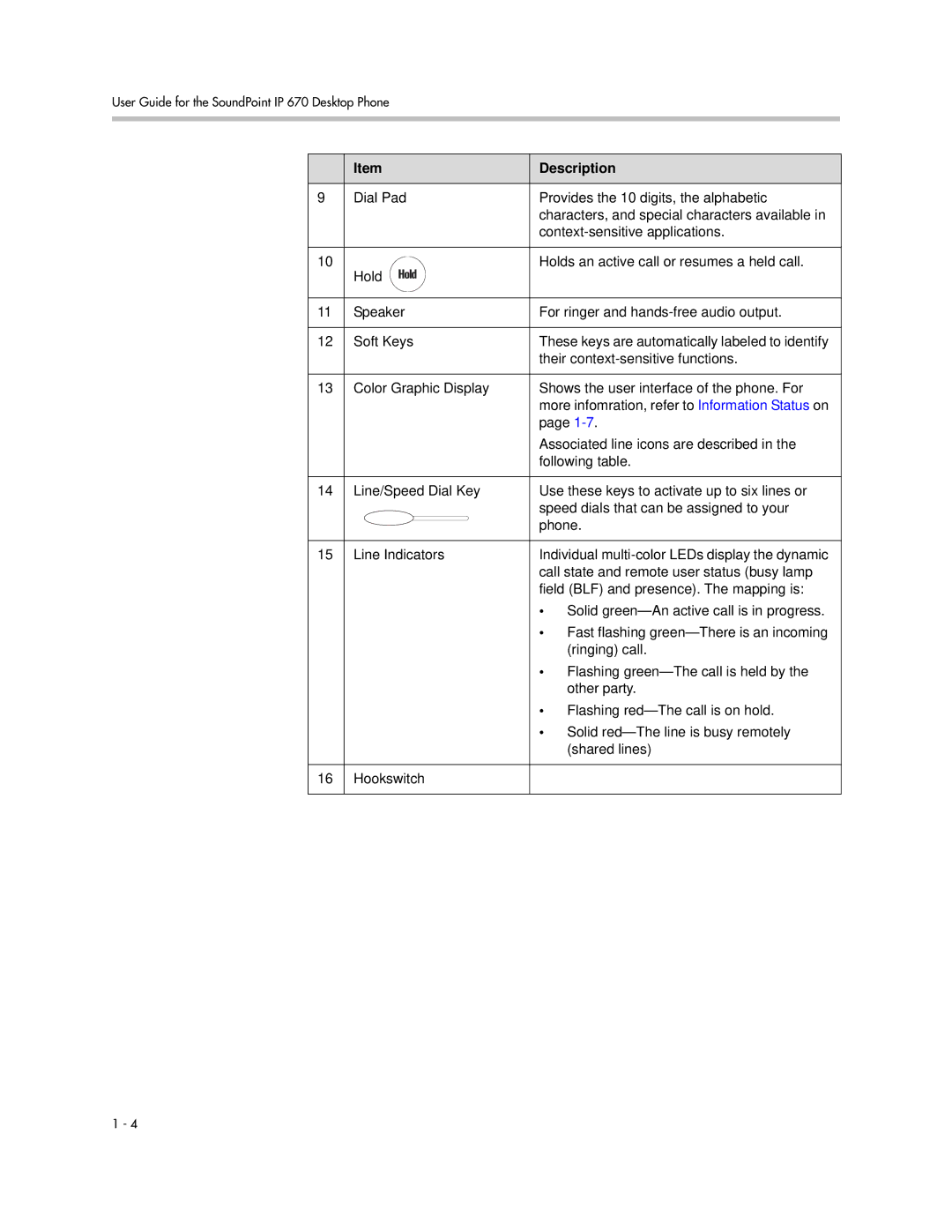
9 | Dial Pad | Provides the 10 digits, the alphabetic | ||
|
|
|
| characters, and special characters available in |
|
|
|
| |
|
|
|
|
|
10 | Hold |
|
| Holds an active call or resumes a held call. |
|
|
|
| |
|
|
| ||
|
|
|
|
|
11 | Speaker | For ringer and | ||
|
|
|
|
|
12 | Soft Keys | These keys are automatically labeled to identify | ||
|
|
|
| their |
|
|
|
|
|
13 | Color Graphic Display | Shows the user interface of the phone. For | ||
|
|
|
| more infomration, refer to Information Status on |
|
|
|
| page |
|
|
|
| Associated line icons are described in the |
|
|
|
| following table. |
|
|
|
|
|
14 | Line/Speed Dial Key | Use these keys to activate up to six lines or | ||
|
|
|
| speed dials that can be assigned to your |
|
|
|
| phone. |
|
|
|
|
|
15 | Line Indicators | Individual | ||
|
|
|
| call state and remote user status (busy lamp |
|
|
|
| field (BLF) and presence). The mapping is: |
|
|
|
| • Solid |
|
|
|
| • Fast flashing |
|
|
|
| (ringing) call. |
|
|
|
| • Flashing |
|
|
|
| other party. |
|
|
|
| • Flashing |
|
|
|
| • Solid |
|
|
|
| (shared lines) |
|
|
|
|
|
16 | Hookswitch |
| ||
|
|
|
|
|
1 - 4