Quick view
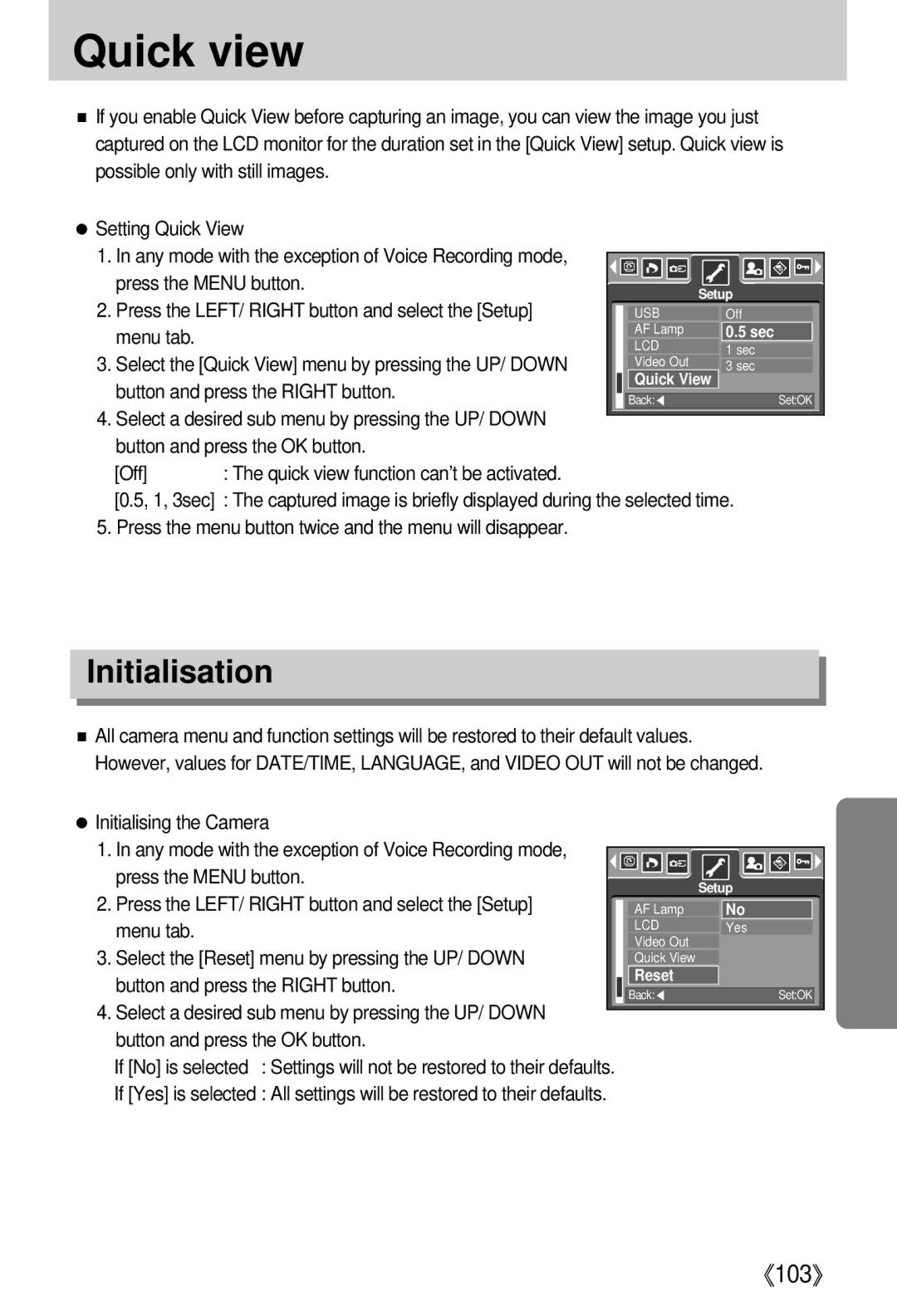
■If you enable Quick View before capturing an image, you can view the image you just captured on the LCD monitor for the duration set in the [Quick View] setup. Quick view is possible only with still images.
●Setting Quick View
1. In any mode with the exception of Voice Recording mode, |
|
|
|
|
|
|
|
|
|
|
|
|
|
|
|
|
|
|
|
|
|
|
|
|
|
|
|
|
|
|
|
|
|
| |
|
|
|
|
|
|
|
|
|
|
|
|
|
|
|
|
| |
press the MENU button. |
|
|
|
|
|
|
|
|
|
|
|
|
|
|
|
|
|
|
|
|
|
|
|
| Setup | ||||||||||
2. Press the LEFT/ RIGHT button and select the [Setup] |
|
|
|
|
|
|
| ||||||||||
| USB |
|
| Off | |||||||||||||
menu tab. |
| AF Lamp |
|
| 0.5 sec | ||||||||||||
| LCD |
|
| ||||||||||||||
3. Select the [Quick View] menu by pressing the UP/ DOWN |
|
|
| 1 sec | |||||||||||||
| Video Out |
|
| ||||||||||||||
|
|
| 3 sec | ||||||||||||||
| Quick View | ||||||||||||||||
button and press the RIGHT button. |
|
|
|
|
|
|
|
|
| ||||||||
|
|
|
|
|
|
|
|
|
|
|
|
|
|
|
|
| |
| Back:◀ |
|
|
|
|
|
| Set:OK |
| ||||||||
|
|
|
|
|
|
|
|
| |||||||||
4.Select a desired sub menu by pressing the UP/ DOWN button and press the OK button.
[Off] : The quick view function can’t be activated.
[0.5, 1, 3sec] : The captured image is briefly displayed during the selected time.
5. Press the menu button twice and the menu will disappear.
Initialisation
■All camera menu and function settings will be restored to their default values. However, values for DATE/TIME, LANGUAGE, and VIDEO OUT will not be changed.
●Initialising the Camera
1.In any mode with the exception of Voice Recording mode,
press the MENU button. |
| Setup | ||
2. Press the LEFT/ RIGHT button and select the [Setup] |
| |||
AF Lamp |
| No | ||
menu tab. | LCD |
| Yes | |
3. Select the [Reset] menu by pressing the UP/ DOWN | Video Out |
|
| |
Quick View |
|
| ||
button and press the RIGHT button. |
| Reset |
|
|
|
|
|
| |
|
| Back:◀ |
| Set:OK |
4.Select a desired sub menu by pressing the UP/ DOWN button and press the OK button.
If [No] is selected : Settings will not be restored to their defaults.
If [Yes] is selected : All settings will be restored to their defaults.
《103》