Starting play mode
■Turn the camera on and select Play mode by pressing the play mode button (  ). The camera can now play back the images stored in the memory.
■You can set up the PLAY mode function by using the camera buttons and LCD monitor.
■If the memory card is inserted in the camera, all the camera functions apply only to the memory card.
■If the memory card is not inserted in the camera, all the camera functions apply only to the internal memory.
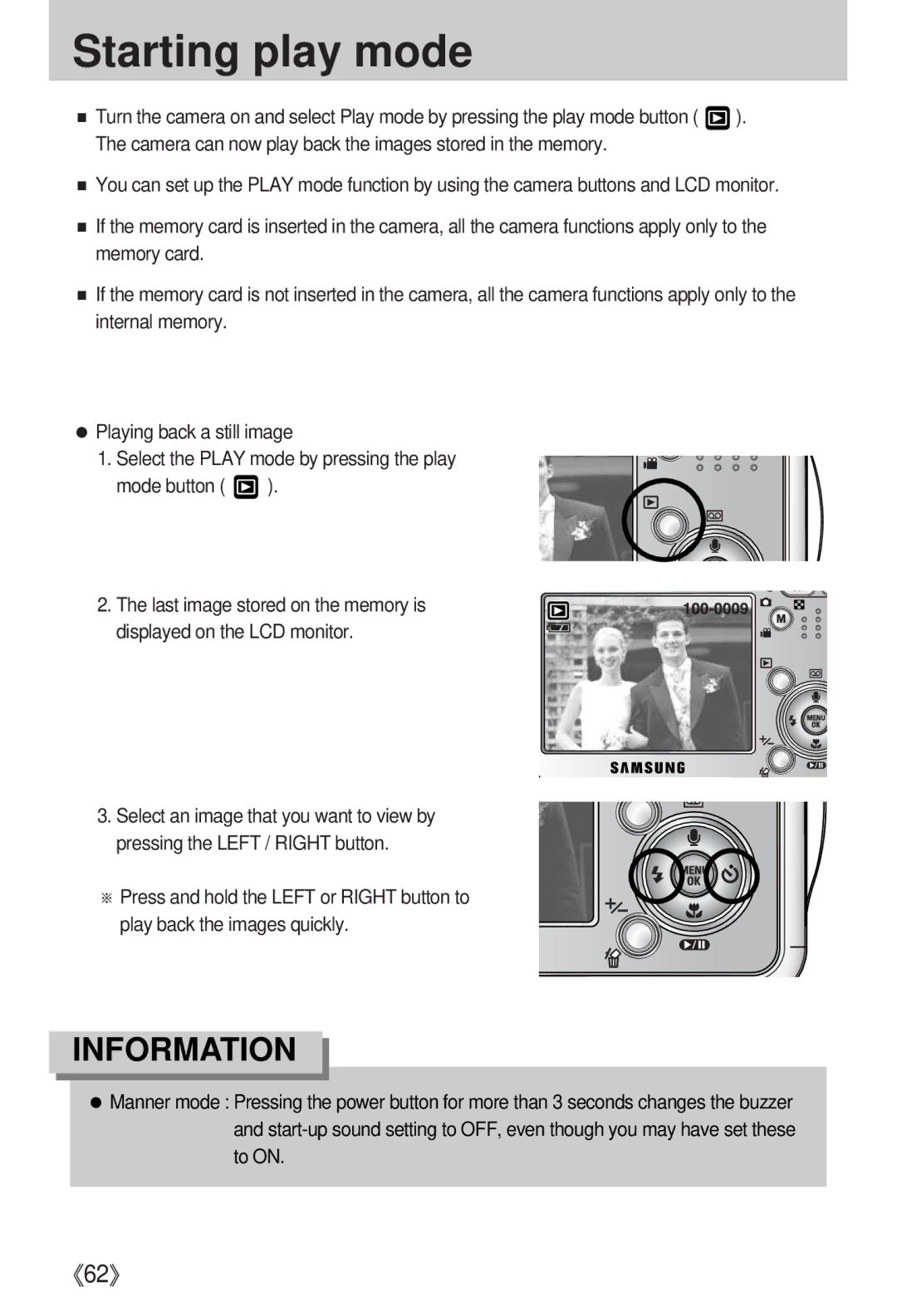
●Playing back a still image
1. Select the PLAY mode by pressing the play mode button (  ).
).
2. The last image stored on the memory is displayed on the LCD monitor.
3. Select an image that you want to view by pressing the LEFT / RIGHT button.
※ Press and hold the LEFT or RIGHT button to play back the images quickly.
INFORMATION
●Manner mode : Pressing the power button for more than 3 seconds changes the buzzer and
《62》