Connecting to a Power Source
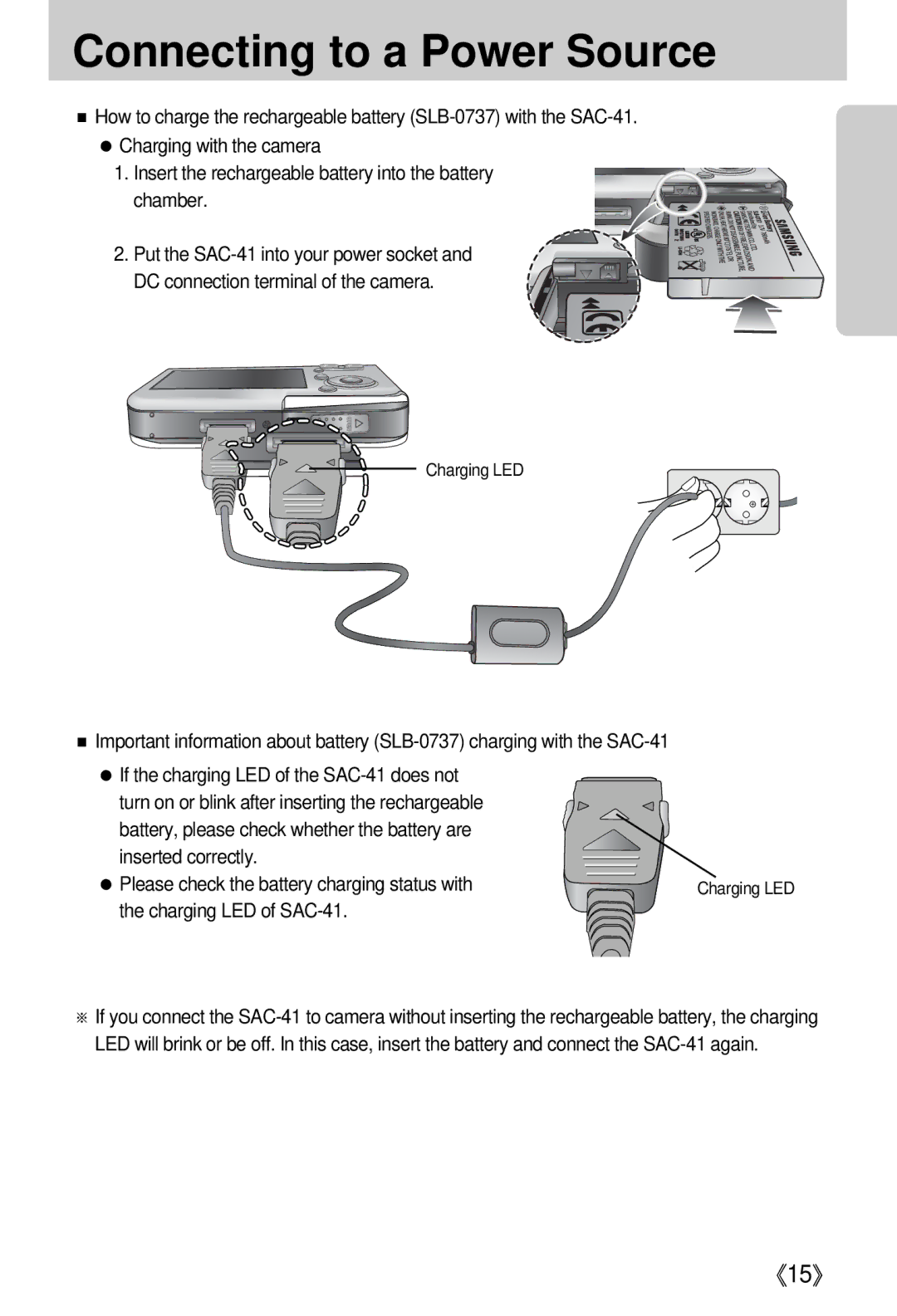
■How to charge the rechargeable battery
●Charging with the camera
1. Insert the rechargeable battery into the battery chamber.
2. Put the
Charging LED
■Important information about battery
● If the charging LED of the |
|
turn on or blink after inserting the rechargeable |
|
battery, please check whether the battery are |
|
inserted correctly. |
|
● Please check the battery charging status with | Charging LED |
the charging LED of |
|
※If you connect the
《15》