Maintenance
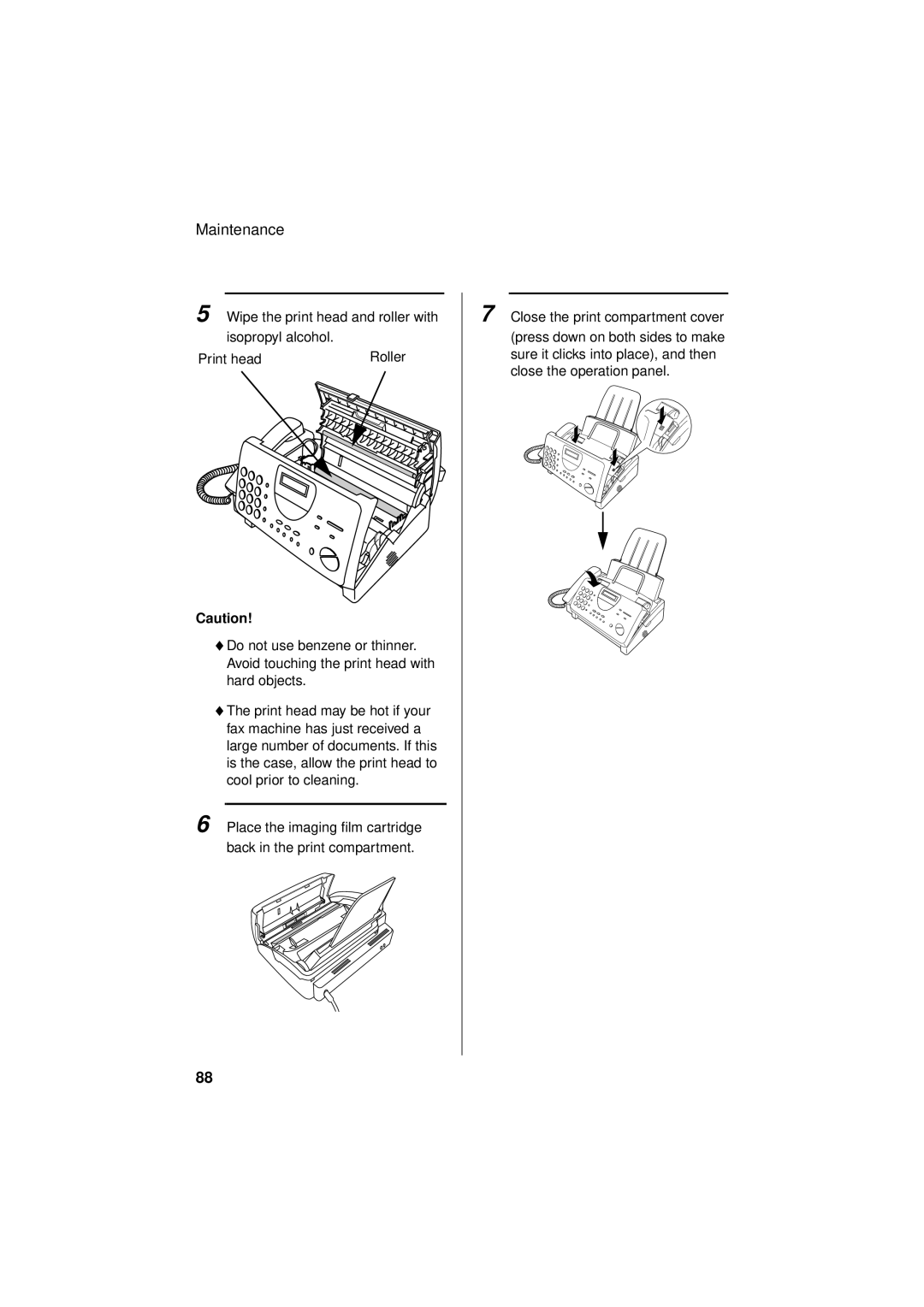
5 Wipe the print head and roller with
isopropyl alcohol. |
|
Print head | Roller |
Caution!
♦Do not use benzene or thinner. Avoid touching the print head with hard objects.
♦The print head may be hot if your fax machine has just received a large number of documents. If this is the case, allow the print head to cool prior to cleaning.
6 Place the imaging film cartridge back in the print compartment.
7 Close the print compartment cover
(press down on both sides to make sure it clicks into place), and then close the operation panel.
88