Kindle User’s Guide
Chapter 8 Kindle andYour Computer
91
Chapter 8
Kindle and Your Computer
Kindle uses Amazon Whispernet to deliver books, periodicals, personal documents, and audiobooks (via
8.1 Getting Started
This section lists the requirements for connecting Kindle to your computer. The USB cable you use with your power adapter can also be used to connect your Kindle to a computer, so there is nothing additional to buy.
System Requirements
Both Macintosh and Windows users can manage Kindle files through the USB connection. When your Kindle is plugged into your computer, your Kindle will appear as a removable mass storage device. If your computer is
Making the Connection
To connect Kindle to your computer, follow these steps:
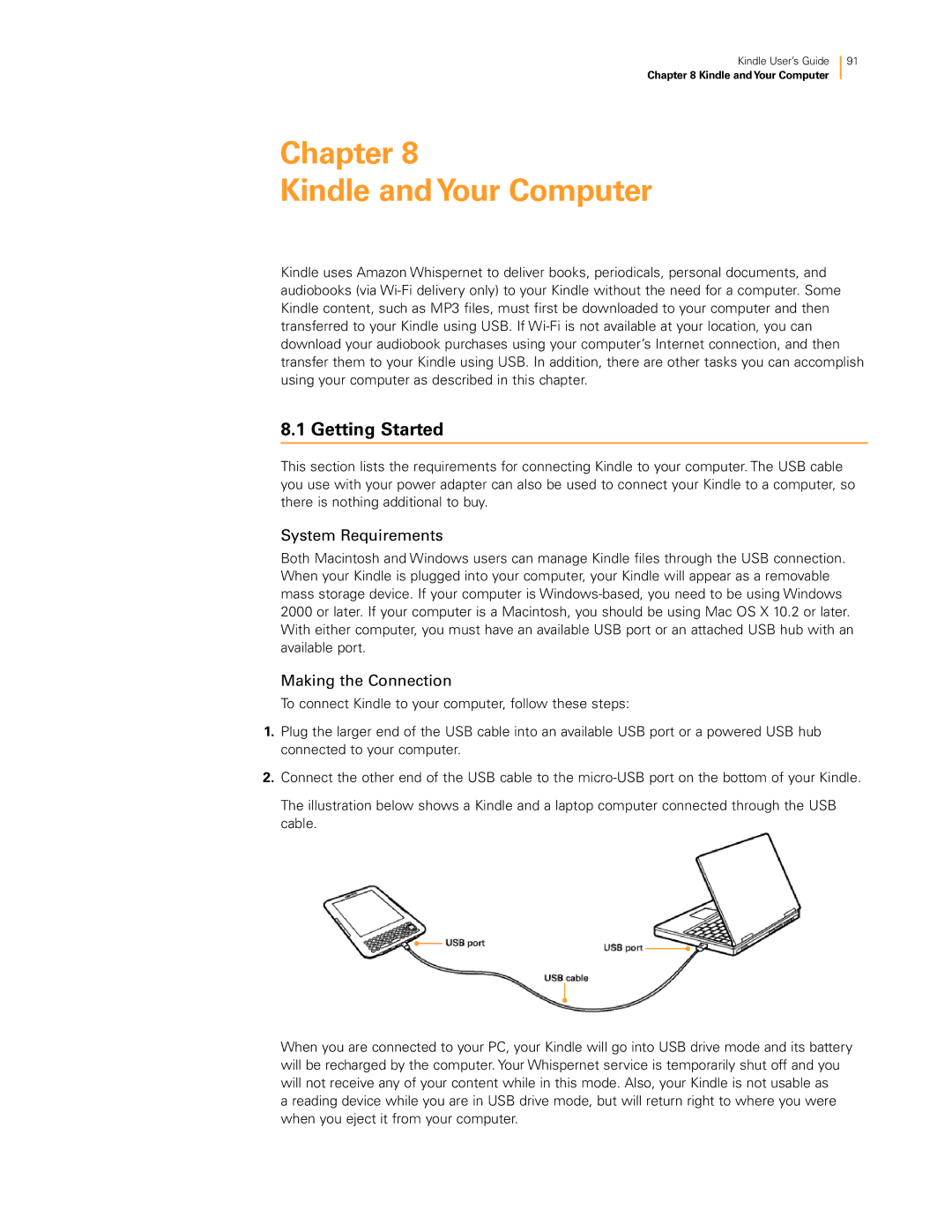
1.Plug the larger end of the USB cable into an available USB port or a powered USB hub connected to your computer.
2.Connect the other end of the USB cable to the
The illustration below shows a Kindle and a laptop computer connected through the USB cable.
When you are connected to your PC, your Kindle will go into USB drive mode and its battery will be recharged by the computer. Your Whispernet service is temporarily shut off and you will not receive any of your content while in this mode. Also, your Kindle is not usable as
a reading device while you are in USB drive mode, but will return right to where you were when you eject it from your computer.