Installation and User Manual
1.2Inside the UPS Cabinet, Access to Connections
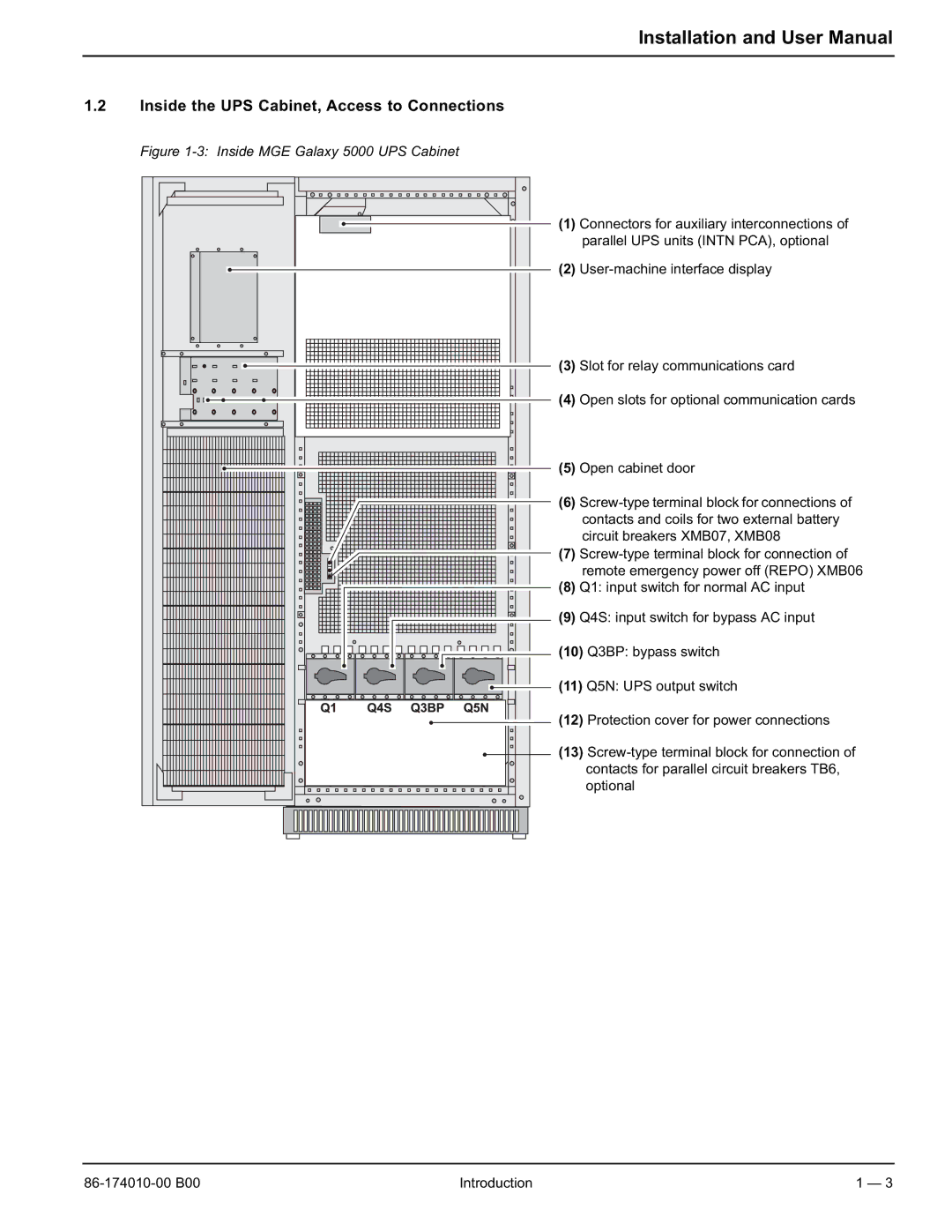
Figure 1-3: Inside MGE Galaxy 5000 UPS Cabinet

 (1) Connectors for auxiliary interconnections of
  parallel UPS units (INTN PCA), optional
(2)
(3) Slot for relay communications card
(4) Open slots for optional communication cards
(5) Open cabinet door
(6)
(7)
(8) Q1: input switch for normal AC input
(9) Q4S: input switch for bypass AC input
(10) Q3BP: bypass switch
 (11) Q5N: UPS output switch


 (12) Protection cover for power connections
 (13)
(13)  optional
Introduction | 1 — 3 |