Operation
CAUTION All operations concerning system
3.0Scope
Provides startup, shutdown, and normal operation of the MGE Galaxy 5000 UPS. Describes the operation of the
3.1Shutting Down a Single UPS
The UPS remains energized unless it is shut down.
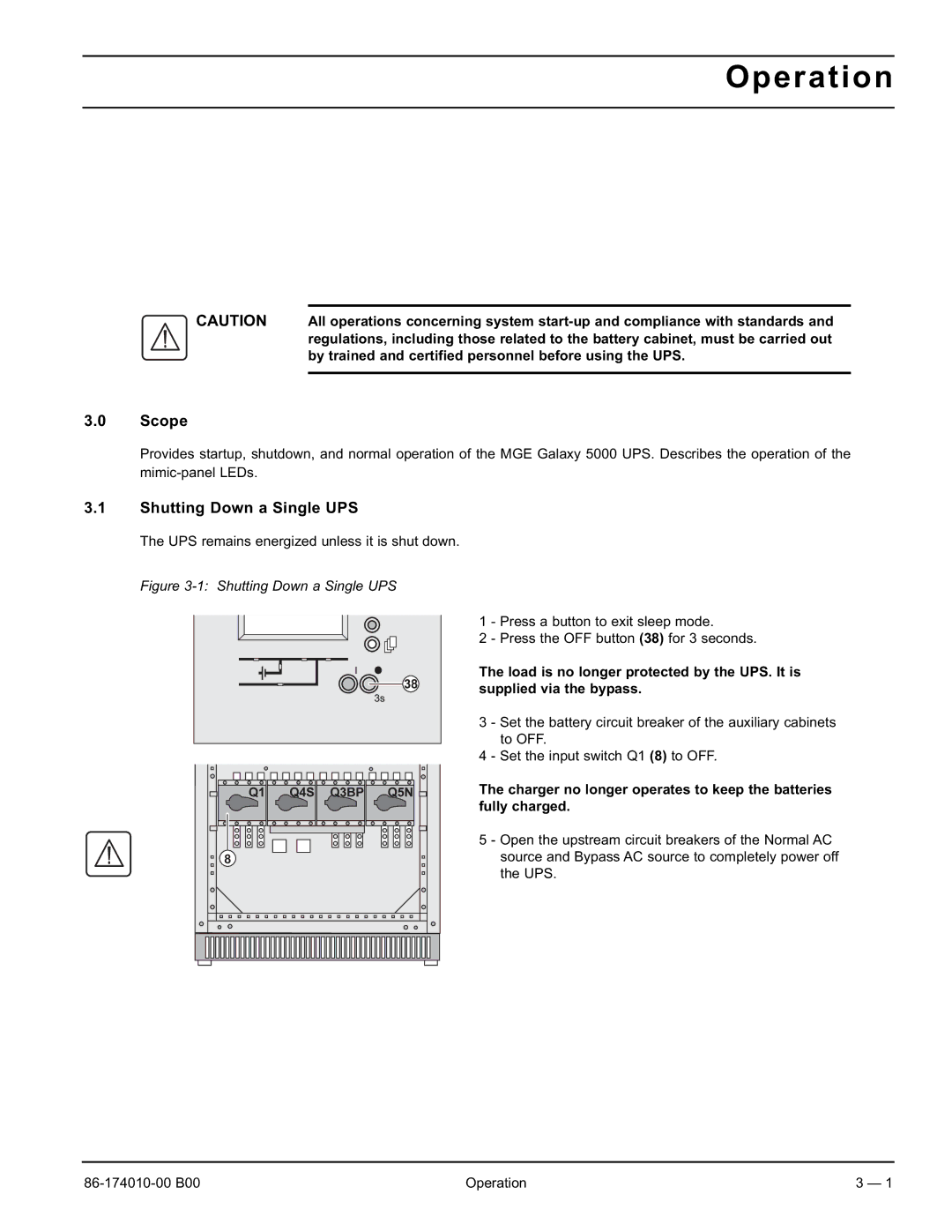
Figure 3-1: Shutting Down a Single UPS
1 - Press a button to exit sleep mode.
2 - Press the OFF button (38) for 3 seconds.
The load is no longer protected by the UPS. It is supplied via the bypass.
3 - Set the battery circuit breaker of the auxiliary cabinets to OFF.
4 - Set the input switch Q1 (8) to OFF.
The charger no longer operates to keep the batteries fully charged.
5 - Open the upstream circuit breakers of the Normal AC source and Bypass AC source to completely power off the UPS.
Operation | 3 — 1 |