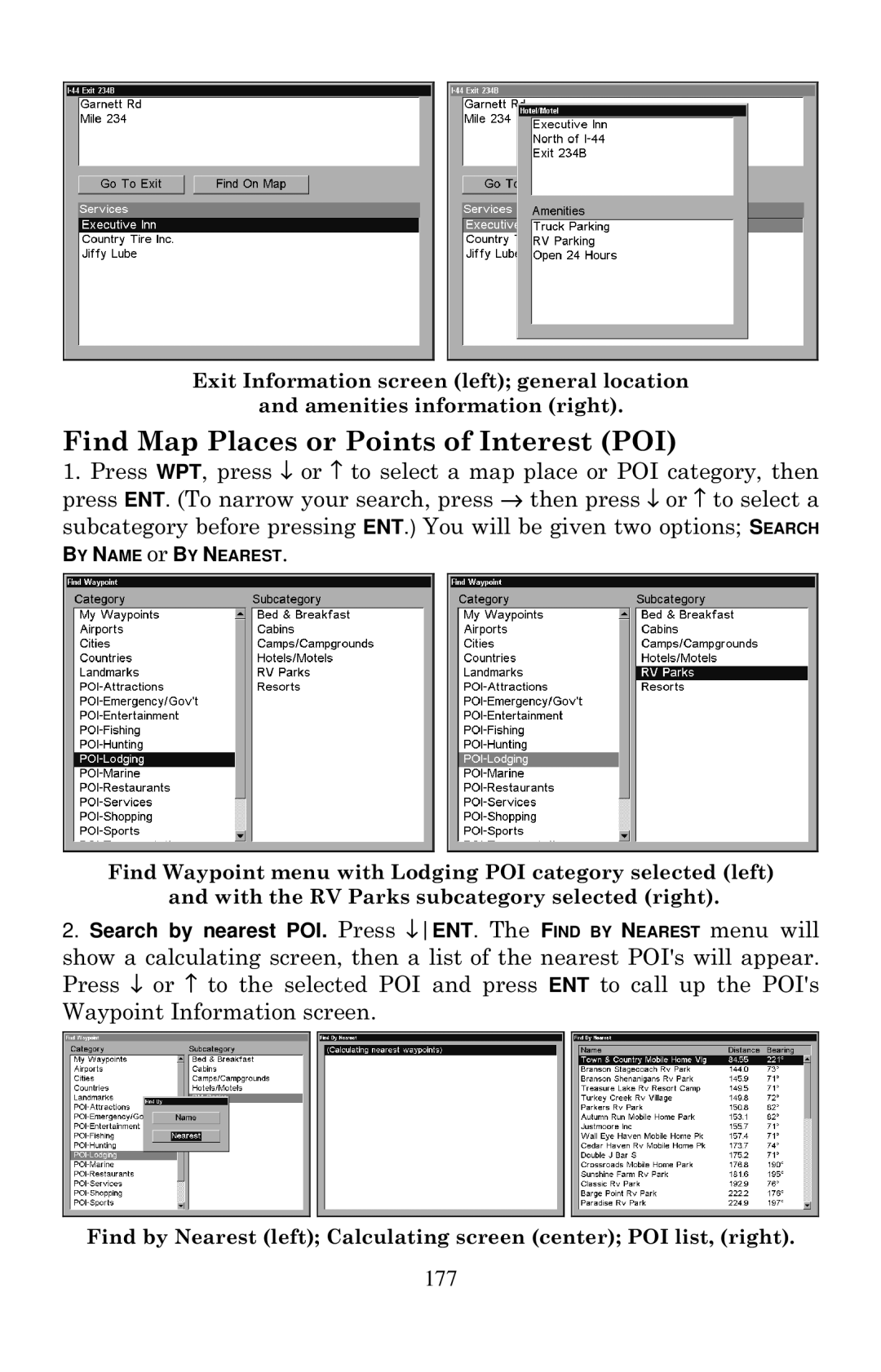
Exit Information screen (left); general location
and amenities information (right).
Find Map Places or Points of Interest (POI)
1.Press WPT, press ↓ or ↑ to select a map place or POI category, then press ENT. (To narrow your search, press → then press ↓ or ↑ to select a subcategory before pressing ENT.) You will be given two options; SEARCH
BY NAME or BY NEAREST.
Find Waypoint menu with Lodging POI category selected (left) and with the RV Parks subcategory selected (right).
2.Search by nearest POI. Press ↓ENT. The FIND BY NEAREST menu will
show a calculating screen, then a list of the nearest POI's will appear. Press ↓ or ↑ to the selected POI and press ENT to call up the POI's Waypoint Information screen.
Find by Nearest (left); Calculating screen (center); POI list, (right).