Using the backlight
If you have difficulty seeing the information on your Visor handheld, you can use the backlight to illuminate your screen.
To activate the backlight:
■Press the power button and hold it down for about two seconds. Release the button when the backlight turns on.
Tip: In addition, you can assign the
To turn off the backlight:
■Press and hold the power button for about two seconds. The backlight also turns off automatically (after a period of inactivity) with the
Protective cover
The cover protects the Visor handheld screen when it is not in use.
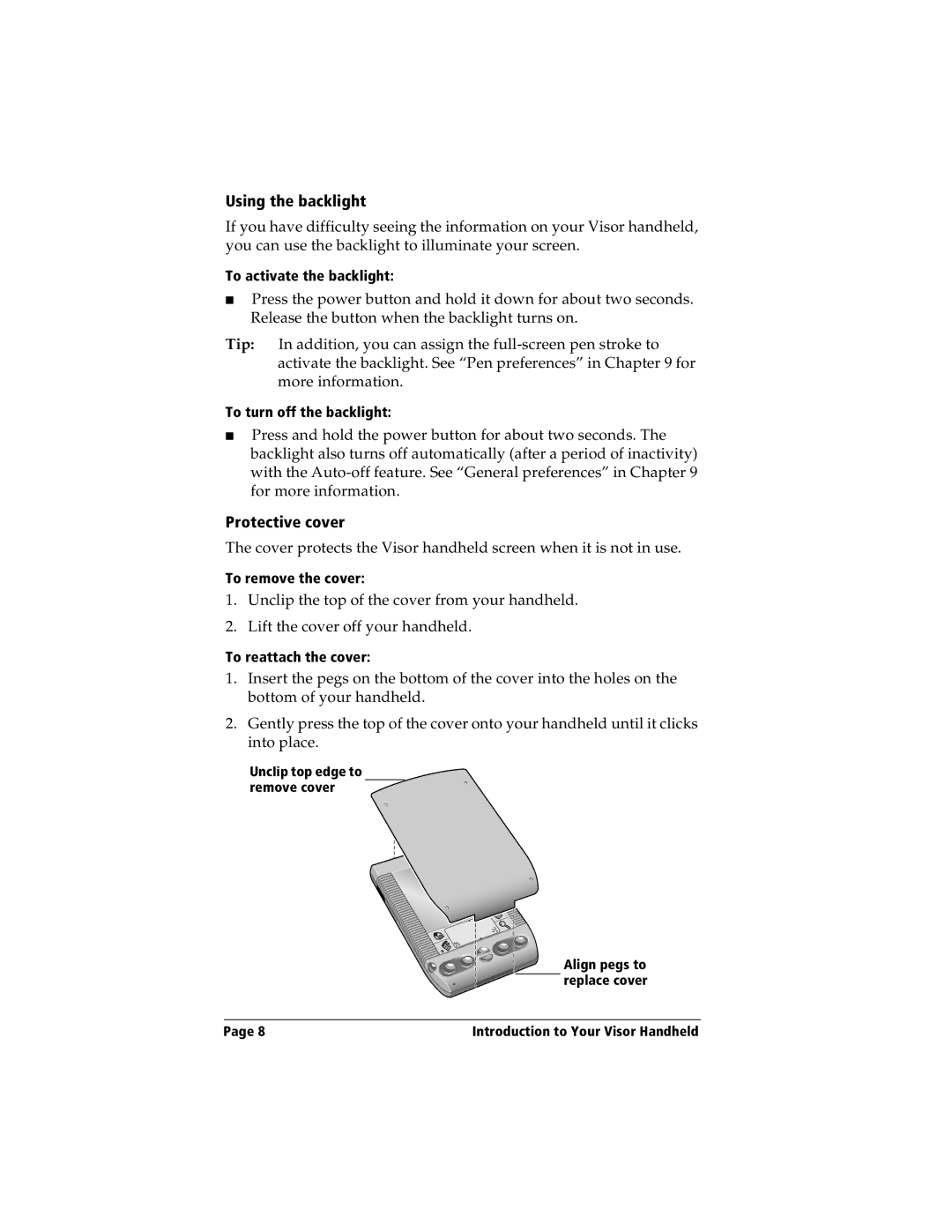
To remove the cover:
1.Unclip the top of the cover from your handheld.
2.Lift the cover off your handheld.
To reattach the cover:
1.Insert the pegs on the bottom of the cover into the holes on the bottom of your handheld.
2.Gently press the top of the cover onto your handheld until it clicks into place.
Unclip top edge to remove cover
Align pegs to replace cover
Page 8 | Introduction to Your Visor Handheld |