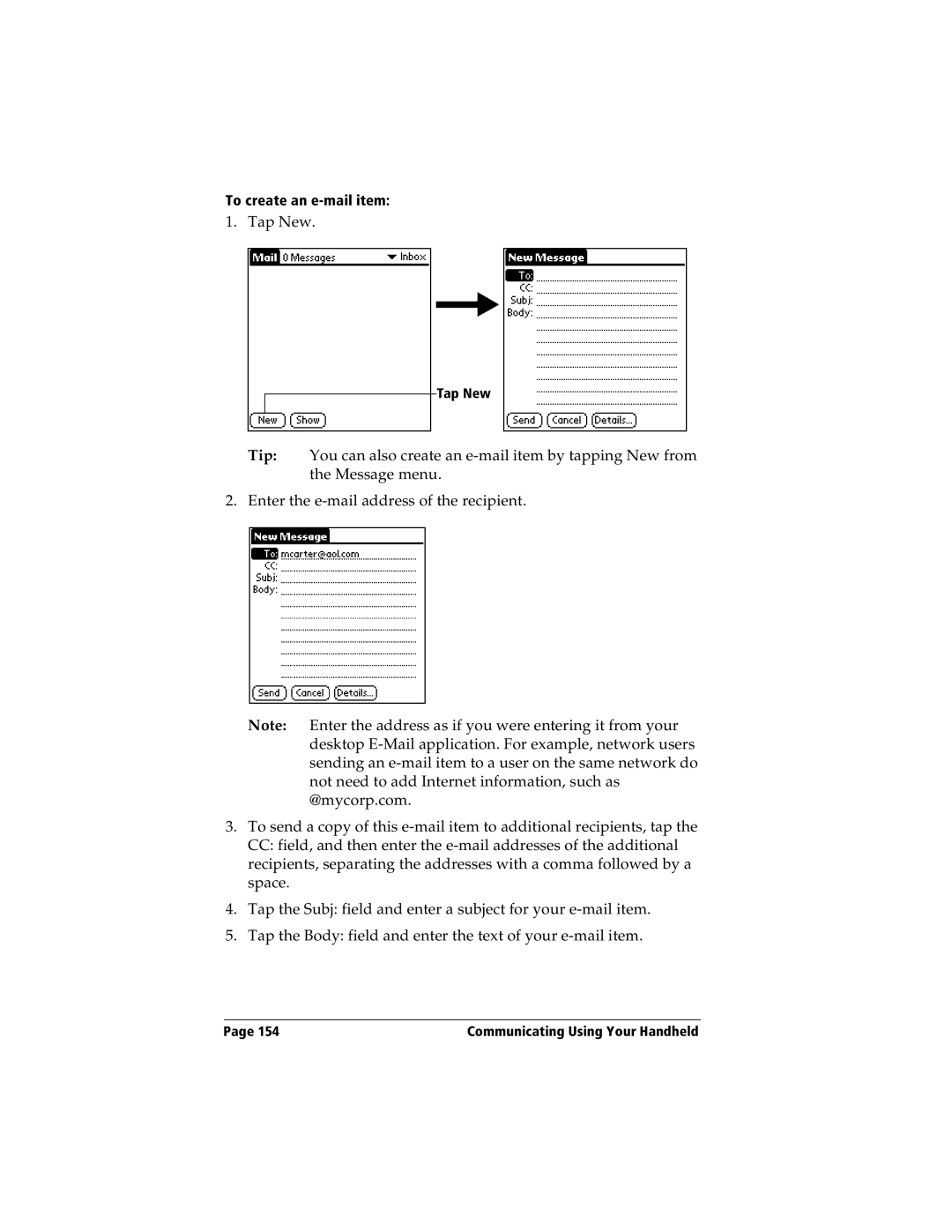
To create an e-mail item:
1. Tap New.
Tap New
Tip: You can also create an e-mail item by tapping New from the Message menu.
2. Enter the e-mail address of the recipient.
Note: Enter the address as if you were entering it from your desktop E-Mail application. For example, network users sending an e-mail item to a user on the same network do not need to add Internet information, such as @mycorp.com.
3.To send a copy of this e-mail item to additional recipients, tap the CC: field, and then enter the e-mail addresses of the additional recipients, separating the addresses with a comma followed by a space.
4.Tap the Subj: field and enter a subject for your e-mail item.
5.Tap the Body: field and enter the text of your e-mail item.
Page 154 | Communicating Using Your Handheld |