Archer C7 AC1750 Wireless Dual Band Gigabit Router
4.7.4Wireless MAC Filtering
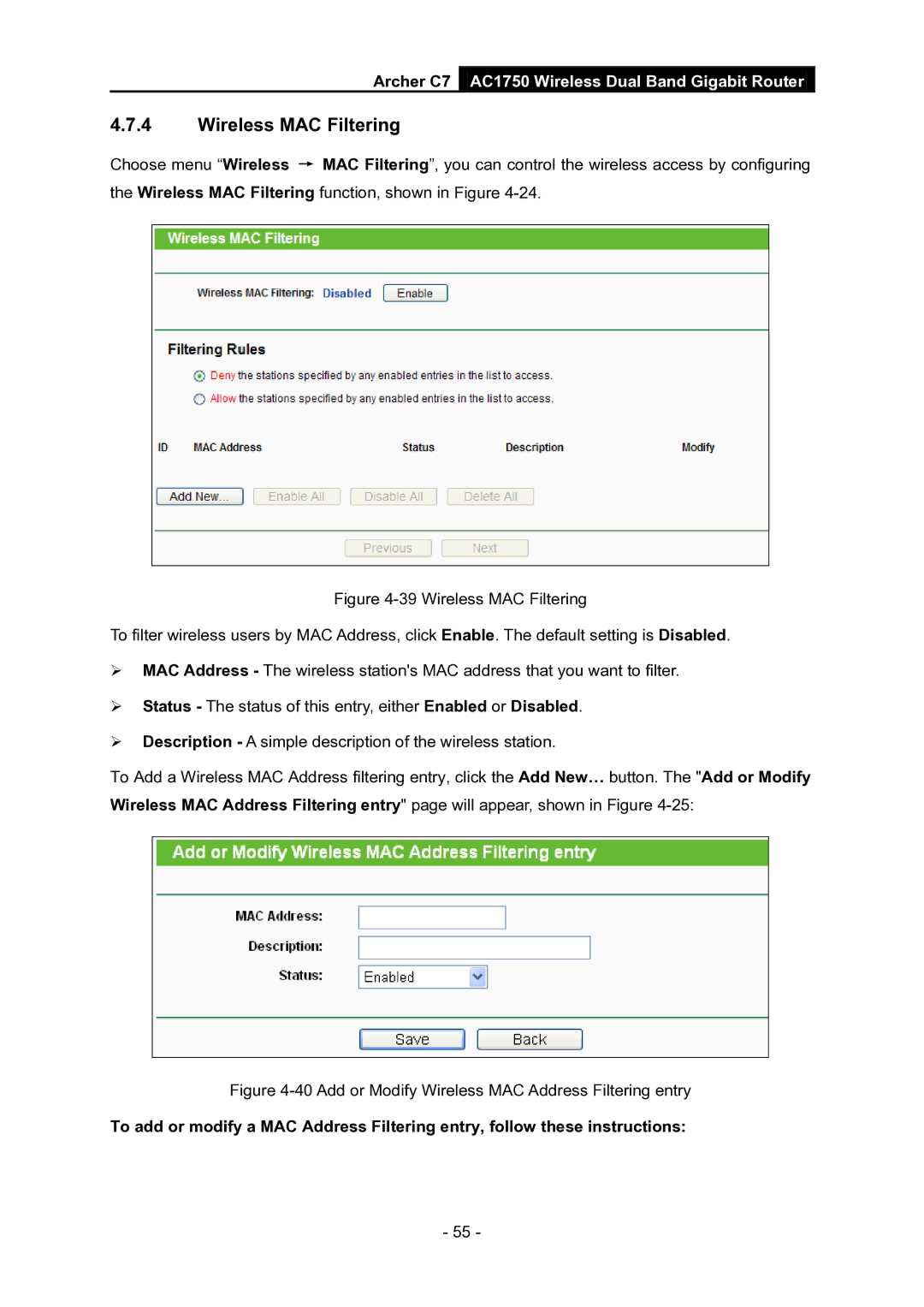
Choose menu “Wireless → MAC Filtering”, you can control the wireless access by configuring the Wireless MAC Filtering function, shown in Figure
Figure 4-39 Wireless MAC Filtering
To filter wireless users by MAC Address, click Enable. The default setting is Disabled.
MAC Address - The wireless station's MAC address that you want to filter.
Status - The status of this entry, either Enabled or Disabled.
Description - A simple description of the wireless station.
To Add a Wireless MAC Address filtering entry, click the Add New… button. The "Add or Modify Wireless MAC Address Filtering entry" page will appear, shown in Figure 4-25:
Figure 4-40 Add or Modify Wireless MAC Address Filtering entry
To add or modify a MAC Address Filtering entry, follow these instructions:
- 55 -