Recording on a Memory Card
Recording Still Images on a Memory Card
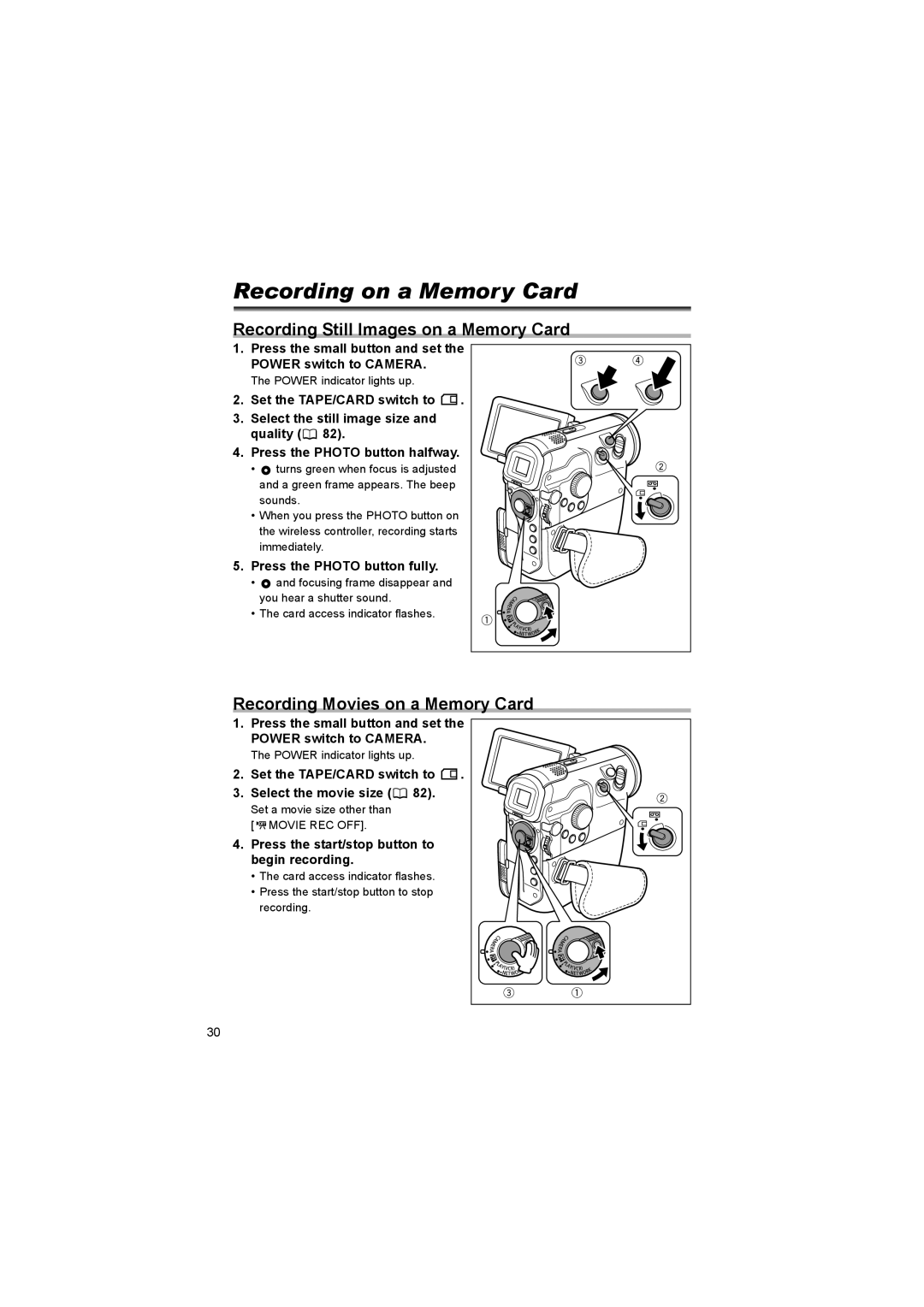
1. Press the small button and set the POWER switch to CAMERA.
The POWER indicator lights up.
2. Set the TAPE/CARD switch to  .
.
3. Select the still image size and quality ( 82).
82).
4. Press the PHOTO button halfway.
•  turns green when focus is adjusted and a green frame appears. The beep sounds.
• When you press the PHOTO button on the wireless controller, recording starts immediately.
5. Press the PHOTO button fully.
•  and focusing frame disappear and you hear a shutter sound.
• The card access indicator flashes.
Recording Movies on a Memory Card
1.Press the small button and set the POWER switch to CAMERA.
The POWER indicator lights up.
2. Set the TAPE/CARD switch to  .
.
3. Select the movie size ( 82).
82).
Set a movie size other than [ 

 MOVIE REC OFF].
4. Press the start/stop button to begin recording.
• The card access indicator flashes.
•Press the start/stop button to stop recording.
30