Serial/Telnet User Interface
■2) Display Attached Fibre Channel Devices displays a list of devices attached to this Fibre Channel port.
■3) Display Fibre Channel Resource Status displays Fibre Channel resource transport information.
■4) Display Fibre Channel Driver Resource Status displays Fibre Channel driver information.
Each menu option and example screen displays are discussed in the following subsections.
Viewing Fibre Channel Link Information
To see link statistics for the Fibre Channel port:
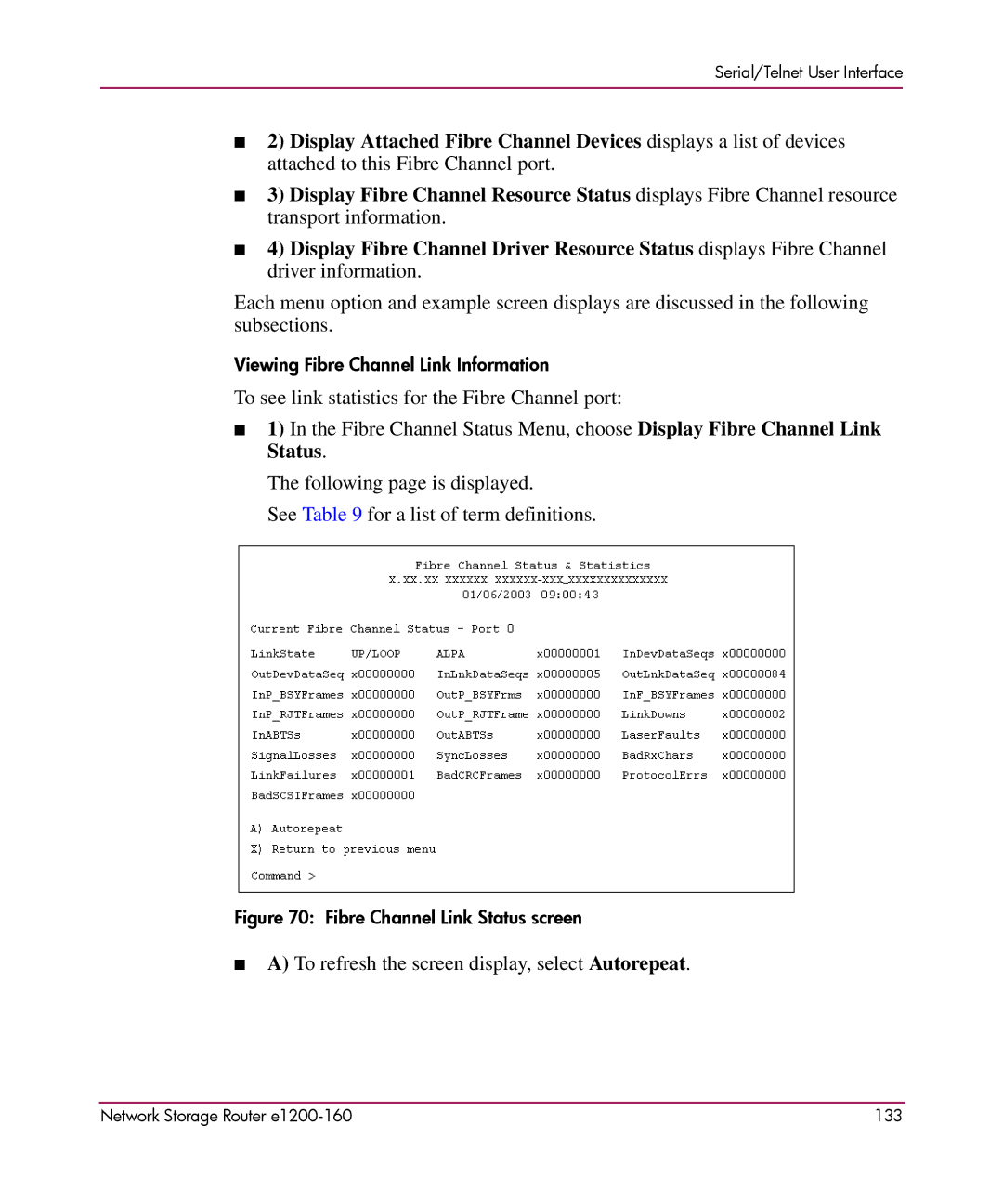
■1) In the Fibre Channel Status Menu, choose Display Fibre Channel Link Status.
The following page is displayed.
See Table 9 for a list of term definitions.
Figure 70: Fibre Channel Link Status screen
■A) To refresh the screen display, select Autorepeat.
Network Storage Router | 133 |