chapter 1
SETTING UP THE COMPUTER
1.Record the Product Key number for your operating system.
■When you start the computer for the first time, you may be prompted to enter this number. You may also need this number to update or troubleshoot your operating system.
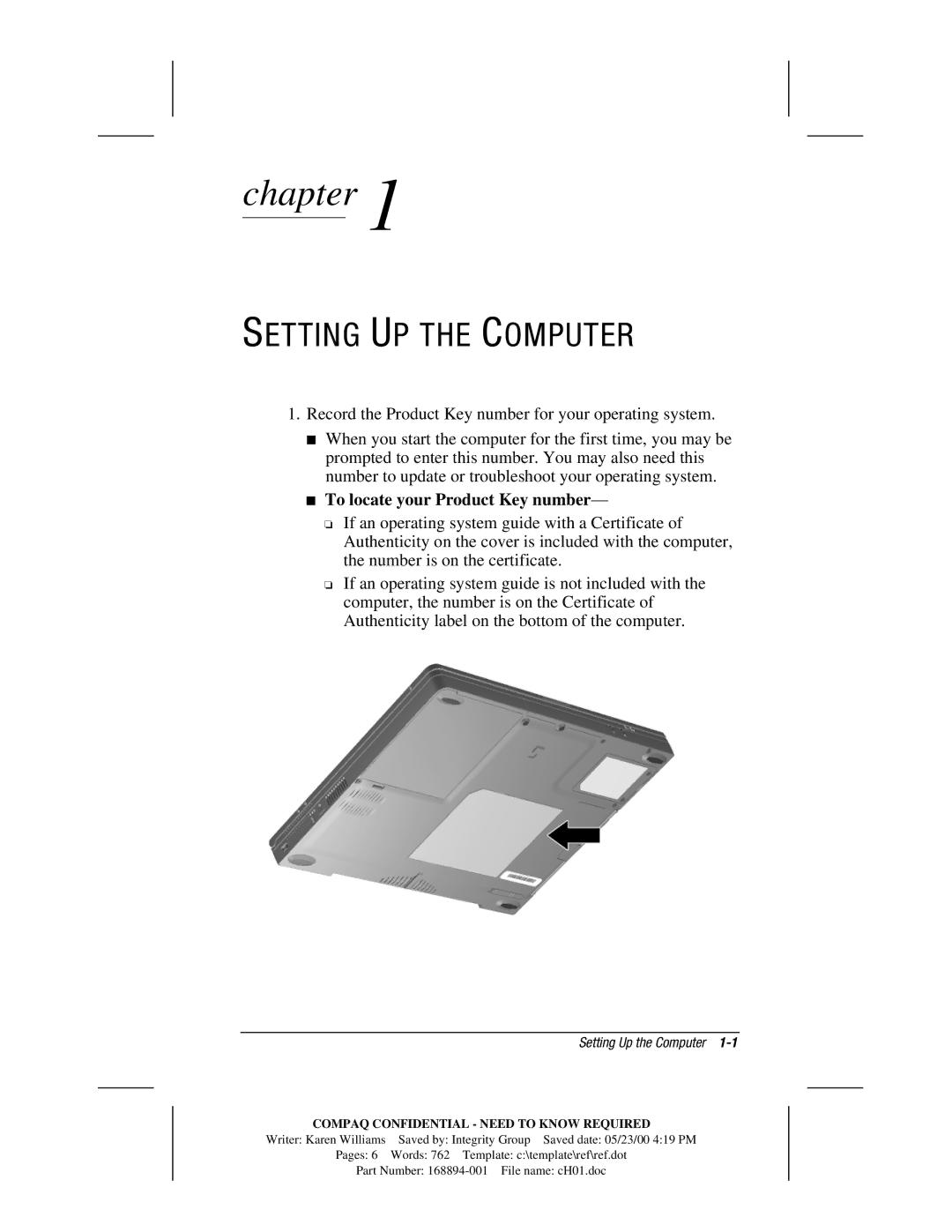
■To locate your Product Key number—
❏If an operating system guide with a Certificate of Authenticity on the cover is included with the computer, the number is on the certificate.
❏If an operating system guide is not included with the computer, the number is on the Certificate of Authenticity label on the bottom of the computer.
| Setting Up the Computer |
COMPAQ CONFIDENTIAL - NEED TO KNOW REQUIRED | |
Writer: Karen Williams | Saved by: Integrity Group Saved date: 05/23/00 4:19 PM |
Pages: 6 | Words: 762 Template: c:\template\ref\ref.dot |
Part Number: