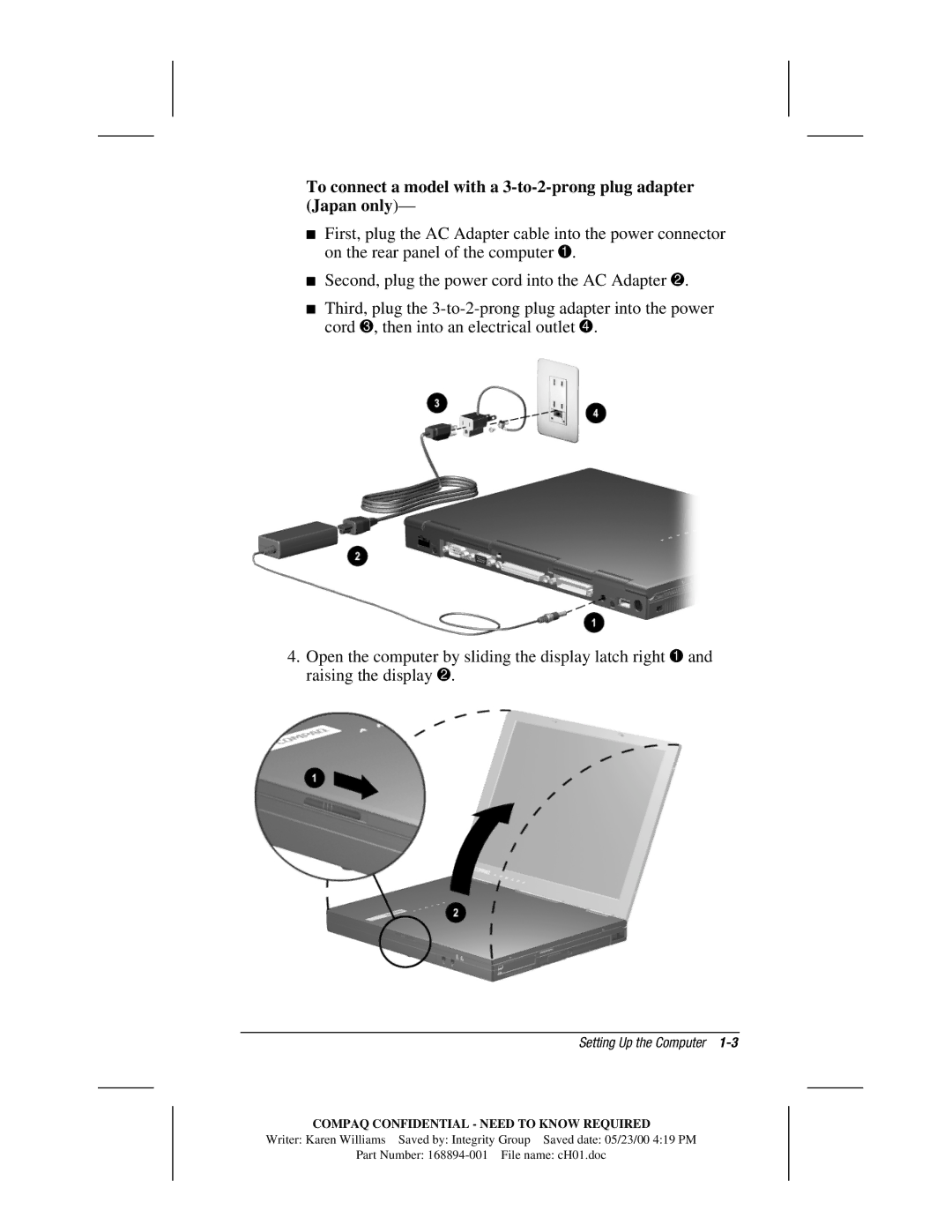
To connect a model with a
■First, plug the AC Adapter cable into the power connector on the rear panel of the computer 1.
■Second, plug the power cord into the AC Adapter 2.
■Third, plug the
4.Open the computer by sliding the display latch right 1 and raising the display 2.
Setting Up the Computer 1-3
COMPAQ CONFIDENTIAL - NEED TO KNOW REQUIRED
Writer: Karen Williams Saved by: Integrity Group Saved date: 05/23/00 4:19 PM
Part Number: