To Do Show Options
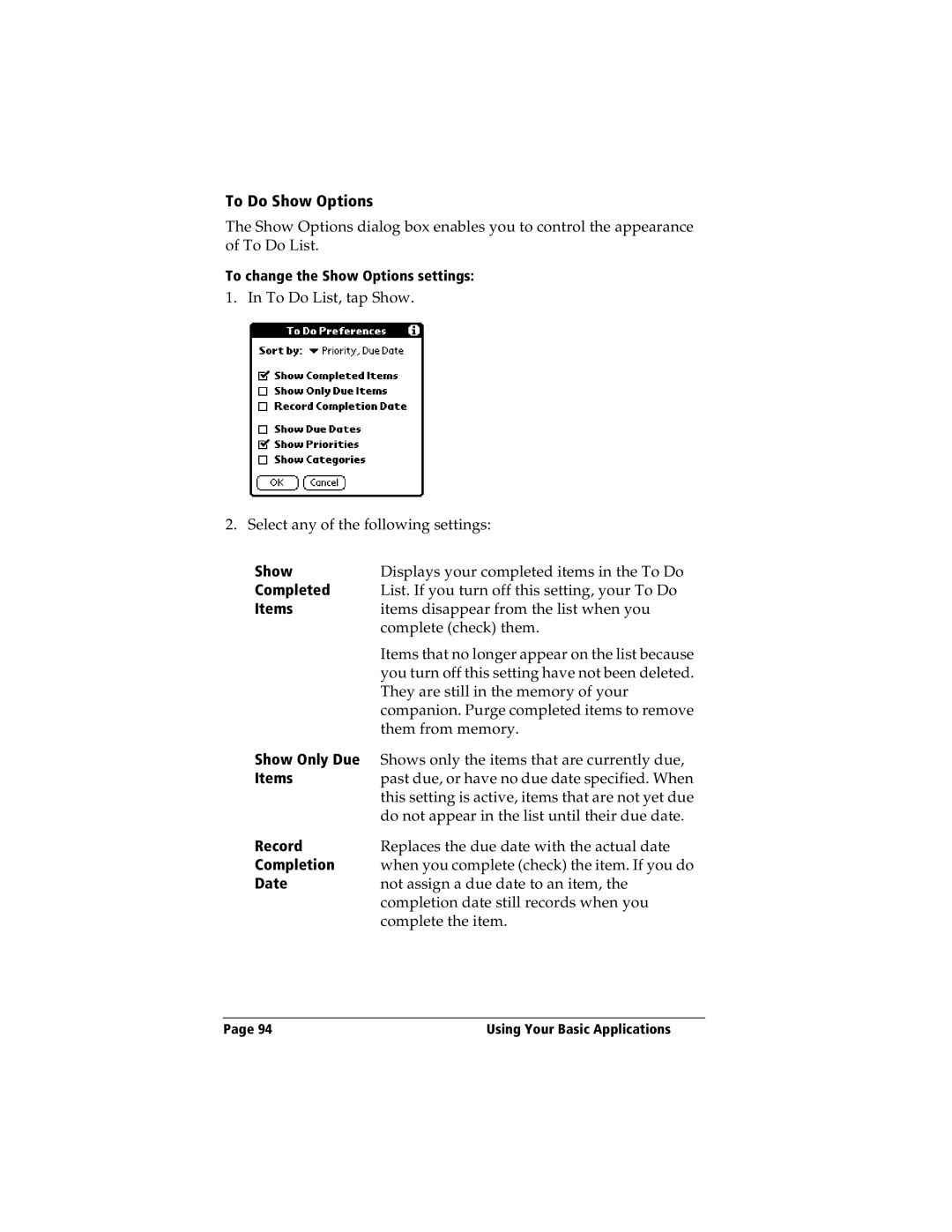
The Show Options dialog box enables you to control the appearance of To Do List.
To change the Show Options settings:
1. In To Do List, tap Show.
2. Select any of the following settings:
Show | Displays your completed items in the To Do |
Completed | List. If you turn off this setting, your To Do |
Items | items disappear from the list when you |
| complete (check) them. |
| Items that no longer appear on the list because |
| you turn off this setting have not been deleted. |
| They are still in the memory of your |
| companion. Purge completed items to remove |
| them from memory. |
Show Only Due | Shows only the items that are currently due, |
Items | past due, or have no due date specified. When |
| this setting is active, items that are not yet due |
| do not appear in the list until their due date. |
Record | Replaces the due date with the actual date |
Completion | when you complete (check) the item. If you do |
Date | not assign a due date to an item, the |
| completion date still records when you |
| complete the item. |
Page 94 | Using Your Basic Applications |