Common tasks
The tasks described in this section use the term “records” to refer to an individual item in any of the basic applications: a single Date Book event, Address Book entry, To Do List item, Memo Pad memo, or Expense item.
Creating records
You can use the following procedure to create a new record in Date Book, Address Book, To Do List, Memo Pad, and Expense.
To create a record:
1.Select the application in which you want to create a record.
2.Tap New.
3.In Date Book only: Select start and end times for your appointment and tap OK.
4.Enter text for the record.
5.(Optional) Tap Details to select attributes for the record.
6.In Address Book and Memo Pad only: Tap Done.
There is no need to save the record because your companion saves it automatically.
Editing records
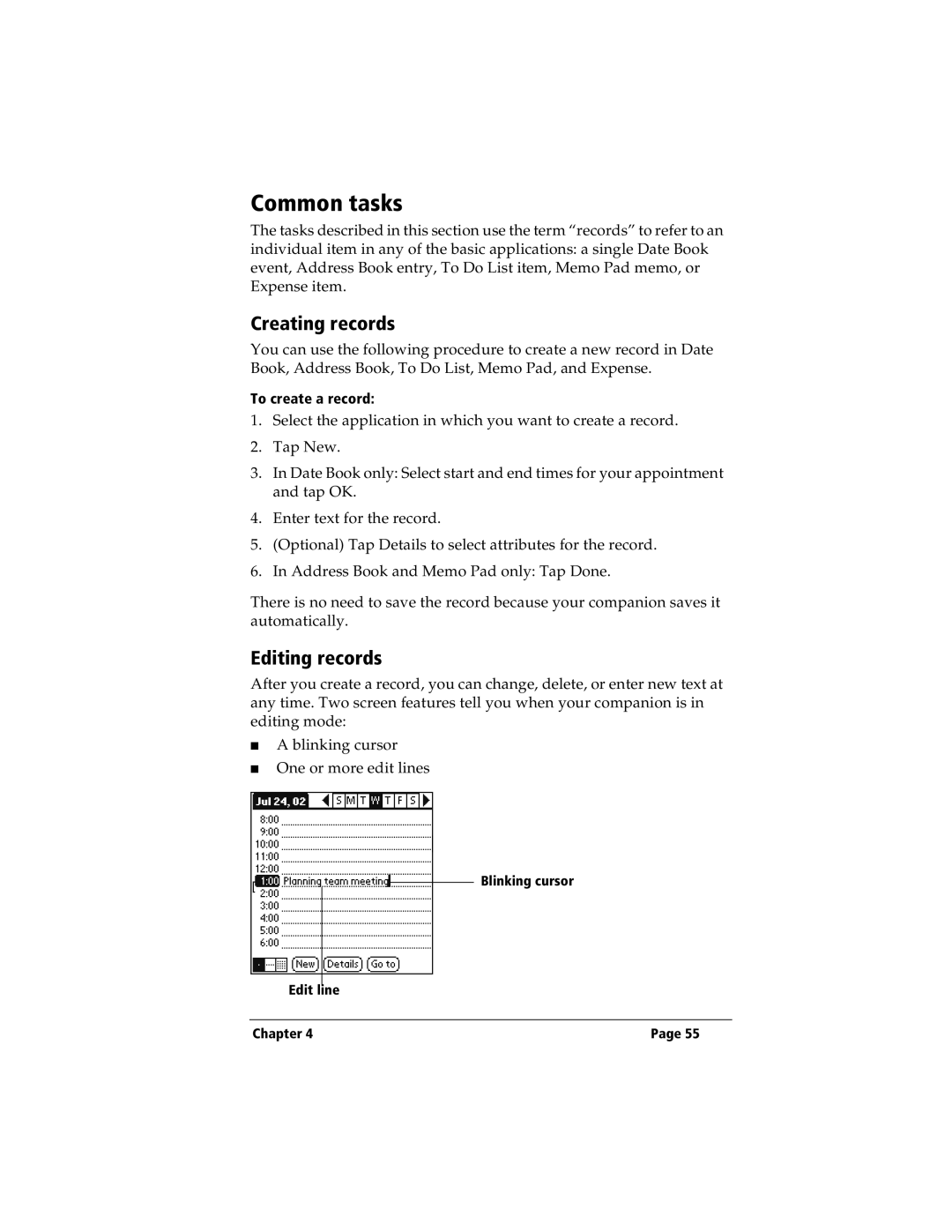
After you create a record, you can change, delete, or enter new text at any time. Two screen features tell you when your companion is in editing mode:
■A blinking cursor
■One or more edit lines
Blinking cursor
Edit line
Chapter 4 | Page 55 |