To look up an Address Book record:
1.Display the Address List screen.
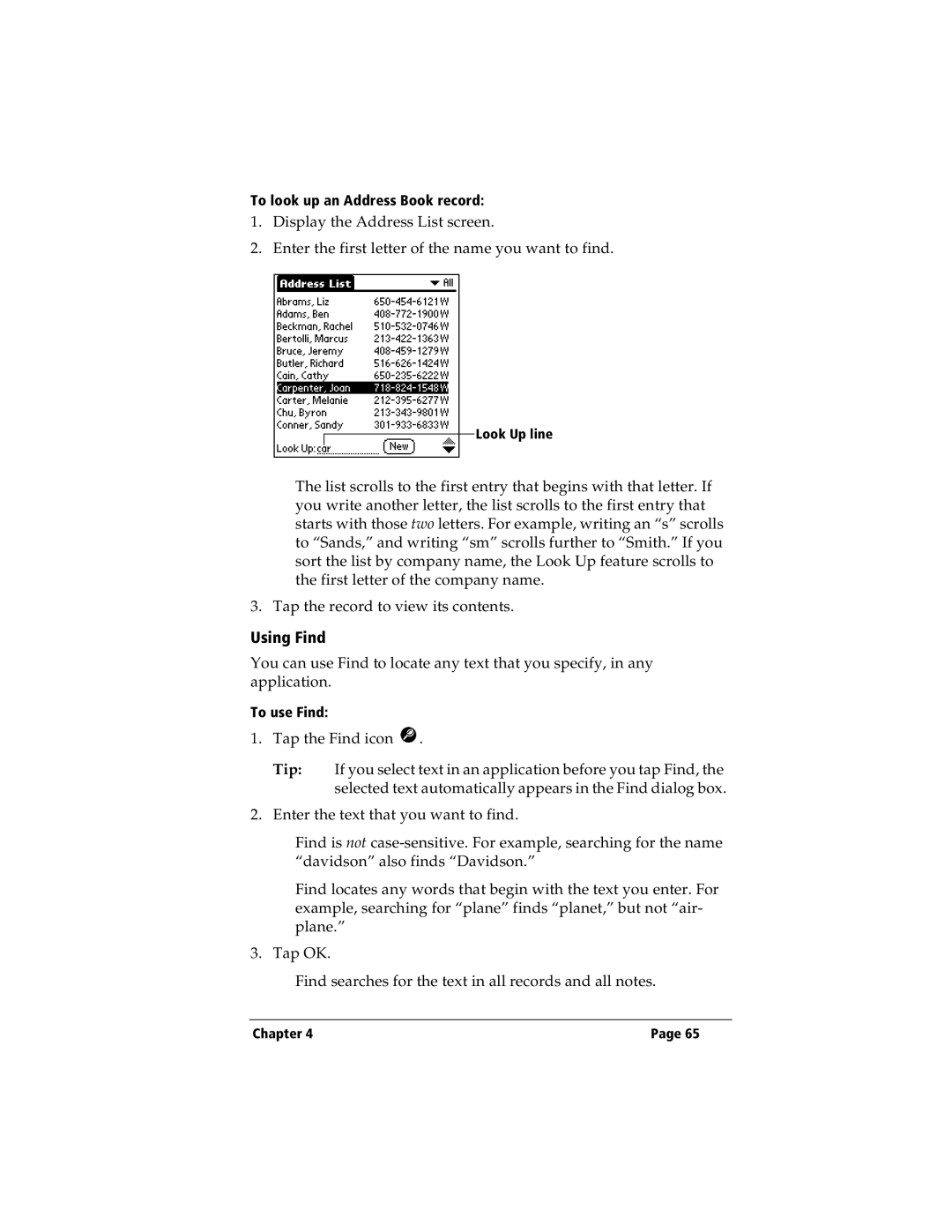
2.Enter the first letter of the name you want to find.
Look Up line
The list scrolls to the first entry that begins with that letter. If you write another letter, the list scrolls to the first entry that starts with those two letters. For example, writing an “s” scrolls to “Sands,” and writing “sm” scrolls further to “Smith.” If you sort the list by company name, the Look Up feature scrolls to the first letter of the company name.
3. Tap the record to view its contents.
Using Find
You can use Find to locate any text that you specify, in any application.
To use Find:
1.Tap the Find icon  .
Tip: If you select text in an application before you tap Find, the selected text automatically appears in the Find dialog box.
2.Enter the text that you want to find.
Find is not
Find locates any words that begin with the text you enter. For example, searching for “plane” finds “planet,” but not “air- plane.”
3. Tap OK.
Find searches for the text in all records and all notes.
Chapter 4 | Page 65 |