Compaq Armada M300 Series of Personal Computers
Documentation Survey
Business Reply Mail
Compaq Armada M300 Series
First Edition June Part Number Compaq Computer Corporation
Compaq Armada M300 Series Reference Guide
Contents
Managing Power
Upgrading Your Computer
Vii
Using Audio Features
Viii
Intelligent Manageability
Securing the Computer
Appendix a
Appendix B
Appendix D
Xii
Text Conventions
Xiii
Symbols in Text
Xiv About This Guide
Could result in bodily harm or loss of life
Damage to equipment or loss of information
Identifying Packing Box Contents
Getting Started
Finding Information
Identifying Hardware Components
2Getting Started
Component
Function
To-2-prong plug adapter Japan only
Taking a Look at the Computer
Top Components
Top Components
Component Function
2Taking a Look at the Computer
Top7Components
Left Side Components
Left Side Components
Right Side Components
Right Side Components
4Taking a Look at the Computer
PC Card slot Air intake vents Air exhaust vents
Front Components
Front Components
Opens the computer
Rear Components
Rear Components
Bottom Components
Bottom Components
Produces sound
Connecting the Diskette Drive
External Diskette Drive
8Taking a Look at the Computer
Versatile Battery Pack
Disconnecting the Diskette Drive
Using the Keyboard
Using the Pointing Device
Identifying Keyboard1 Components
TouchPad Procedures
2Using the Keyboard
Procedure
Navigating with the TouchPad
Using Hotkeys
Setting TouchPad Preferences
Scroll Lock+Scroll Lock+F3
Switching the Display and Image
Adjusting System Volume
Task
Hotkeys
Setting a Power Conservation Level
Viewing Battery Charge Status
Initiating Quick Controls
Adjusting Screen Brightness
Enabling the Eurocurrency Symbol
6Using the Keyboard
Displaying System Information
Using the Embedded Numeric Keypad
Toggling thenKeypad On and Off
Operating the Keypad Keys as Standard Keys
8Using the Keyboard
Enabling the Keypad at Startup
Managing Power
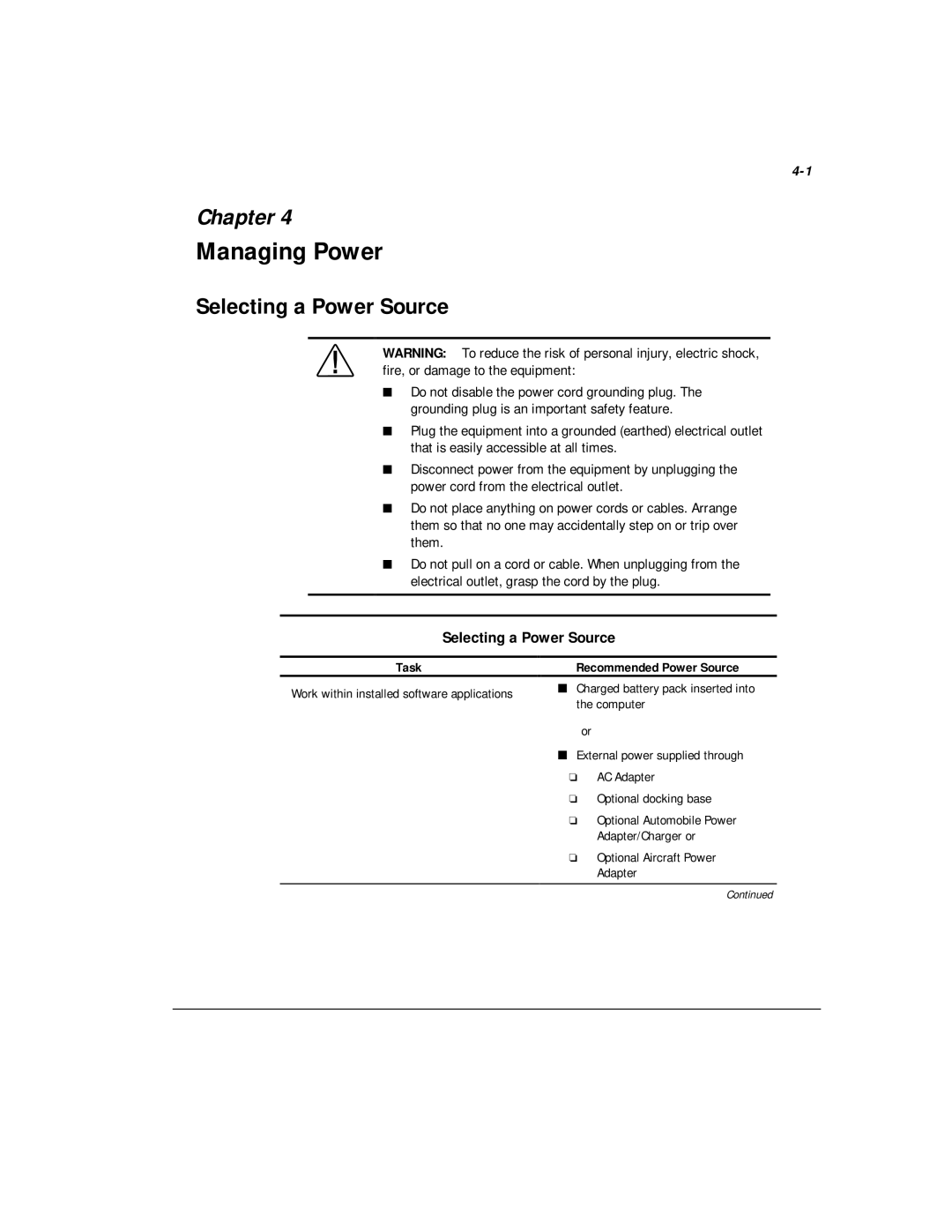
Selecting a Power Source
Selecting a Power Source
Recommended Power Source
2Managing Power
Selecting a Power Source
Adapter
Beginning, Leaving, or Resuming Your Work
Standby or Hibernation
4Managing Power
Power/suspend* light turns off
Beginning, Leaving, or Resuming Your Work
Result
Managing Low-Battery Conditions
Identifying Low-Battery Conditions
Beginning, Leaving, or Resuming Your Work
Initiate Press Fn + suspend button
Resolving Low-Battery Conditions
6Managing Power
Charging a Battery Pack
If you are charging the battery pack in the computer
Monitoring the Charge in a Battery Pack
8Managing Power
Using the Battery Charge Level Lights
Using the Battery Status Tab
Using the Battery Meter or Power Meter Icon
Using the Power or Power Meter Tab
10Managing Power
Windows 95 and Windows
Windows NT
Calibrating a Battery Pack
12Managing Power
Running a Calibration
Changing the Primary Battery Pack
Battery Pack Location
Computer battery bay
Stopping a Calibration
Removing the Primary Battery Pack
14Managing Power
Installing the Primary Battery Pack
16Managing Power
Storing the Battery Pack
Using Power Preferences
Recommended Battery Pack Storage Temperatures
18Managing Power
Storage Time
Setting Power Preferences in Windows 95 or Windows NT
Setting Power Preferences in Windows 95 or Windows NT
Procedure from Control Panel
Settings tab. Select Custom, then enter Your preferences
20Managing Power
Setting Power Preferences in Windows 95 or Windows NT
Set Hibernation timeout
Settings tab, then select the On or Off Button
Setting Power Preferences in Windows
Conserving Battery Power
Battery Power Conservation Checklist
22Managing Power
Turning Auto Insert Notification On or Off
Conserving Battery Power in Windows
Conserving Battery Power in Windows NT
24Managing Power
Managing Random Access Memory RAM
Upgrading Your Computer
Memory
Removing or Inserting a Memory Expansion Board
2Upgrading Your Computer
Page
4Upgrading Your Computer
Page
Hard Drives
Removing the Primary Hard Drive
6Upgrading Your Computer
Inserting the Primary Hard Drive
8Upgrading Your Computer
Changing the Startup Sequence with MultiBoot
Caring for Drives
10Upgrading Your Computer
Bay
Docking Devices
Connecting the Computer
Disconnecting the Computer
2Mobile Expansion Unit on select models
Docking and Undocking to a Compatible Docking Device
Connecting the AC Adapter
Turning Equipment On and Off
4Mobile Expansion Unit on select models
Connecting External Devices
Operating External Devices
Drive Devices
6Mobile Expansion Unit on select models
Drives Support
Removing a MultiBay Device
Drives Support
Bay Device Bay Location
Inserting a MultiBay Device
8Mobile Expansion Unit on select models
Removing the Diskette Drive from Diskette Drive Bay
10Mobile Expansion Unit on select models
Inserting the Diskette Drive into the Diskette Drive Bay
Connecting the Modem Cable
Configuring the Modem
Recommended Settings
2Using an Internal Modem available on select models
Selecting Communications Software
Using the Modem
Using Modem Commands and Dial Modifiers
Setting Modem Preferences
4Using an Internal Modem available on select models
Installing and loading fax communication software
Using the Modem While Traveling Internationally
Using a Country-Specific Modem Adapter
Selecting a Country-Specific Modem Configuration
Travel Connection Checklist
6Using an Internal Modem available on select models
Page
Using PC Cards
Configuring a PC Card
Inserting or Removing a PC Card
2Using PC Cards
Inserting a PC Card
Removing a PC Card
4Using PC Cards
Using Audio Features
Using the Internal Microphone Stereo Speakers
2Using Audio Features
Connecting an External Audio Device
Connecting a Device to the Microphone Jack
Selecting an Audio Connector
To Connect This Device Use This Jack
Connecting a Device to Stereo Speaker/Headphone Jack
4Using Audio Features
Adjusting Volume
Using the Fn+F5 hotkeys
Using the Infrared Port
Communicating with Infrared
10-1
Configuring the Infrared Port
10-2Using the Infrared Port
Enabling the Infrared Port
10-3
Security Features Quick Reference
If You Forget a Password
Security Features Quick Reference
Securing the Computer
Using a Power-On Password
Setting, Changing, or Deleting a Power-On Password
11-2Securing the Computer
Using Quick Controls
Entering a Power-On Password
Setting, Changing, or Deleting Quick Control Preferences
11-3
Using a Setup Password
Initiating QuickLock Manually
Exiting QuickLock
11-4Securing the Computer
Entering a Setup Password
11-5
Using DriveLock
11-6Securing the Computer
Protecting a Hard Drive with DriveLock
11-7
Accessing a Protected Hard Drive
11-8Securing the Computer
Disabling a Device
11-9
Securing the Computer Hard Drive Bay
11-10Securing the Computer
Connecting an Optional Cable Lock
11-11
Intelligent Manageability
Finding Intelligent Manageability Help
12-1
Using Fault Management Alerts
Identifying a Fault Management Alert
Setting Fault Management Alert Preferences
12-2Intelligent Manageability
Maintenance, Shipping, Travel
Obtaining Customized Update Information with Info Messenger
Obtaining Software Updates Enhancements by Subscription
Updating the System
Displaying the Version of the Installed System ROM
13-2Maintenance, Shipping, and Travel
Installing a System ROM from a Diskette
Obtaining a System ROM
13-3
Reinstalling Software
Replacing the Lithium Real-time Clock Battery
13-4Maintenance, Shipping, and Travel
Caring for the Computer
13-5
13-6Maintenance, Shipping, and Travel
Preparing the Computer for Shipping or Travel
Traveling with the Computer
13-7
Configuration and Diagnostic Utilities
Selecting Computer Setup or Compaq Diagnostics for Windows
14-1
Using Computer Setup
14-2Configuration and Diagnostic Utilities
Selecting from the File Menu
Selecting from the File Menu
Setup password Power-On password DriveLock passwords
Selecting from the Security Menu
Selecting from the Security Menu
14-3
14-4Configuration and Diagnostic Utilities
Selecting from the Security Menu
Change the Computer Setup language Boot Options
Selecting from the Advanced Menu
Selecting from the Advanced Menu
14-5
Using Compaq Diagnostics for Windows
14-6Configuration and Diagnostic Utilities
Selecting from the Advanced Menu
Running a Diagnostic Test
14-7
14-8Configuration and Diagnostic Utilities
Troubleshooting
Quick Solutions Checklist
15-1
Solving Audio Problems
Solving Audio Problems
15-2Troubleshooting
Problem Possible Cause Solution
Headphones, or a Turned down Volume Headset produces no
Volume needs Multimedia Adjusting
15-3
Sound Software application
Solving Battery Problems
Solving Battery Problems
15-4Troubleshooting
Problem
Solving Battery Problems
Replace the battery pack
15-5
No action is required
15-6Troubleshooting
Battery charge does not last as long as expected
Solving Drive Problems
Solving Hard Drive Problems
Solving Hard Drive Problems
15-7
Solving CD-ROM and DVD-ROM Drive Problems
Solving CD-ROM Drive and DVD-ROM Drive Problems
15-8Troubleshooting
Solving CD-ROM Drive and DVD-ROM Drive Problems
Enable CD-ROM boot ability
15-9
Solving Diskette and SuperDisk LS-120 Drive Problems
Solving Diskette and SuperDisk LS-120 Drive Problems
15-10Troubleshooting
Solving Infrared Problems
Solving Infrared Problems
Solving Diskette and SuperDisk LS-120 Drive Problems
15-11
15-12Troubleshooting
Solving Infrared Problems
15-13
Movement Orientation
Do not move either unit during data transmission
Solving Keyboard and Pointing Device Problems
Solving Keyboard and Pointing Device Problems
15-14Troubleshooting
Solving Memory Problems
Solving Modem Problems
Solving Memory Problems
Solving Modem Problems
15-16Troubleshooting
Solving Modem Problems
At the command line in terminal mode, type ATX3DT
Refer to Disabling a Device in Chapter
Modem is not Responding to Commands from Computer keyboard
15-17
15-18Troubleshooting
Modem does not connect Not connect at highest speed
Telephone
15-19
Characters are garbled/transfer rates are slow
15-20Troubleshooting
Restore power, if necessary
Modem loses
Connection Interfering with
Solving PC Card Problems
Solving PC Card Problems
15-21
Windows 95 or Windows 98 refer
Solving Power Problems
Solving Power Problems
15-22Troubleshooting
Battery pack may be defective
Solving Power Problems
15-23
Solving Screen Problems
Solving Screen Problems
15-24Troubleshooting
Solving USB Problems
Solving USB Problems
15-25
15-26Troubleshooting
Windows 95
Up to five tiers
External devices
Using the Worldwide Web
Compaq Customer Support
Preparing to Call Technical Support
2Compaq Customer Support
Worldwide Telephone Numbers
Worldwide Telephone Numbers
Country Location Code Telephone Number Argentina
Australia
4Compaq Customer Support
Worldwide Telephone Numbers
Colombia
Czech Republic
Denmark
Eastern Europe, The Middle East Africa
6Compaq Customer Support
Israel
Italy
Japan
Korea
8Compaq Customer Support
Portugal
Russia
Singapore
South Africa
10Compaq Customer Support
Regulatory Notices
Regulatory Agency Series Numbers
Product
Agency Series Number
Modifications
2Regulatory Notices
Canadian Notice
Cables
United States only
Power Cords
Avis Canadien
Japanese Notice Airline Travel Notice
Energy Star Compliance
Battery Notice
Laser Safety
Cdrh Regulations
Laser Information
6Regulatory Notices
European Union Notice
Laser Information
Polarization Circular
Safety Precautions for Modems
8Regulatory Notices
Regulations Governing Use of Modems
Telephone Consumer Protection Act
Canadian Regulations Governing Use of Modems
10Regulatory Notices
Page
New Zealand Modem Statements
12Regulatory Notices
Macrovision Corporation Notice
When Handling Drives
When Installing Internal Components
Electrostatic Discharge
Preventing Electrostatic Discharge
Grounding Methods
2Electrostatic Discharge
Specifications
Computer Dimensions
Computer Dimensions
Operating Environment
Rated Input Power
Port and COM Port Settings
Rated Input Power
Port and COM Port Settings
Modem Specifications
Modem Specifications
Port and COM Port Settings
Index
Index-1
Index-2
Index-3
Index-4
Index-5
Index-6
Index-7
Index-8
Index-9
Reference, Armada Quick, online
Index-10
Index-11
Index-12
Index-13