Using MFP menus

Menu item

Purpose

Values and descriptions

WINS Server Address

A server handles host names by

4 field IP


assigning host names to IP

address


addresses. Devices have a host


name registered with the WINS


server.


Windows Internet Naming Service


(WINS) is a system that determines


the IP address associated with a


particular network computer. This is


called name resolution. WINS


supports network client and server


computers running Windows and


can provide name resolution for


other computers with special


arrangements.


DNS Server Address

Registers the host name with the

4 field IP


DNS server. Enables name

address


resolution for the e-mail server, FTP,


and other host name entries.


Domain Name System (or Domain


Name Service) [DNS] is an Internet


service that translates domain


names into IP addresses. Domain


names are alphabetic; therefore,


they are easier to remember. The


Internet is really based on IP


addresses. Each time a domain


name is used, a DNS service must


translate the name into the


corresponding IP address.


Backup DNS Server

This is used if the DNS Server

4 field IP


Address

Address is not available.

address


Domain Search Order

Defines the search order of the

text entry

The search order is given in a comma


domains.

field

delimited list, such as:


myserver.com, myprinter.com


Restricted Server List

Defines a limited number of IP

text entry

This is a comma delimited list of up to


addresses.


10 IP addresses allowed to make TCP


connections. A zero (0) can be used


as a wildcard in the list.


MTU

Defines the range of the

numeric

This is range, such as 256–1500


communication type.

entry

Ethernet, 256–4096 Token-Ring


Default TTL*


numeric

Gives the range in seconds, such as


entry

Range: 5–254 seconds


DDNS


On*


Off


mDNS


On*


Off


Zero Configuration Name


text entry

Example: John’s office printer.


SLP Broadcast


On*


Off


LPD Timeout


numeric

The range is 0–65535 seconds.


entry


Network/Ports

28

Page 28
Image 28
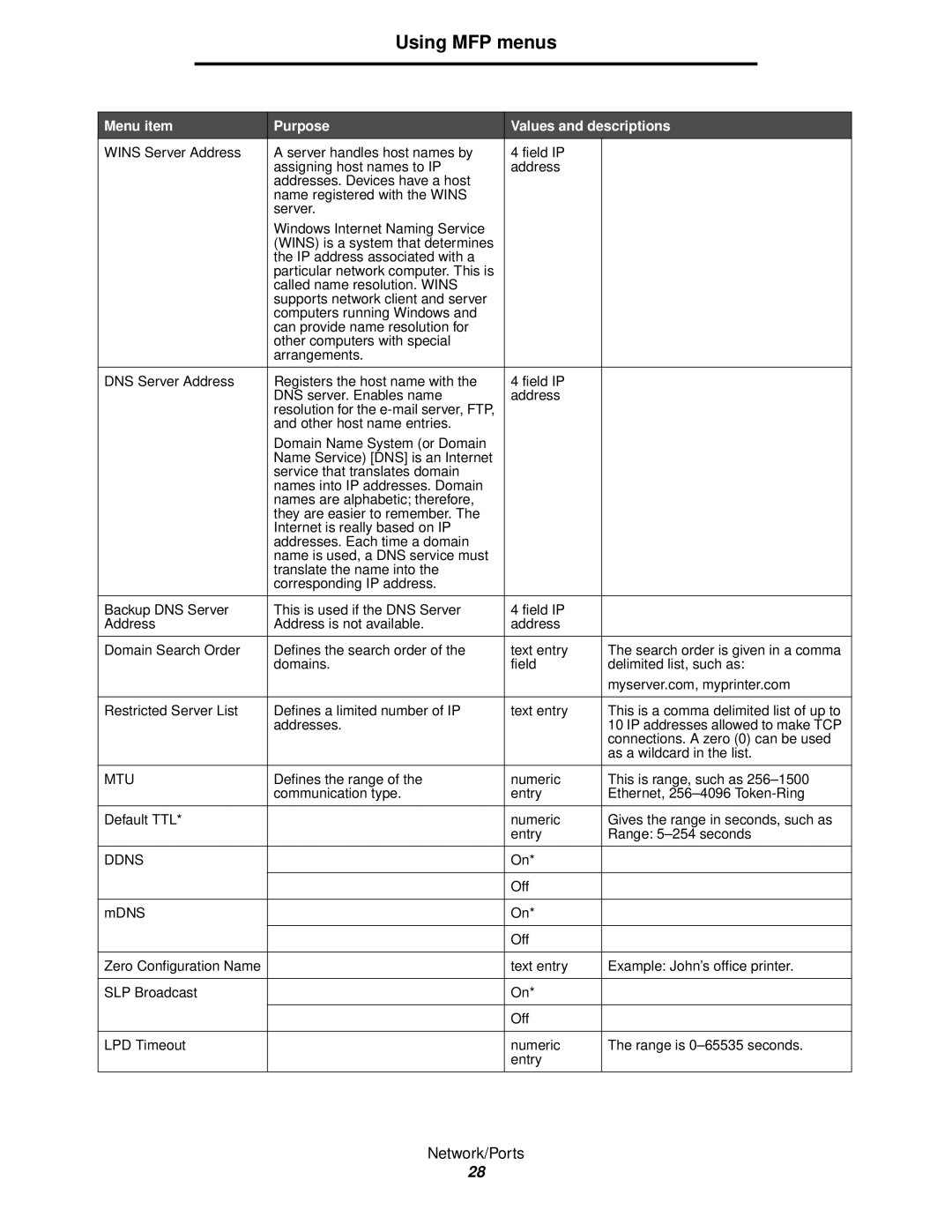
Lexmark X644E manual Mtu, Ddns

X644E specifications

The Lexmark X644E is a multifunction printer designed for businesses seeking reliable performance and advanced features. This model is particularly well-suited for medium to large workgroups, offering an excellent balance between functionality and efficiency.

One of the standout features of the X644E is its multifunction capabilities, which include printing, scanning, copying, and faxing. This all-in-one device simplifies office workflows and reduces the need for multiple machines, saving valuable space. The X644E can produce high-quality black and white prints at speeds up to 45 pages per minute, ensuring that even large volumes can be handled without sacrificing performance.

The printer utilizes Lexmark's Advanced Laser Technology, which optimizes print quality and delivers sharp, professional documents. Its resolution of up to 1200 x 1200 dots per inch ensures that text is crisp and images are clear, making it ideal for producing business reports, presentations, and legal documents. The printer also supports various media sizes and types, including envelopes, labels, and heavier stock, providing versatility for different printing needs.

Another key characteristic of the X644E is its user-friendly interface. The device features a large color touchscreen that simplifies navigation and offers easy access to settings and features. Users can quickly select functions, adjust print settings, and manage jobs seamlessly.

The X644E supports network connectivity, allowing multiple users to access the printer simultaneously. It is compatible with both wired and wireless connections, providing flexibility for different office setups. Additionally, mobile printing capabilities enable users to print documents directly from their smartphones and tablets, enhancing convenience.

Security is a significant concern for businesses, and the Lexmark X644E addresses this with robust features. It includes secure printing options, password protection, and user access controls, ensuring that sensitive information remains protected.

In terms of cost-efficiency, the X644E utilizes high-capacity toner cartridges, reducing the frequency of replacements and lowering overall printing costs. This feature is particularly beneficial for organizations looking to optimize their printing budgets.

Overall, the Lexmark X644E stands out as a versatile and powerful multifunction printer. With its high-speed printing, advanced technologies, user-friendly interface, and security features, it meets the demands of modern office environments, making it a solid choice for any business looking to enhance productivity and efficiency.