94 Internet
8.6 Using Windows Live™
Windows Live™ helps you quickly find information using Windows Live™ Search, access and sync your Windows Live™ Mail email and contacts, and send instant messages using Windows Live™ Messenger.
To set up Windows Live™ for the first time
1.Tap Start > Windows Live, and then tap Sign in to Windows Live.
2.Tap the links to read the Windows Live™ Terms of Use and the Microsoft Online Privacy Statement. After reviewing them, tap Accept.
3.Enter your Windows Live™ Mail or Hotmail address and password, select the Save password check box, and then tap Next.
4.Tap Next.
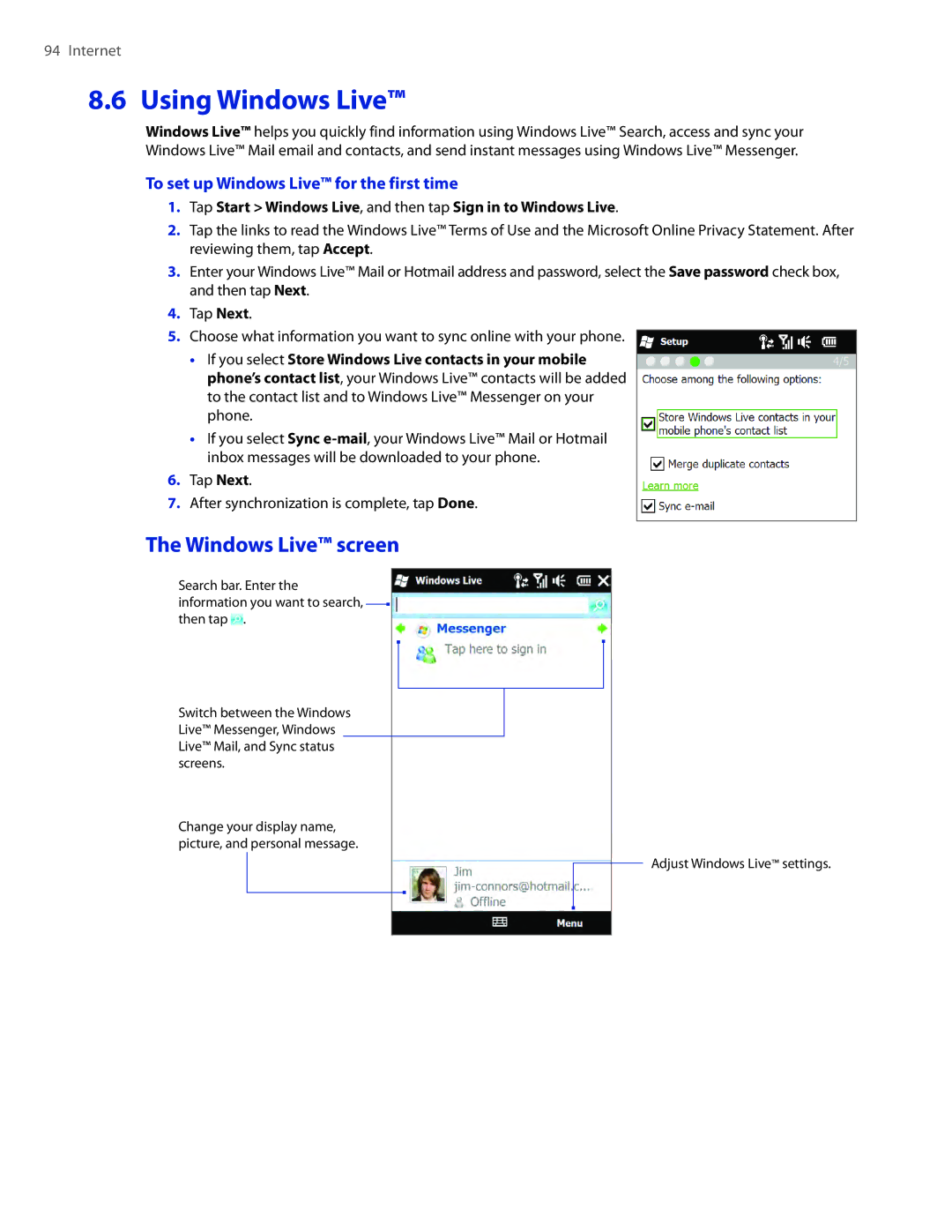
5.Choose what information you want to sync online with your phone.
��If you select Store Windows Live contacts in your mobile phone’s contact list, your Windows Live™ contacts will be added to the contact list and to Windows Live™ Messenger on your phone.
��If you select Sync
6.Tap Next.
7.After synchronization is complete, tap Done.
The Windows Live™ screen
Search bar. Enter the information you want to search, then tap  .
.
Switch between the Windows Live™ Messenger, Windows Live™ Mail, and Sync status screens.
Change your display name, picture, and personal message.
Adjust Windows Live™ settings.