1. GETTING STARTED
HOWTO USETHIS COPY MACHINE
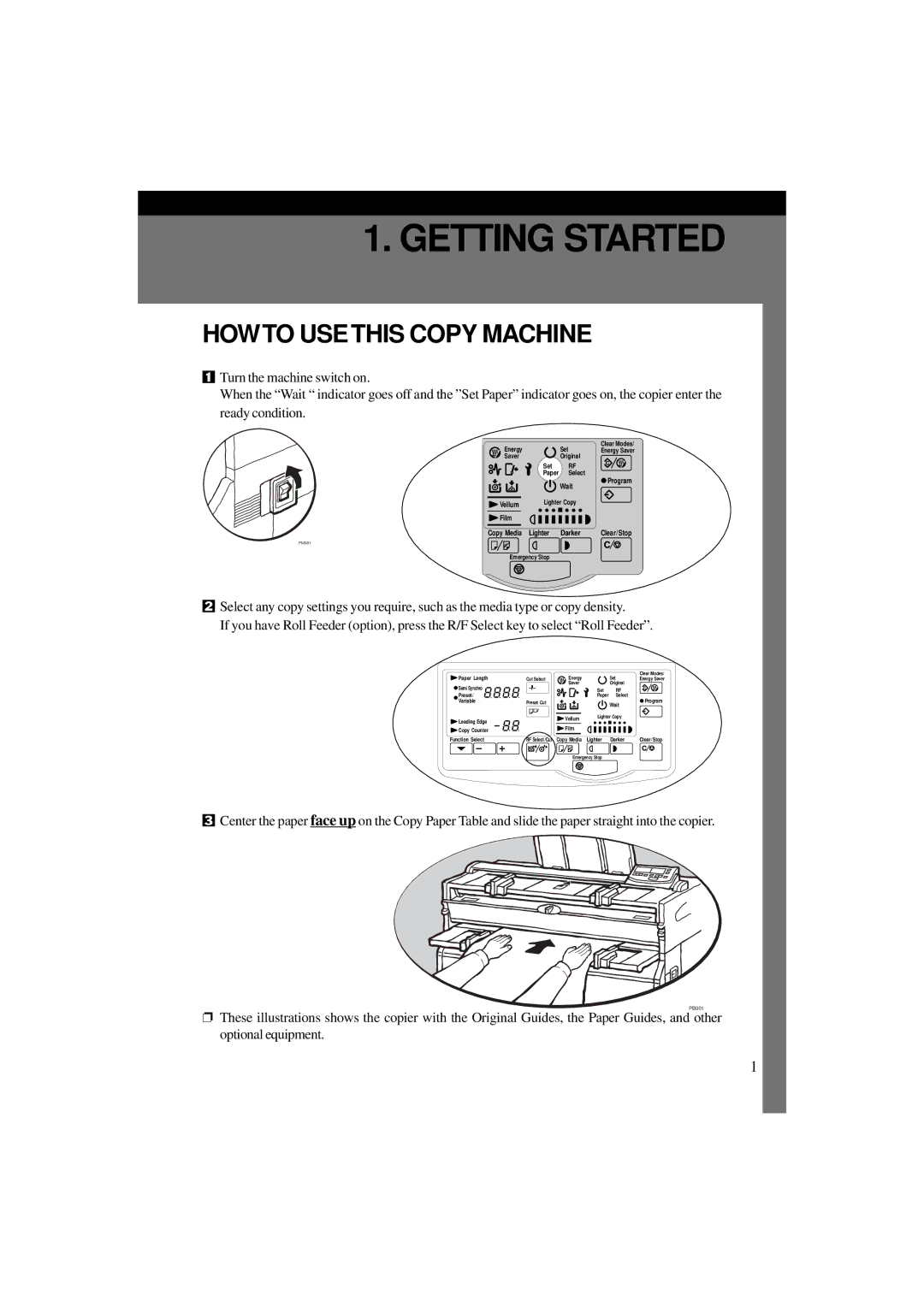
1Turn the machine switch on.
When the “Wait “ indicator goes off and the ”Set Paper” indicator goes on, the copier enter the ready condition.
Energy |
| Set | Clear Modes/ |
| Energy Saver | ||
Saver |
| Original |
|
| Set | RF |
|
| Paper | Select | Program |
|
| Wait | |
|
|
| |
Vellum | Lighter Copy |
| |
|
|
| |
Film |
|
|
|
Copy Media Lighter | Darker | Clear/Stop | |
PM001
Emergency Stop
2Select any copy settings you require, such as the media type or copy density.
If you have Roll Feeder (option), press the R/F Select key to select “Roll Feeder”.
Paper Length |
|
| Energy |
|
| Set | Clear Modes/ | ||||||
| Cut Select |
|
| Energy Saver | |||||||||
Semi Synchro |
|
| Saver |
|
| Original |
| ||||||
|
|
|
| Set |
| RF |
| ||||||
Preset/ |
|
|
|
| Paper |
| Select |
| |||||
Variable |
| Preset Cut |
|
|
|
| Wait | Program | |||||
|
|
|
| ||||||||||
|
|
|
|
|
|
|
|
|
| ||||
|
|
|
|
|
|
| Lighter Copy |
| |||||
Leading Edge |
|
| Vellum |
|
| ||||||||
|
|
|
|
|
|
|
|
| |||||
Copy Counter |
|
| Film |
|
|
|
|
|
|
|
| ||
|
|
|
|
|
|
|
|
| |||||
Function Select |
| RF Select/Cut | Copy Media Lighter | Darker | Clear/Stop | ||||||||
|
|
|
|
|
|
|
|
|
|
|
|
|
|
Emergency Stop
3Center the paper face up on the Copy Paper Table and slide the paper straight into the copier.
PB001
❐These illustrations shows the copier with the Original Guides, the Paper Guides, and other optional equipment.
1