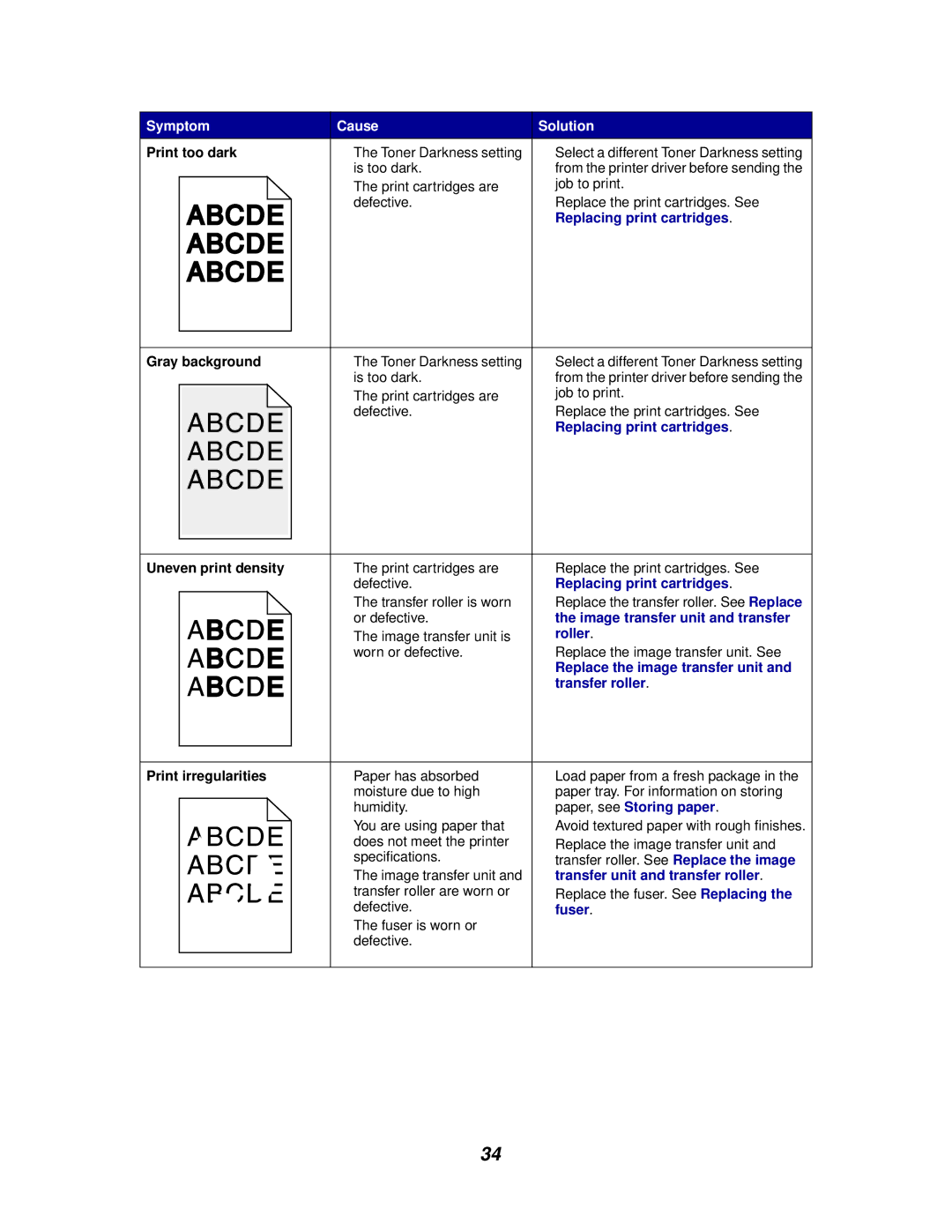
Symptom | Cause | Solution |
Print too dark | • The Toner Darkness setting | • Select a different Toner Darkness setting |
| is too dark. | from the printer driver before sending the |
| • The print cartridges are | job to print. |
| defective. | • Replace the print cartridges. See |
|
| Replacing print cartridges. |
Gray background | • | The Toner Darkness setting | • | Select a different Toner Darkness setting |
|
| is too dark. |
| from the printer driver before sending the |
| • | The print cartridges are |
| job to print. |
|
| defective. | • | Replace the print cartridges. See |
|
|
|
| Replacing print cartridges. |
Uneven print density | • The print cartridges are | • Replace the print cartridges. See |
| defective. | Replacing print cartridges. |
| • The transfer roller is worn | • Replace the transfer roller. See Replace |
| or defective. | the image transfer unit and transfer |
| • The image transfer unit is | roller. |
| worn or defective. | • Replace the image transfer unit. See |
|
| Replace the image transfer unit and |
|
| transfer roller. |
Print irregularities | • Paper has absorbed | • Load paper from a fresh package in the |
| moisture due to high | paper tray. For information on storing |
| humidity. | paper, see Storing paper. |
| • You are using paper that | • Avoid textured paper with rough finishes. |
| does not meet the printer | • Replace the image transfer unit and |
| specifications. | transfer roller. See Replace the image |
•The image transfer unit and transfer unit and transfer roller.
transfer roller are worn or | • Replace the fuser. See Replacing the |
defective. | fuser. |
• The fuser is worn or |
|
defective. |
|
34