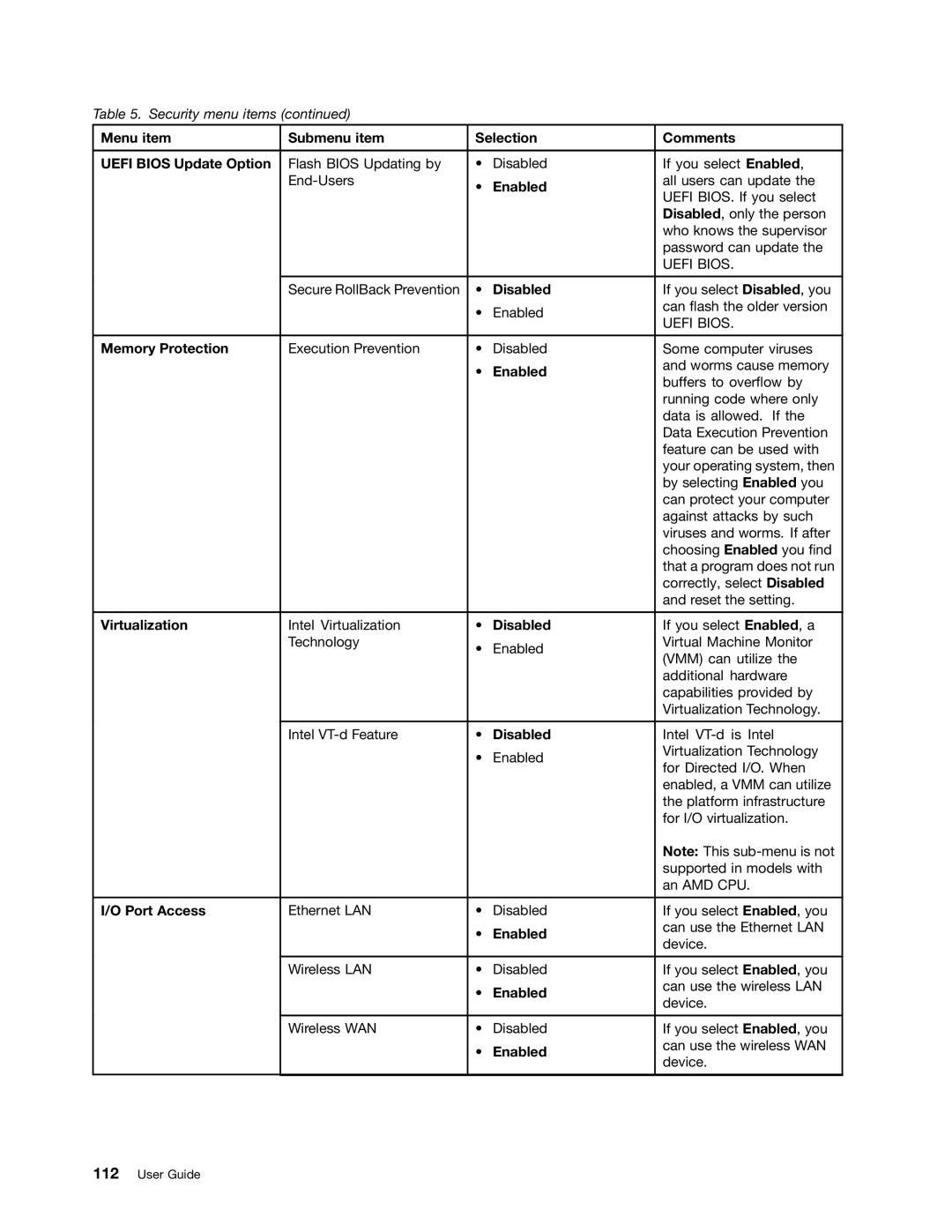
Table 5. Security menu items (continued)
Menu item | Submenu item | Selection | Comments | |
|
|
|
|
|
UEFI BIOS Update Option | Flash BIOS Updating by | • | Disabled | If you select Enabled, |
| • | Enabled | all users can update the | |
|
| UEFI BIOS. If you select | ||
|
|
|
| |
|
|
|
| Disabled, only the person |
|
|
|
| who knows the supervisor |
|
|
|
| password can update the |
|
|
|
| UEFI BIOS. |
|
|
|
|
|
| Secure RollBack Prevention | • | Disabled | If you select Disabled, you |
|
| • | Enabled | can flash the older version |
|
| UEFI BIOS. | ||
|
|
|
| |
|
|
|
|
|
Memory Protection | Execution Prevention | • | Disabled | Some computer viruses |
|
| • | Enabled | and worms cause memory |
|
| buffers to overflow by | ||
|
|
|
| |
|
|
|
| running code where only |
|
|
|
| data is allowed. If the |
|
|
|
| Data Execution Prevention |
|
|
|
| feature can be used with |
|
|
|
| your operating system, then |
|
|
|
| by selecting Enabled you |
|
|
|
| can protect your computer |
|
|
|
| against attacks by such |
|
|
|
| viruses and worms. If after |
|
|
|
| choosing Enabled you find |
|
|
|
| that a program does not run |
|
|
|
| correctly, select Disabled |
|
|
|
| and reset the setting. |
|
|
|
|
|
Virtualization | Intel Virtualization | • | Disabled | If you select Enabled, a |
| Technology | • | Enabled | Virtual Machine Monitor |
|
| (VMM) can utilize the | ||
|
|
|
| |
|
|
|
| additional hardware |
|
|
|
| capabilities provided by |
|
|
|
| Virtualization Technology. |
|
|
|
|
|
| Intel | • | Disabled | Intel |
|
| • | Enabled | Virtualization Technology |
|
| for Directed I/O. When | ||
|
|
|
| |
|
|
|
| enabled, a VMM can utilize |
|
|
|
| the platform infrastructure |
|
|
|
| for I/O virtualization. |
|
|
|
| Note: This |
|
|
|
| supported in models with |
|
|
|
| an AMD CPU. |
|
|
|
|
|
I/O Port Access | Ethernet LAN | • | Disabled | If you select Enabled, you |
|
| • | Enabled | can use the Ethernet LAN |
|
| device. | ||
|
|
|
| |
|
|
|
|
|
| Wireless LAN | • | Disabled | If you select Enabled, you |
|
| • | Enabled | can use the wireless LAN |
|
| device. | ||
|
|
|
| |
|
|
|
|
|
| Wireless WAN | • | Disabled | If you select Enabled, you |
|
| • | Enabled | can use the wireless WAN |
|
| device. | ||
|
|
|
| |
|
|
|
|
|