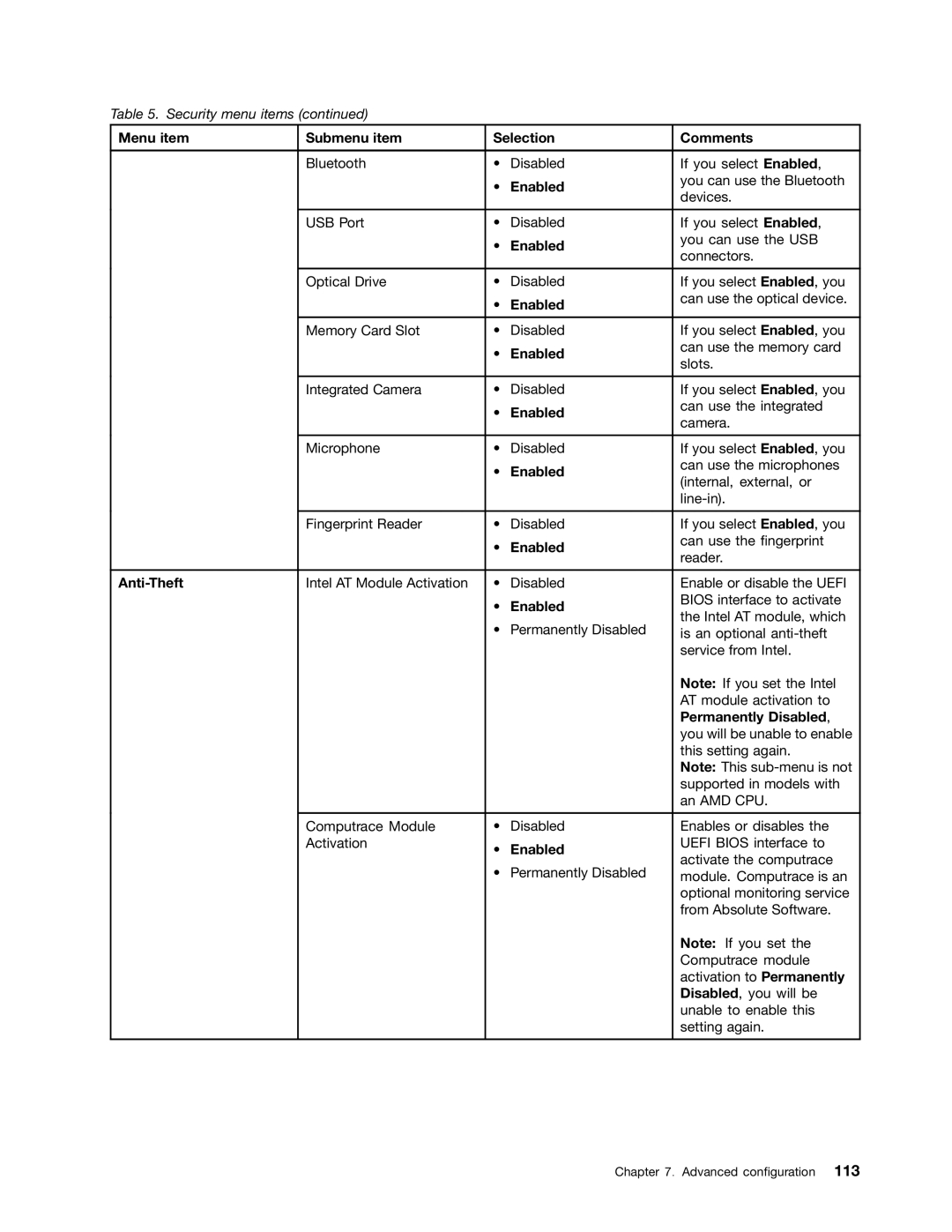
Table 5. Security menu items (continued)
Menu item | Submenu item | Selection | Comments | |
|
|
|
|
|
| Bluetooth | • | Disabled | If you select Enabled, |
|
| • | Enabled | you can use the Bluetooth |
|
| devices. | ||
|
|
|
| |
|
|
|
|
|
| USB Port | • | Disabled | If you select Enabled, |
|
| • | Enabled | you can use the USB |
|
| connectors. | ||
|
|
|
| |
|
|
|
|
|
| Optical Drive | • | Disabled | If you select Enabled, you |
|
| • | Enabled | can use the optical device. |
|
|
| ||
|
|
|
|
|
| Memory Card Slot | • | Disabled | If you select Enabled, you |
|
| • | Enabled | can use the memory card |
|
| slots. | ||
|
|
|
| |
|
|
|
|
|
| Integrated Camera | • | Disabled | If you select Enabled, you |
|
| • | Enabled | can use the integrated |
|
| camera. | ||
|
|
|
| |
|
|
|
|
|
| Microphone | • | Disabled | If you select Enabled, you |
|
| • | Enabled | can use the microphones |
|
| (internal, external, or | ||
|
|
|
| |
|
|
|
| |
|
|
|
|
|
| Fingerprint Reader | • | Disabled | If you select Enabled, you |
|
| • | Enabled | can use the fingerprint |
|
| reader. | ||
|
|
|
| |
|
|
|
|
|
| Intel AT Module Activation | • | Disabled | Enable or disable the UEFI |
|
| • | Enabled | BIOS interface to activate |
|
| the Intel AT module, which | ||
|
| • | Permanently Disabled | |
|
| is an optional | ||
|
|
|
| service from Intel. |
|
|
|
| Note: If you set the Intel |
|
|
|
| AT module activation to |
|
|
|
| Permanently Disabled, |
|
|
|
| you will be unable to enable |
|
|
|
| this setting again. |
|
|
|
| Note: This |
|
|
|
| supported in models with |
|
|
|
| an AMD CPU. |
|
|
|
|
|
| Computrace Module | • | Disabled | Enables or disables the |
| Activation | • | Enabled | UEFI BIOS interface to |
|
| activate the computrace | ||
|
| • | Permanently Disabled | |
|
| module. Computrace is an | ||
|
|
|
| optional monitoring service |
|
|
|
| from Absolute Software. |
|
|
|
| Note: If you set the |
|
|
|
| Computrace module |
|
|
|
| activation to Permanently |
|
|
|
| Disabled, you will be |
|
|
|
| unable to enable this |
|
|
|
| setting again. |
|
|
|
|
|
Chapter 7. Advanced configuration 113