ORGANIZER
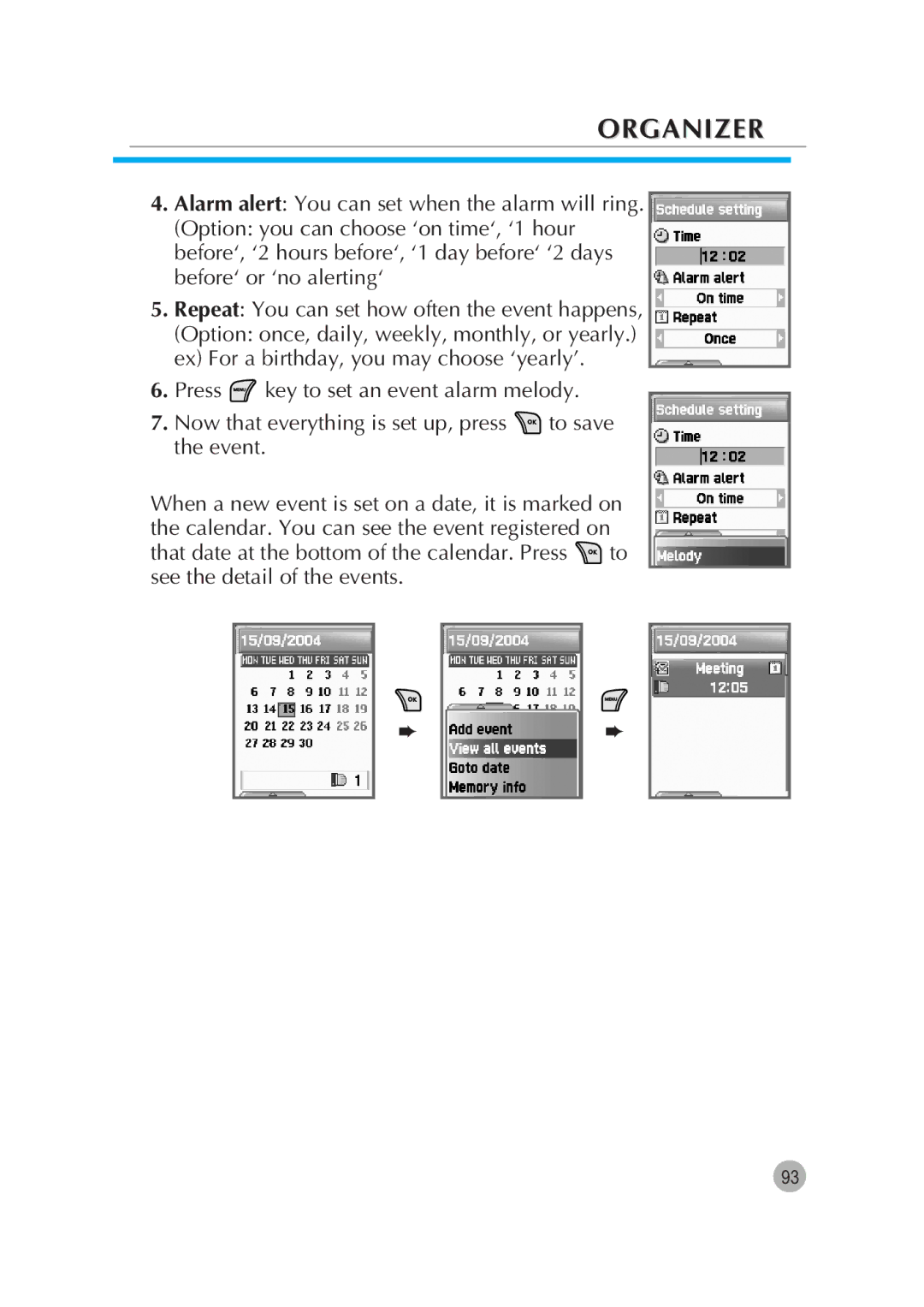
4.Alarm alert: You can set when the alarm will ring.
(Option: you can choose ‘on time‘, ‘1 hour before‘, ‘2 hours before‘, ‘1 day before‘ ‘2 days before‘ or ‘no alerting‘
5.Repeat: You can set how often the event happens,
(Option: once, daily, weekly, monthly, or yearly.) ex) For a birthday, you may choose ‘yearly’.
6.Press  key to set an event alarm melody.
7.Now that everything is set up, press  to save the event.
When a new event is set on a date, it is marked on the calendar. You can see the event registered on
that date at the bottom of the calendar. Press  to see the detail of the events.
➨
➨
93