Combinations and functions with the Fn key
 If you switch user identities during a computing session, the Fn+F7 key functionality (if available on your computer) will be interrupted. To switch to an external display or monitor, see Selecting a display mode for more information.
Combinations/
Feature Function
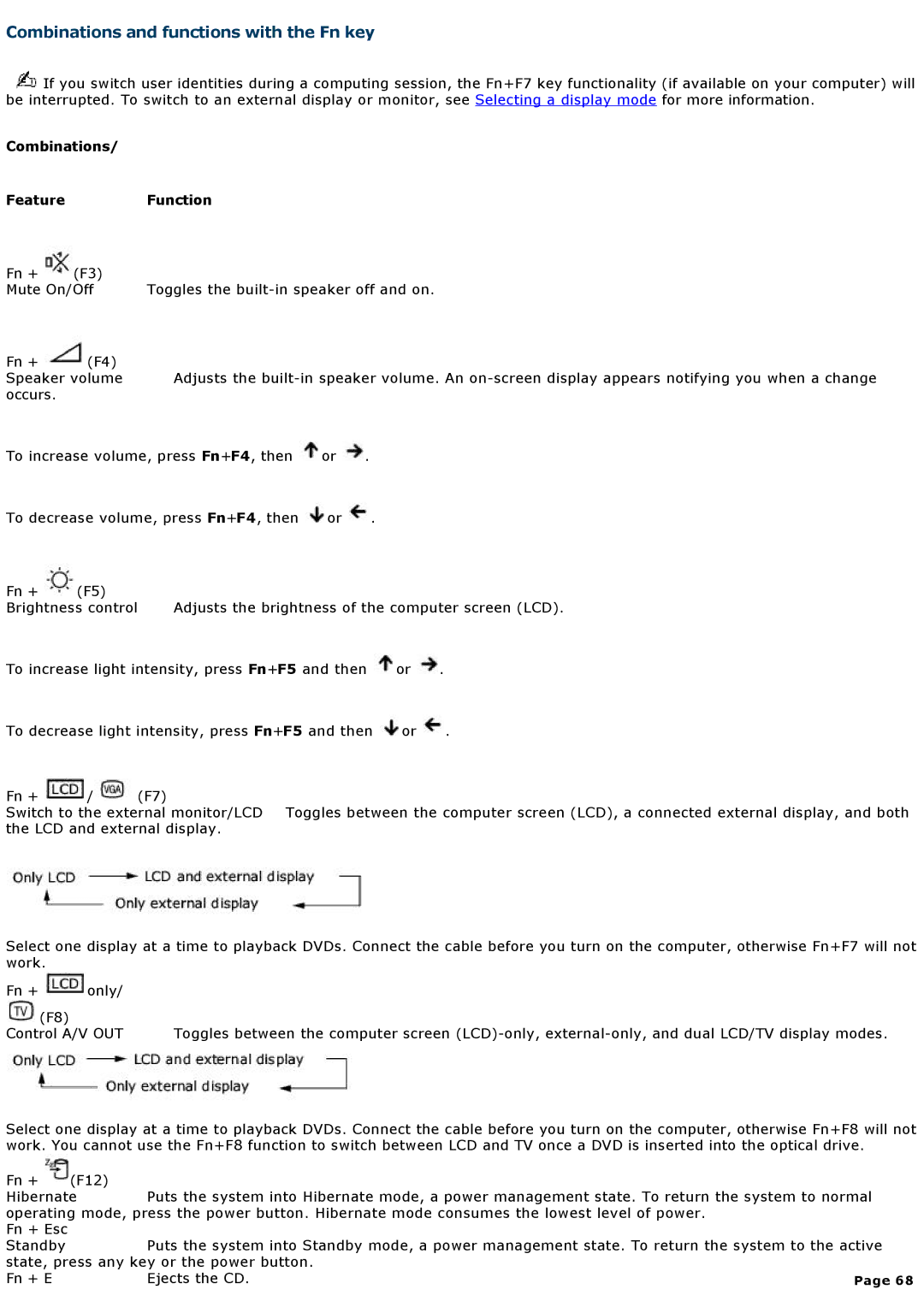
Fn + | (F3) |
|
Mute On/Off | Toggles the | |
Fn +  (F4)
Speaker volume Adjusts the
To increase volume, press Fn+F4, then  or
 .
To decrease volume, press Fn+F4, then  or
 .
Fn + | (F5) |
|
Brightness control | Adjusts the brightness of the computer screen (LCD). | |
To increase light intensity, press Fn+F5 and then  or
 .
To decrease light intensity, press Fn+F5 and then  or
 .
Fn +  /
 (F7)
Switch to the external monitor/LCD Toggles between the computer screen (LCD), a connected external display, and both the LCD and external display.
Select one display at a time to playback DVDs. Connect the cable before you turn on the computer, otherwise Fn+F7 will not work.
Fn +  only/
(F8) |
|
Control A/V OUT | Toggles between the computer screen |
Select one display at a time to playback DVDs. Connect the cable before you turn on the computer, otherwise Fn+F8 will not work. You cannot use the Fn+F8 function to switch between LCD and TV once a DVD is inserted into the optical drive.
Fn + | (F12) |
|
|
Hibernate | Puts the system into Hibernate mode, a power management state. To return the system to normal | ||
operating mode, press the power button. Hibernate mode consumes the lowest level of power. |
| ||
Fn + Esc |
|
|
|
Standby |
| Puts the system into Standby mode, a power management state. To return the system to the active | |
state, press any key or the power button. |
| ||
Fn + E |
| Ejects the CD. | Page 68 |