FrameSaver� Flex
Copyright E 2000 Paradyne Corporation All rights reserved
Contents
Configuration
Security and Logins
Troubleshooting
Menu Hierarchy
Index
Document Organization
About This Guide
Purpose and Intended Audience
Devices. Describes setup of the NetScout Manager Plus
Setting Up OpenLane for FrameSaver Devices. Identifies
Where installation and setup information is located and how
Setting Up NetScout Manager Plus for FrameSaver
Product-Related Documents
Highlighted text
When viewing this manual online. Click on
Conventions Used
To indicate a hyperlink to additional information
System Overview
About the FrameSaver Flex
System Overview
FrameSaver Flex Feature Sets
Flex Flex SLV
Feature Feature Set Basic Advanced
Basic Flex Features
Through Connections PVCs Dedicated Management PVCs
9123-A1-211 9123-A1-213 Feature 9123-A1-221 9123-A1-223
Maximum Number of PVCs and Management PVCs Supported
Models
May
Advanced Flex SLV Features
OpenLane SLM System
NetScout Manager Plus and NetScout Probes
About the FrameSaver Flex
User Interface Basic Operation
Logging On
Procedure
If your login was Then
Main Menu
Main Menu
Select
Screen Format Description
Service Level Verification System Options
Screen Work Areas
Press
Navigating the Screens
Keyboard Keys
Select For the screen Press Enter to Function
Function Keys
Selecting from a Menu
Switching Between Screen Areas
Example
Selecting a Field
Entering Information
User Interface and Basic Operation
Configuration
Configuration
Configuration EDIT/DISPLAY
Basic Configuration
Configuration Menu
Configuration Option Area Description
Configuration Option Areas
Main Menu → Configuration
Accessing and Displaying Configuration Options
Configuration → PVC Connections
Changing Configuration Options
Saving Configuration Options
Easy Install Screen Example
Using the Easy Install Feature
Main Menu → Easy Install
Default
If the selection is Unit is configured to operate
Main Menu → Control → System Information
Setting Up So the Router Can Receive RIP
Entering System Information Setting the System Clock
Configuration → Data Ports → Dlci Records
AUTO-CONFIGURATION
Setting Up Auto-Configuration
Main Menu → Auto-Configuration
Auto-Configuration Screen Example
Discovery Mode Configuration Description
Selecting a Frame Relay Discovery Mode
Main Menu → Auto-Configuration → Frame Relay Discovery Mode
9123-A2-GB20-00 May
Automatically Removing a Circuit
Main Menu → Control → Change Operating Mode
Setting Up Back-to-Back Operation
Changing Operating Mode
Configuring the Overall System
Configuration Option Tables
LMI Behavior
Configuring Frame Relay and LMI for the System
Main Menu → Configuration → System → Frame Relay and LMI
System Frame Relay and LMI Options 1
Traffic Policing
LMI Status Enquiry N1 Possible Settings 1, 2, 3, 4
System Frame Relay and LMI Options 2
System Frame Relay and LMI Options 3
LMI Heartbeat T1 Possible Settings 5, 10, 15, 20, 25
Service Level Verification Options 1
Configuring Service Level Verification Options
SLV Packet Size bytes
Service Level Verification Options 2
SLV Timeout Clearing Event Threshold
General System Options
Configuring General System Options
Main Menu → Configuration → System→ General
Network Physical Interface Options 1
Configuring the Physical Interfaces
Configuring the Network Interface
Main Menu → Configuration → Network → Physical
Network Initiated LLB
Network Physical Interface Options 2
Bit Stuffing
Transmit Timing
Ansi Performance Report Messages
Network Initiated Dclb Possible Settings Disable, V.54&ANSI
Network Physical Interface Options 3
Network Initiated PLB
Circuit Identifier
Network Physical Interface Options 4
Transmit Clock Source
Configuring the User Data Port
Main Menu → Configuration → Data Ports → Physical
Data Port Physical Interface Options 1
Port DTE Initiated Loopbacks
Data Port Physical Interface Options 2
Monitor RTS Control
Assigning Frame Relay Time Slots to the Network Interface
Main Menu → Easy Install → Time Slot Assignment Screen
Assigning Time Slots/Cross Connections
Frame Relay Network 1 Assignment
Frame Relay Network Time Slot Assignment Screen Example
Value Meaning
Time Slot Assignment Rule
Select Frame Relay Network Assignments
Sync Data Port Assignment
Assigning the Synchronous Data Port to Network Time Slots
Synchronous Data Port Assignment Screen Example
Clearing Assignments
Interface Frame Relay Options 1
Configuring Frame Relay for an Interface
LMI Parameters
Interface Frame Relay Options 2
Frame Relay DS0s Base Rate
Interface Frame Relay Options 3
Dlci Record Options 1
Manually Configuring Dlci Records
Main Menu→ Configuration→ Network/Data Port→ Dlci Records
Dlci Type Possible Settings Standard, Multiplexed
Excess Burst Size Bits
Dlci Record Options 2
CIR bps
Committed Burst Size Bc Bits
Outbound Management Priority
Dlci Record Options 3
Dlci Priority
PVC Connection Options 1
Configuring PVC Connections
Main Menu → Configuration → PVC Connections
Destination Edlci
PVC Connection Options 2
Destination Link
Destination Dlci
Configuring Node IP Information
Setting Up Management and Communication Options
Node IP Options 1
Node IP Options 2
TS Access Management Link
Node IP Options 3
TS Access
Name
Configuring Management PVCs
10. Management PVC Options 1
Set DE
Primary Link Possible Settings Net1-FR1, Port-1, Clear
10. Management PVC Options 2
Primary Edlci
10. Management PVC Options 3
Primary Dlci
Snmp Management
Configuring General Snmp Management
Name 1 Access
11. General Snmp Management Options 1
12. Telnet and FTP Session Options 1
Configuring Telnet and/or FTP Session Support
11. General Snmp Management Options 2
12. Telnet and FTP Session Options 2
Inactivity Timeout
FTP Session
FTP Login Required
12. Telnet and FTP Session Options 3
Disconnect Time Minutes
NMS IP Validation
Configuring Snmp NMS Security
Access Type
13. Snmp NMS Security Options
Number of Trap Managers
Configuring Snmp Traps
14. Snmp Traps Options 1
Snmp Traps
Enterprise Specific Traps
14. Snmp Traps Options 2
Rmon Traps
Link Traps Possible Settings Disable, Up, Down, Both
14. Snmp Traps Options 3
Interface Status
Configuring the Ethernet Port
15. Ethernet Port Options 1
Proxy ARP
Configuring the Communication Port
15. Ethernet Port Options 2
16. Communication Port Options 1
16. Communication Port Options 2
16. Communication Port Options 3
RIP
16. Communication Port Options 4
17. External Modem COM Port Options
Configuring the COM Port to Support an External Modem
External Modem Commands
Dial-In Access
Security and Logins
Controlling Asynchronous Terminal Access
Limiting Access
Set the configuration option
Controlling Telnet or FTP Access
Controlling External COM Port Device Access
Limiting Telnet Access
Limiting FTP Access
Limiting Telnet or FTP Access Over the TS Management Link
Disabling Snmp Access
Controlling Snmp Access
Assigning Snmp Community Names and Access Levels
Limiting Snmp Access Through IP Addresses
Field Enter
Creating a Login
Main Menu → Control → Administer Logins
Deleting a Login
Modifying a Login
Operation and Maintenance
View this field To find
Displaying System Information
Main Menu → Status → Identity
Display LEDs & Control Leads Screen
Viewing LEDs and Control Leads
Main Menu → Status → Display LEDs and Control Leads
TST
LED Descriptions
General Status LEDs 1 Label Indication Color What It Means
ALM
OFF ±
General Status LEDs 2 Label Indication Color What It Means
Network Interface LEDs Label Indication Color What It Means
SIG
Network Interface
Control Lead Descriptions
User Data Port LED Label Indication Color What It Means
Additional Control Leads Label Indication What It Means
Dlci
Device Messages
Device Messages 1 What It Indicates What To Do
See Changing Software
Device Messages 2 What It Indicates What To Do
Device Messages 3 What It Indicates What To Do
Software
Device Messages 4 What It Indicates What To Do
Changes? prompt
Device Messages 5 What It Indicates What To Do
Status
Status Information
Status Menu
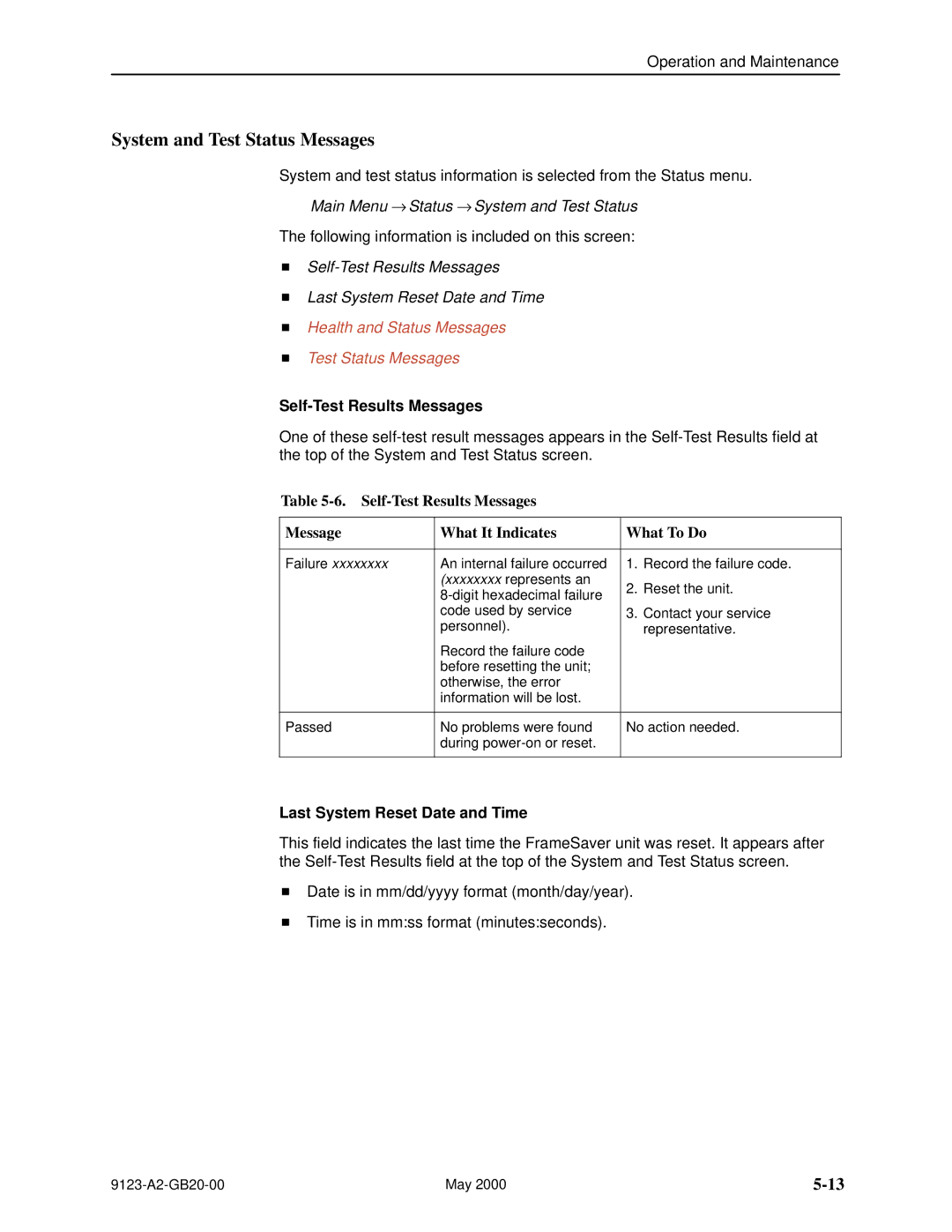
Self-Test Results Messages
Self-Test Results Messages Last System Reset Date and Time
Last System Reset Date and Time
System and Test Status Messages
Health and Status Messages 1 What It Indicates
Health and Status Messages
Frame relay link
Health and Status Messages 2 What It Indicates
Frame relay link 1, 2
Health and Status Messages 3 What It Indicates
Test Status Messages 1 What It Indicates
Test Status Messages
LMI-Reported DLCIs Status Screen Example
Network LMI-Reported DLCIs Status
Test Status Messages 2 What It Indicates
Main Menu → Status → LMI Reported DLCIs
Network LMI-Reported DLCIs Status Field What It Indicates
10. PVC Connection Status 1 Field
PVC Connection Status
Main Menu → Status → PVC Connection Status
PVC Connection Status Screen Example
Edlci
10. PVC Connection Status 2 Field What It Indicates
Network Timeslot Assignment Status Screen Example
Time Slot Assignment Status
Displaying Network Time Slot Assignments
Main Menu → Status → Timeslot Assignment Status → Network
Cross Connect Status Field Indicates Bottom
11. IP Routing Table Values 1 Column What It Indicates
IP Routing Table
Main Menu → Status → IP Routing Table
IP Routing Table Screen Example
TTL
11. IP Routing Table Values 2 Column What It Indicates
Performance Statistics
Performance Statistics
Main Menu → Status → Performance Statistics
Performance Statistics Menu
Performance Statistics → ESF Line
Clearing Performance Statistics
Performance Statistics → Clear All Statistics
Performance Statistics → Frame Relay
Service Level Verification Performance Statistics
Average round trip latency is measured every SLV sampling
13. Dlci Performance Statistics 1 What It Indicates
Dlci Performance Statistics
Main Menu → Status → Performance Statistics → Dlci
CIR&EIR
13. Dlci Performance Statistics 2 What It Indicates
14. Frame Relay Performance Statistics 1 What It Indicates
Frame Relay Errors
Frame Relay Performance Statistics
Main Menu → Status → Performance Statistics → Frame Relay
Frame Relay LMI
Frame Relay Errors contd
14. Frame Relay Performance Statistics 2 What It Indicates
14. Frame Relay Performance Statistics 3 What It Indicates
Frame Relay Hdlc Errors
To select intervals You must enter an interval or time on
ESF Line Performance Statistics
Main Menu → Status → Performance Statistics → ESF Line
±LOFC±±
ESF Line Performance Statistics Screen Example
Lofc
Statistic What It Indicates
UAS
Main Menu → Status → Performance Statistics → Ethernet
Ethernet Performance Statistics
Trap Event LOG
Trap Event Log
Main Menu → Status → Trap Event Log
Trap Event Log Screen Example
FTP File Transfers
Dir directory
Command Definition
If the message displayed is Then
Upgrading System Software
Changing Software
Determining Whether a Download Is Completed
If retrieving Then
Transferring Collected Data
Troubleshooting
Indicators See
Problem Indicators
Resetting the Unit By Cycling the Power
Resetting the Unit and Restoring Communication
Resetting the Unit from the Control Menu
If selecting Following occurs
Restoring Communication with a Misconfigured Unit
Main Menu → Control → LMI Packet Capture Utility
Troubleshooting Management Link Feature
LMI Packet Capture Utility Feature
LMI Trace LOG
LMI Packet Capture Utility → Display LMI Trace Log
LMI Trace Log Example
Alarm Conditions 1 What It Indicates What To Do
Alarms
Operational appears
Alarm Conditions 2 What It Indicates What To Do
Alarm Conditions 3 What It Indicates What To Do
Alarm Conditions 4 What It Indicates What To Do
Viewing the Trap Event Log
Troubleshooting Tables
Device Problems
Device Problems 1 Symptom Possible Cause Solutions
With a Misconfigured Unit
Device Problems 2 Symptom Possible Cause Solutions
Frame Relay PVC Problems Symptom Possible Cause Solutions
Frame Relay PVC Problems
Test
Tests Available
Test Menu Example
Starting and Stopping a Test
Test Timeout Feature
When the status of a test is Only command available is
Aborting All Tests
Network PVC Tests
PVC Tests
PVC Tests Screen Example
Main Menu → Test → Data Port PVC Tests
PVC Loopback
Send Pattern
Main Menu → Test → Network PVC Tests
Connectivity
Monitor Pattern
Physical Tests Screen Example
Physical Tests
LLB
Line Loopback
Main Menu → Test → Network Physical Tests
PLB
Payload Loopback
RLB AIS
Repeater Loopback
Send Line Loopback
Data Channel Loopbacks on a Frame Relay Link
Qrss
Send and Monitor Pattern Tests
Main Menu → Test → Data Port Physical Tests
DTE Loopback
Main Menu → Test → IP Ping
IP Ping Test
Procedure
Main Menu → Test → Lamp Test
Lamp Test
OpenLane Support of FrameSaver Devices
Setting Up OpenLane for FrameSaver Devices
OpenLane Support of FrameSaver Devices
Setting Up the OpenLane SLM System
Setting Up FrameSaver Flex and SLV Support
Setting Up OpenLane for FrameSaver Devices
Setting Up NetScout Manager Plus for FrameSaver Devices
User history
Alarms
Preparation
Properties
Configuring NetScout Manager Plus
Procedure
Adding SLV Alarms Using a Template
Editing Alarms
9123-A2-GB20-00 May
Adding SLV Alarms Manually
Paradyne
Field Select or Enter
Creating History Files
Procedure
Dvuhist -f Dallas51 3 config 30 60 Dallas51k.udh
Installing the User-Defined History Files
Monitoring a DLCIs History Data
May
9123-A2-GB20-00 May
Monitoring the Agent Using NetScout Manager Plus
Procedure
Setting Up NetScout Manager Plus for FrameSaver Devices
Setting Up Network Health for FrameSaver Devices
Installation and Setup of Network Health
Discovering FrameSaver Elements
Configuring the Discovered Elements
Grouping Elements for Reports
About At-a-Glance Reports
About Service Level Reports
Generating Reports for a Group
Printed Reports
Reports Applicable to Flex and SLV Devices
About Trend Reports
May
9123-A2-GB20-00 May
Setting Up Network Health for FrameSaver Devices
Menus
Menu Hierarchy
Status
Menu Hierarchy Frame Relay Mode
Easy Install
Auto-Configuration
Data Ports Assignment
Menu Hierarchy Leased Line Mode
Control
Menu Hierarchy
Snmp MIBs and Traps, Rmon Alarm Defaults
Downloading MIBs and Snmp Traps
MIB Support
FrameSaver Units sysObjectID system
System Group mib-2
FrameSaver Units sysDescr system
Frame Relay Logical Layer
Interfaces Group mib-2
Paradyne Indexes to the Interface Table ifTable
Physical Layer
For the DTE
NetScout Indexes to the Interface Table ifTable
Rmon Logical Layer
Examples
Standards Compliance for Snmp Traps
Variable-Binding
Trap authenticationFailure
Trap warmStart
Table B-3. warmStart Trap What It Indicates Possible Cause
Traps linkUp and linkDown
MIB
Physical Sublayer
Logical Link Sublayer
Physical Sublayer contd
DevHealthAndStatus
Traps enterprise-Specific
SLVs devFrExt.mib
Placeholder
Traps RMON-Specific
Rising Event Operation
Rmon Alarm and Event Defaults
Event Defaults
EventIndex EventDescription EventType EventCommunity
Physical Interface Alarm Defaults
Frame Relay Link Alarm Defaults
Snmp MIBs and Traps, and Rmon Alarm Defaults
MIB FR DTE MIB
Dlci Alarm Defaults ± Paradyne Area
Dlci Alarm Defaults ± NetScout Area
Rx Dlci Link
Object ID Cross-References Numeric Order
6.1.4.1.1795.2.24.2
6.1.2.1.2.2.1
6.1.2.1.2.10.32.2.1
MIB FR DTE MIB RFC
Dlci CIR
6.1.4.1.1795.2.24.2.6.9.4
6.1.4.1.1795.2.24.2.6.9.4.4.2
Dlci EIR
6.1.4.1.1795.2.24.2.6.9.4.7.1
6.1.4.1.1795.2.24.2.6.9.4.5.2.1
6.1.4.1.1795.2.24.2.6.9.4.10.3.1
6.1.2.1.10.32.2.1
Snmp MIBs and Traps, and Rmon Alarm Defaults
Snmp MIBs and Traps, and Rmon Alarm Defaults
Rear Panel
Connectors, Cables, Pin Assignments
Function Circuit Direction Pin Number
T1 Network Cable Feature No -F1-500
Canadian T1 Line Interface Cable Feature No -F1-510
T1 Network Interface
Signal Direction Pin #
COM Port Connector
CD Rlsd RXC DTR Xtxc
Standard EIA-232-D Crossover Cable
Pin
TXD RXD RTS DSR
AT Command String To configure the modem to
Direction Pin Socket
Data Port Connector
Signal
Standard V.35 Straight-through Cable
Ethernet Port Connector
Connectors, Cables, and Pin Assignments
Technical Specifications
Data Port
COM Port
T1 Network Interface
Ethernet Port
Equipment
Description Model / Feature Number
FrameSaver Flex SLV Upgrade
Equipment List
NMS Products
Description Part Number Feature Number
Optional Features
Cables
CIR
Index
ARP
CTS
Index
EIR
EER
IN-4
LOS
LMI
NMS
IN-6
OID
IN-7
Rmon
IN-8
Snmp
SLV
IN-10
IN-11