Chapter 2: Basic Checkout
Setting Up The Model RA2040 802.11g Radio
default, the 8515 attempts to connect to preferred networks. This behaviour can be changed by enabling ‘Automatically connect to
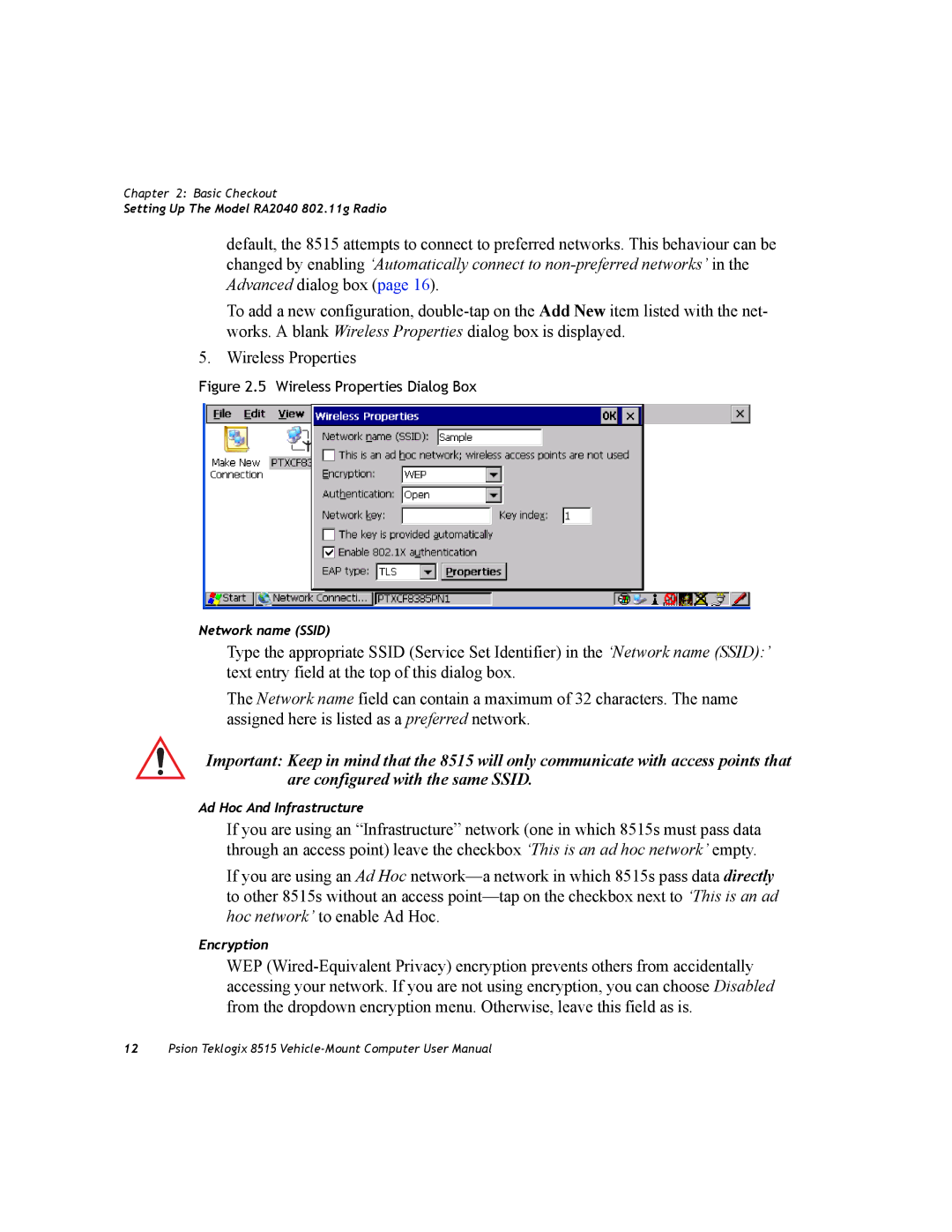
To add a new configuration,
5. Wireless Properties
Figure 2.5 Wireless Properties Dialog Box
Network name (SSID)
Type the appropriate SSID (Service Set Identifier) in the ‘Network name (SSID):’ text entry field at the top of this dialog box.
The Network name field can contain a maximum of 32 characters. The name assigned here is listed as a preferred network.
Important: Keep in mind that the 8515 will only communicate with access points that are configured with the same SSID.
Ad Hoc And Infrastructure
If you are using an “Infrastructure” network (one in which 8515s must pass data through an access point) leave the checkbox ‘This is an ad hoc network’ empty.
If you are using an Ad Hoc
Encryption
WEP
12Psion Teklogix 8515