To set the subnet, complete these steps
To set the default gateway, complete these steps
Setting the IP address in a non-Windows environment
Static Route To use this method, complete these steps
Assigning an IP address via a telnet session
Gleaning To use this method, complete these steps
ZebraNetView
Setting Alerts
ZebraLink
To view Alert Setup, complete these steps
Establishing Email Alert Messaging
Getting Started
Add Alert Message page opens
Click Smtp Email Alerts
To monitor Psii alerts, complete these steps
Getting Started
ZebraNet View
Checking Psii Configuration Settings
To check configuration settings, complete these steps
To access the print server settings, complete these steps
Checking Psii Configuration
Your browser view looks similar to this
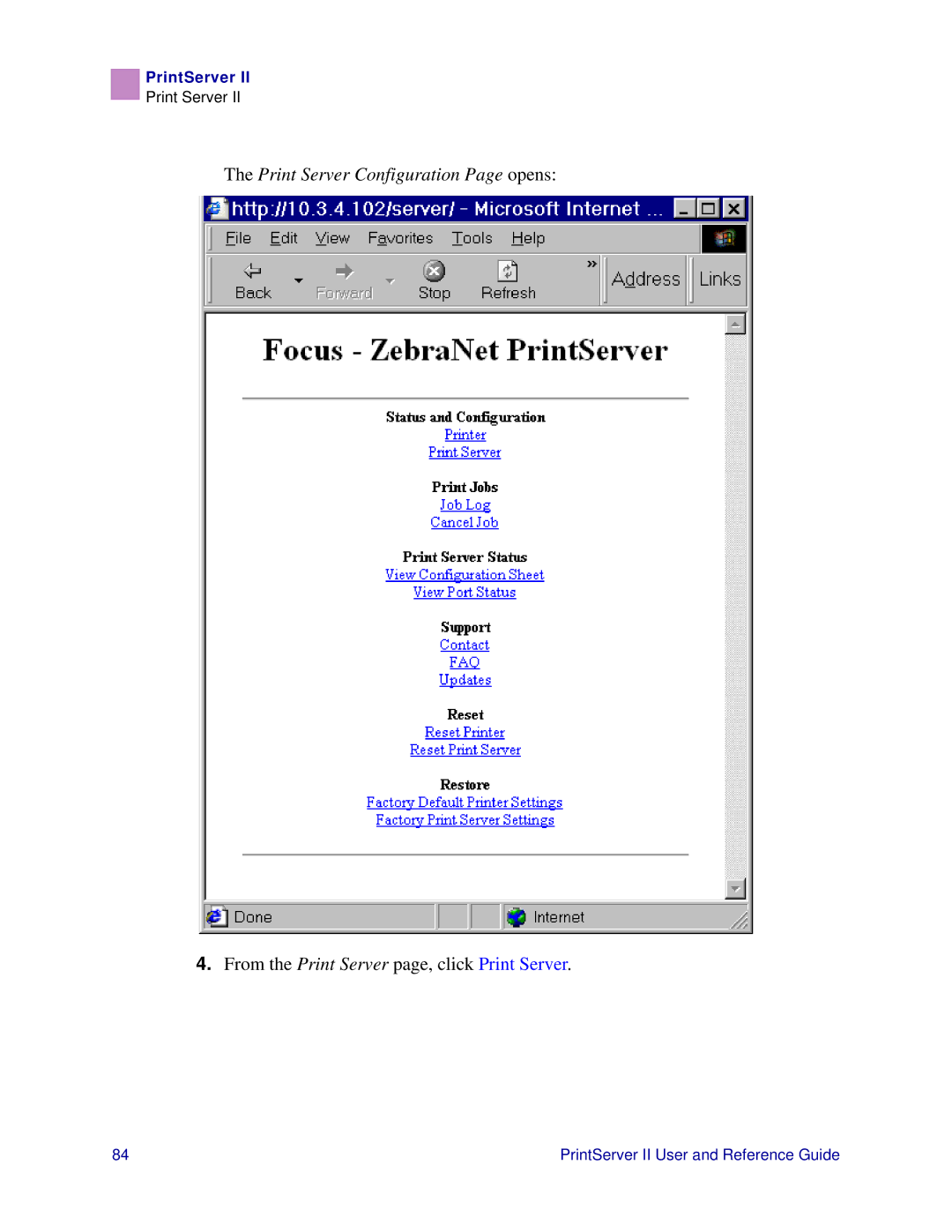
Print Server Configuration Page opens
Print Server Configuration page opens
Windows NT 4.0/Windows
Setting up a ZebraNet Connect IP
Windows 95/98
IPX NetWare
Getting Started
WebView
To enable protocols using WebView, complete these steps
Enabling Protocols
Getting Started
Protocol Configuration page opens
Getting Started
Defaulting the Psii
Select the settings you want to reset, Click Restore
Test Button
Printing in PServer Mode on
NetWare Print Configuration
Printing in PServer Mode
NetWare Print Configuration
NetWare Print Configuration
Printing Configurations
BSD-Style Print Queue
Configuring the Print Queue
Printing Configurations
Prerequisites
System V Queue Installation
Configuring System V for ZebraNet Printing
Unix Configuration
Try printing by entering the command lp -d lj4 filename
Printing Configurations
Using Printing Protocols
Internet Printing Protocol IPP
To setup your Psii to support IPP, complete these steps
To terminate the FTP session, type quit
File Transfer Protocol FTP
Using Printing Protocols
PrintServer
Print Server
Status and Configuration
From the Printer Home Page, click Print Server Settings
Print Server Configuration Page opens
Print Server Configuration page opens
Enabled Protocols
TCP/IP Configuration
TCP/IP Logical Printing Ports
IPX Alerts Traps