6. How to Operate
6-10.4. Copying the recorded data during replaying
The system, CDR1650 allows users to copy the recorded data during replaying.
▫Start replaying (See section
▫
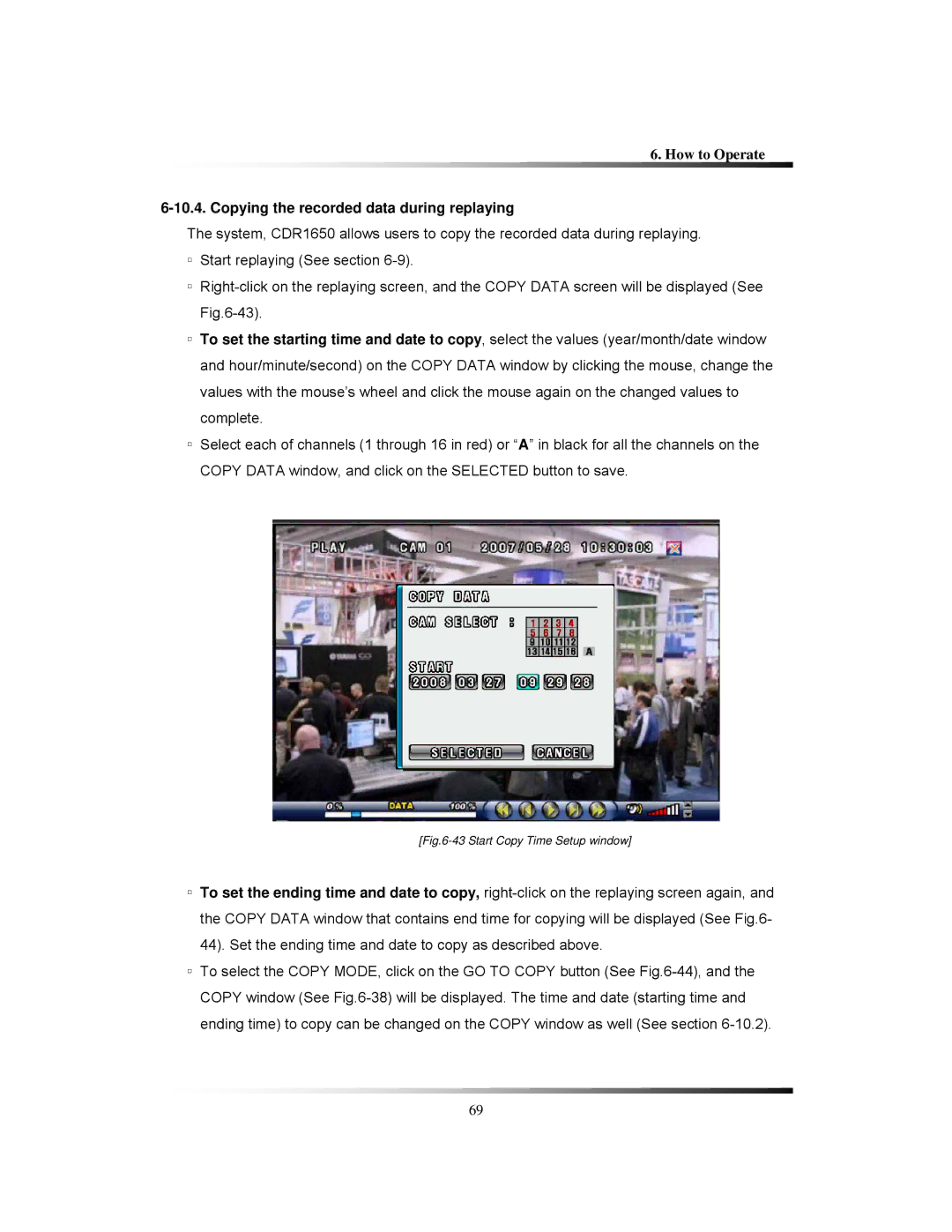
▫To set the starting time and date to copy, select the values (year/month/date window and hour/minute/second) on the COPY DATA window by clicking the mouse, change the values with the mouse’s wheel and click the mouse again on the changed values to complete.
▫Select each of channels (1 through 16 in red) or “A” in black for all the channels on the COPY DATA window, and click on the SELECTED button to save.
[Fig.6-43 Start Copy Time Setup window]
▫To set the ending time and date to copy,
▫To select the COPY MODE, click on the GO TO COPY button (See
69