Chapter 8: MENU mode/BATTERY SETUP menu
Battery low voltage warning setting [BATT. warning]
Using the "BATT. warning" item, you can set the threshold low battery voltage for generating the warning tone. When the battery voltage drops down to the threshold voltage for warning, you can hear the warning tone via headphones.
To hear the warning tone, you must set the "BATT. warning" item on the "Error tone" menu item in the "SYS SETUP" menu of the MENU mode to "On". (The default is "On". See page 160 for details.) You can also check the remaining time until battery voltage drops down to the thresh- old voltage via the "BATT. Remain" menu item. See page 172 for details.
1)While the unit is stopped, press the [SHIFT] key followed by the [ENTER/YES] key.
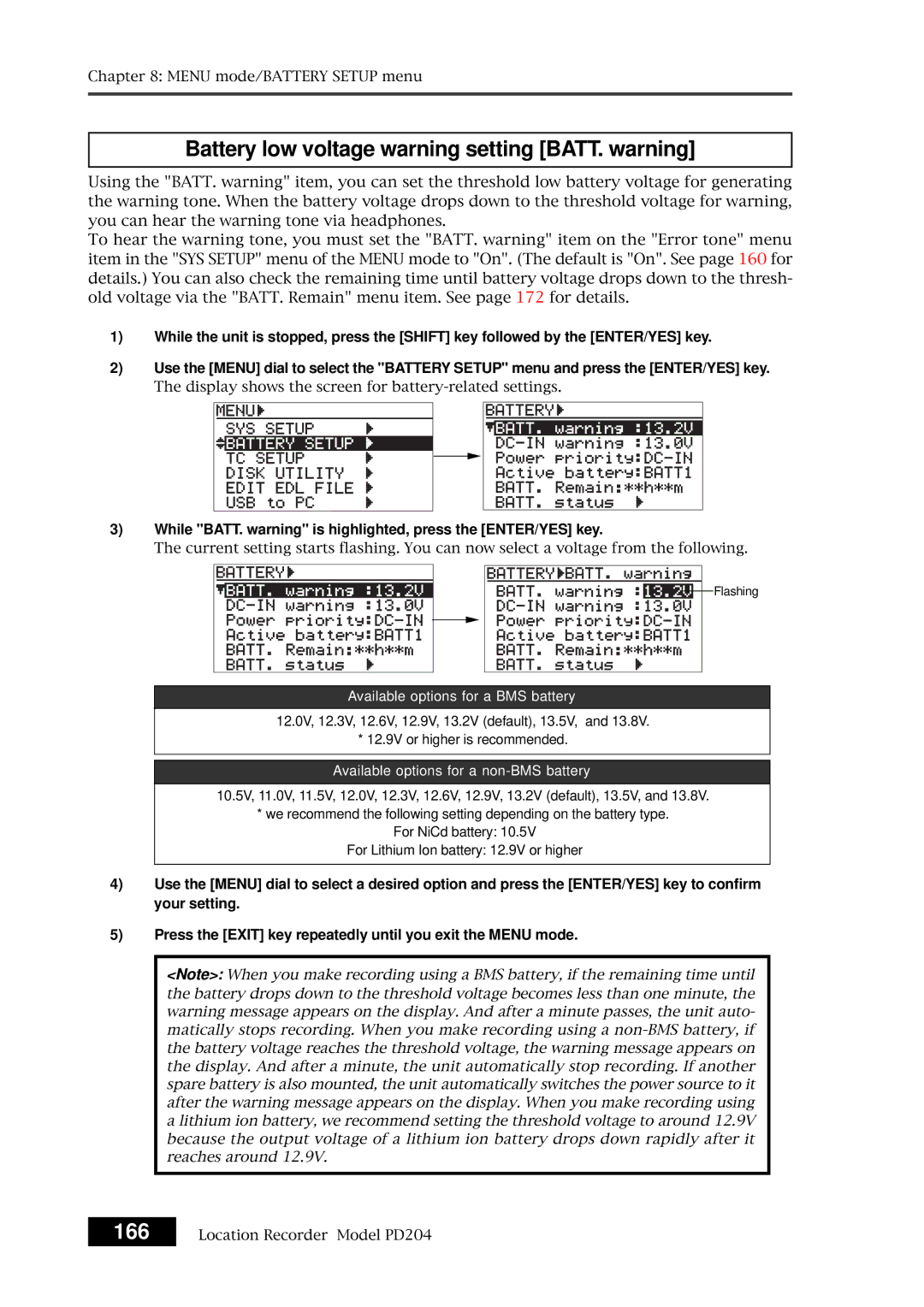
2)Use the [MENU] dial to select the "BATTERY SETUP" menu and press the [ENTER/YES] key.
The display shows the screen for
3)While "BATT. warning" is highlighted, press the [ENTER/YES] key.
The current setting starts flashing. You can now select a voltage from the following.

 Flashing
Available options for a BMS battery
12.0V, 12.3V, 12.6V, 12.9V, 13.2V (default), 13.5V, and 13.8V.
* 12.9V or higher is recommended.
Available options for a non-BMS battery
10.5V, 11.0V, 11.5V, 12.0V, 12.3V, 12.6V, 12.9V, 13.2V (default), 13.5V, and 13.8V.
*we recommend the following setting depending on the battery type.
For NiCd battery: 10.5V
For Lithium Ion battery: 12.9V or higher
4)Use the [MENU] dial to select a desired option and press the [ENTER/YES] key to confirm your setting.
5)Press the [EXIT] key repeatedly until you exit the MENU mode.
<Note>: When you make recording using a BMS battery, if the remaining time until the battery drops down to the threshold voltage becomes less than one minute, the warning message appears on the display. And after a minute passes, the unit auto- matically stops recording. When you make recording using a
166 Location Recorder Model PD204