Chapter 11
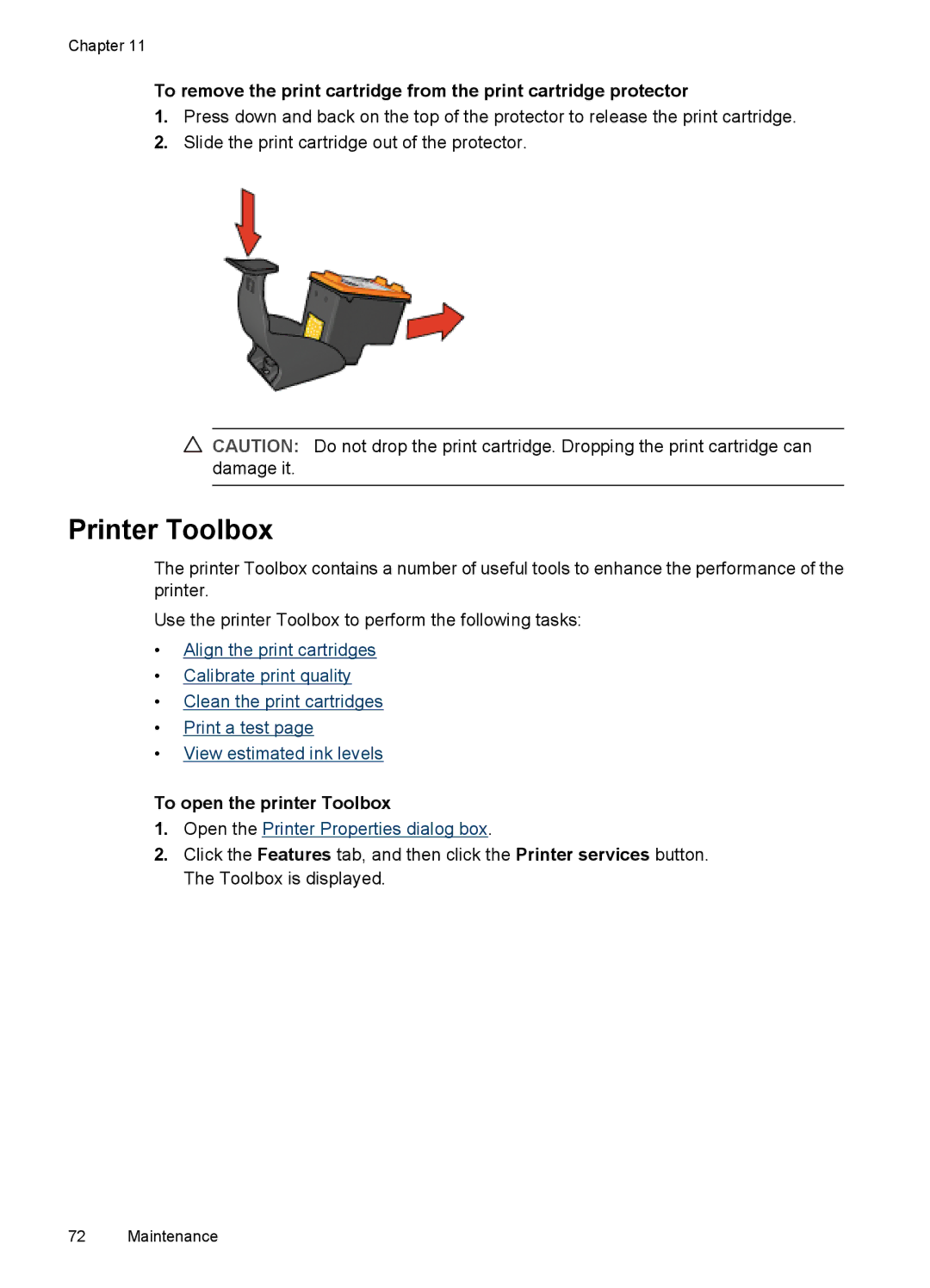
To remove the print cartridge from the print cartridge protector
1.Press down and back on the top of the protector to release the print cartridge.
2.Slide the print cartridge out of the protector.
CAUTION: Do not drop the print cartridge. Dropping the print cartridge can damage it.
Printer Toolbox
The printer Toolbox contains a number of useful tools to enhance the performance of the printer.
Use the printer Toolbox to perform the following tasks:
•Align the print cartridges
•Calibrate print quality
•Clean the print cartridges
•Print a test page
•View estimated ink levels
To open the printer Toolbox
1.Open the Printer Properties dialog box.
2.Click the Features tab, and then click the Printer services button. The Toolbox is displayed.
72 Maintenance