Chapter 11: Monitoring Your Storage Space
●
103
Using Event Notifications to Monitor Status
You can set up Adaptec Storage Manager to broadcast messages (or
notifications) to selected remote systems and users when an event, such as
the creation of a logical drive or the failure of a disk drive, occurs on the
local system. (For more information about event types, see
.)
You can set up one or both of these types of notifications for any system
in your storage space:
●
Event notifications
—Messages about a system are sent to the Event
Viewer of other systems in your storage space. See below.
●
Email notifications
—Messages about a system are sent by email to
specified users. See
Setting up Event Notifications
Event notifications are messages about events on one system that are
sent to the Event Viewer of another system in your storage space. These
messages, called logged notifications, can help you monitor activity on
your entire storage space from a single local station, and are especially
useful in storage spaces that include multiple systems running the
Adaptec Storage Manager agent only.
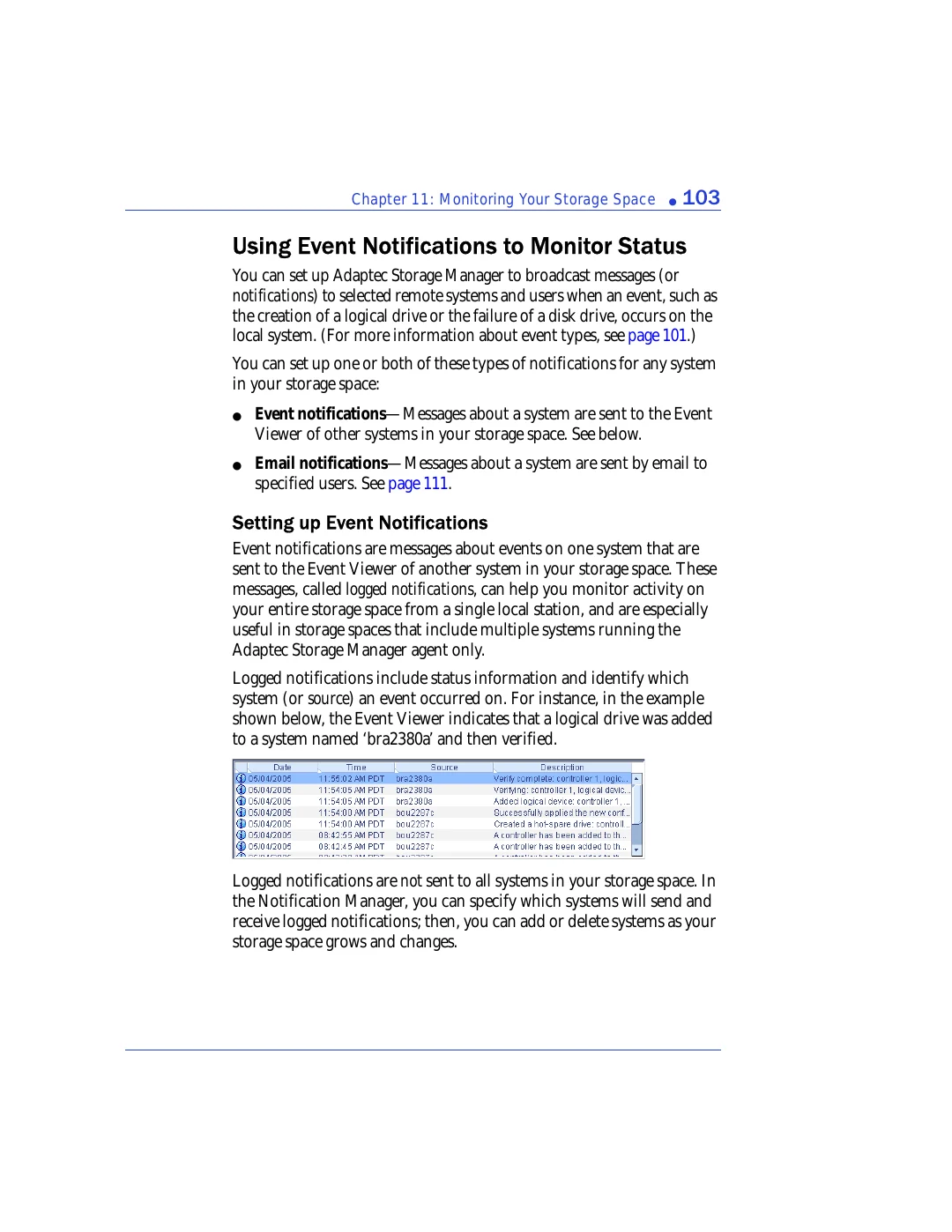
Logged notifications include status information and identify which
system (or source) an event occurred on. For instance, in the example
shown below, the Event Viewer indicates that a logical drive was added
to a system named ‘bra2380a’ and then verified.
Logged notifications are not sent to all systems in your storage space. In
the Notification Manager, you can specify which systems will send and
receive logged notifications; then, you can add or delete systems as your
storage space grows and changes.